Spend a gift card.
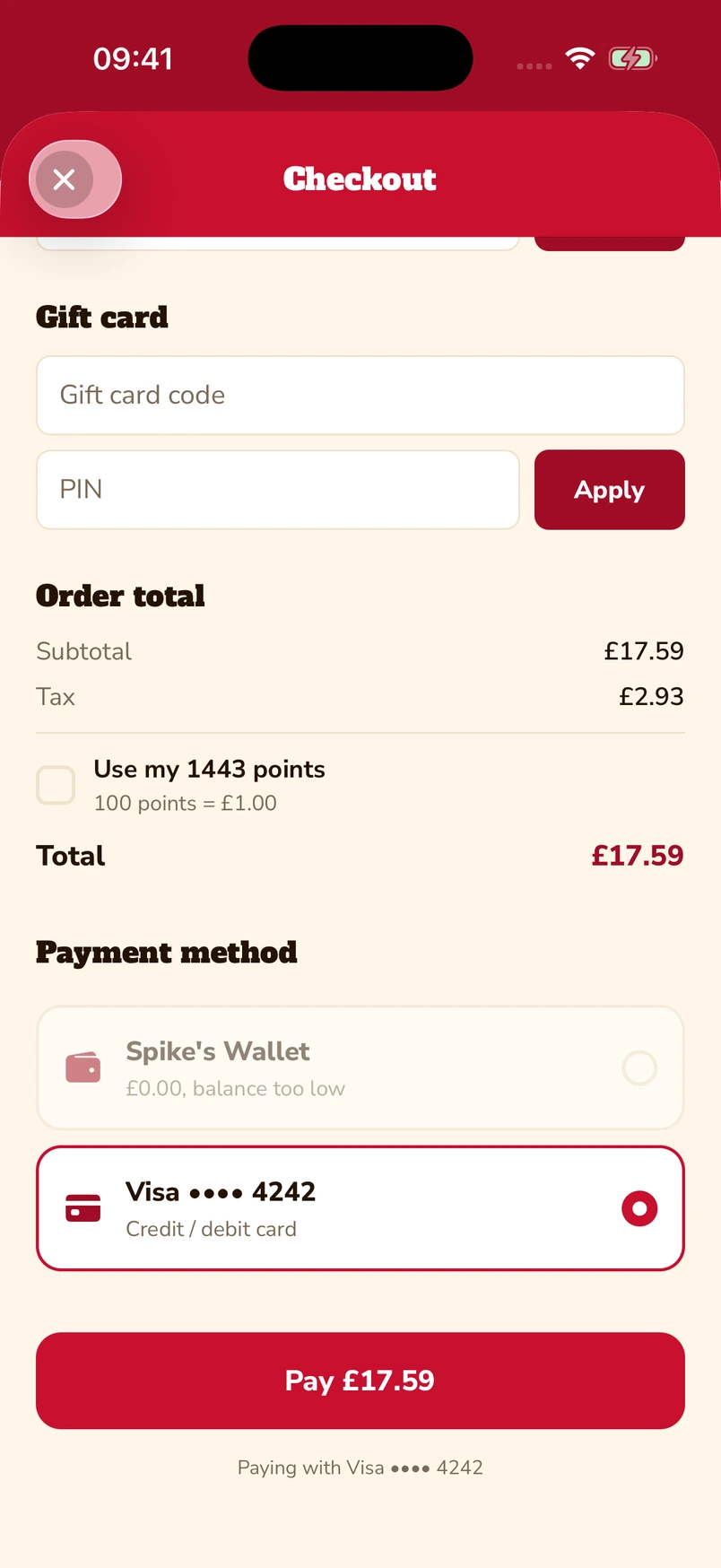
Enter the gift-card code and PIN at checkout, alongside other payment choices.
 Book a demo
Let guests put gift cards and loyalty points towards a bill, keep a prepaid balance, and choose from the payment methods available on their ordering channel.
Enter a gift-card code and PIN, or choose to use loyalty points at checkout. The captured app screen shows 1,443 available points alongside a saved Visa card.
Native iOS app · Spike’s Diner demo
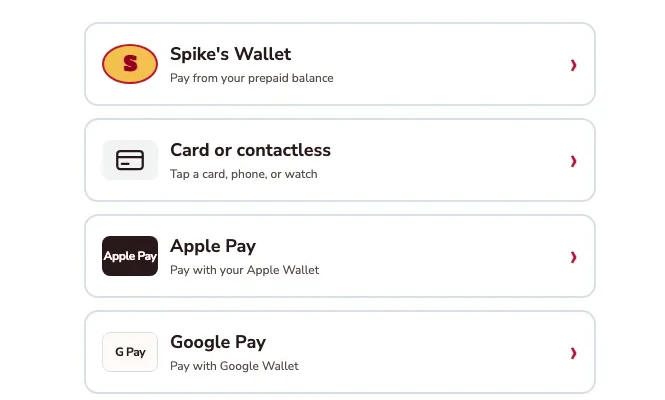
The kiosk demo puts Apple Pay and Google Pay alongside card or contactless payment and prepaid wallet. Choose the method that suits you.
Kiosk demo · Payment-options detail · Simulated payment
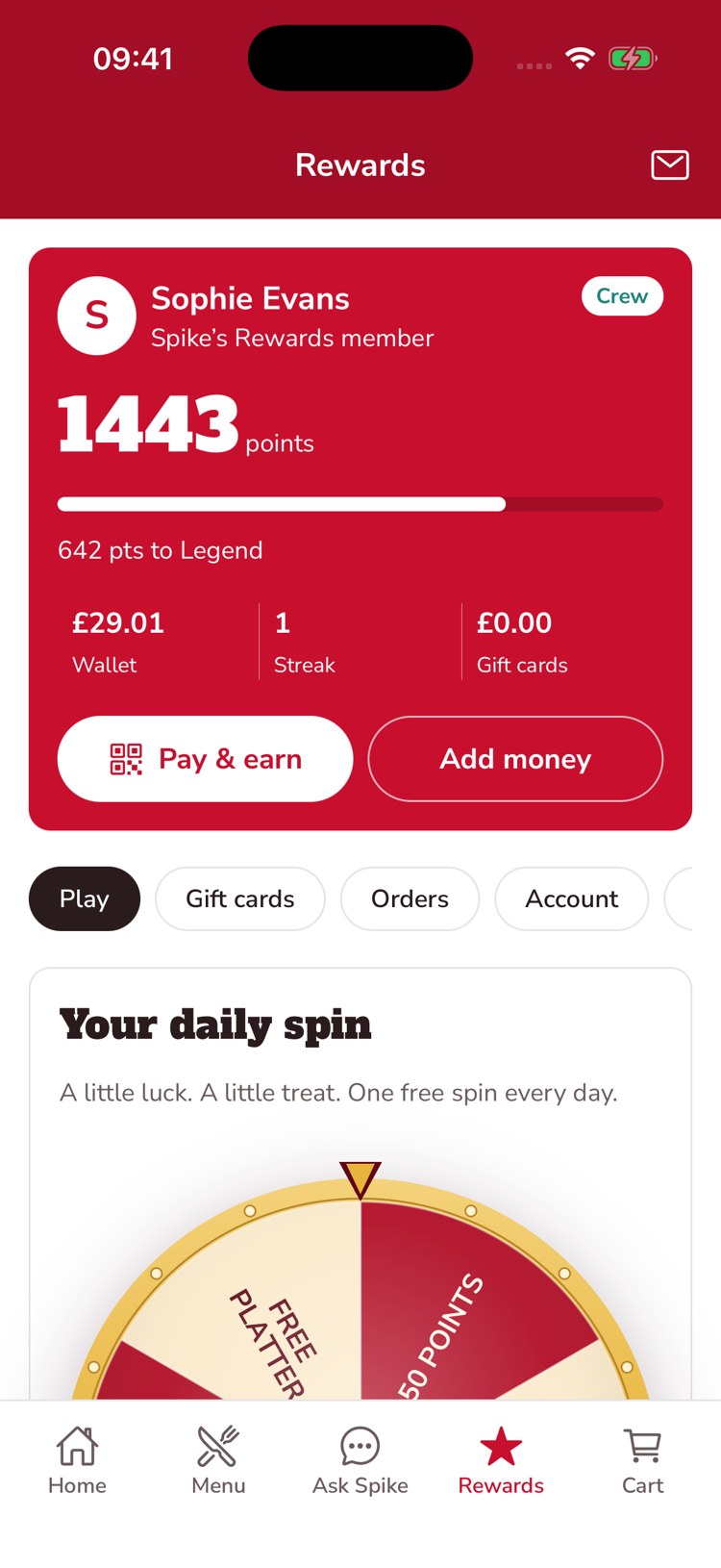
The guest’s account brings prepaid balance, loyalty points and gift-card balance together. This example shows £29.01 in the wallet, 1,443 points and an Add money control.
Native iOS app · Spike’s Diner demo
Actual native app and kiosk captures · Spike’s Diner demo · Payments simulated
Select a stage to watch its steps. Pause to inspect a screen.
Payment and loyalty stay close, so a gift card, a reward or a balance can become another reason to visit.
Enter the gift-card code and PIN at checkout, alongside other payment choices.
Keep earned points visible when the guest is ready to pay.
Bring prepaid funds, points and gift-card value together in the guest’s account.
The gift-card and points checkout and the prepaid wallet are captures from the native customer app. Apple Pay and Google Pay are shown in the kiosk demo’s payment-options screen.
The native checkout includes a control for using available loyalty points, alongside gift-card details and saved payment choices.
No. Payments in the demo are simulated. We confirm payment-provider and channel support as part of your rollout.
Tell us about your sites and the systems you use. We’ll show you the guest experience, the team’s workspace and what a first rollout would include.
The guest demo uses a fictional restaurant. Payments are simulated.