
Employee AI agents
Employee AI agents are assistants for your team inside the back office. An employee asks a business question in plain words; the agent investigates the guest, order and site records, prepares a campaign, a menu change or a follow-up, and waits for a named person to approve it. Nothing is published or sent until someone approves, and the proposal, the approver and the result stay visible to the team.
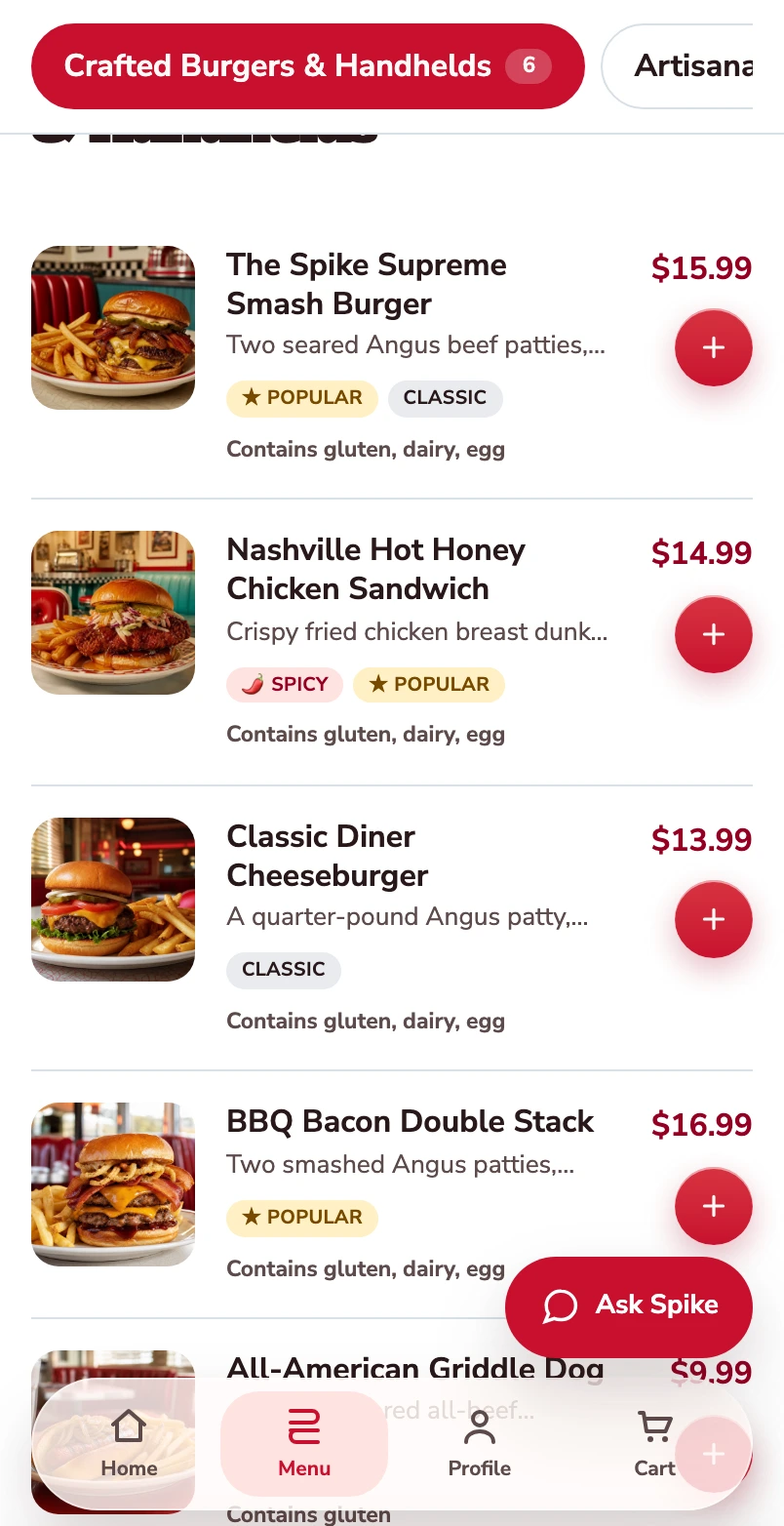
Start with the burger menu.
One burger follows through this mobile web journey, from its choices to its populated checkout.
Open the burger.
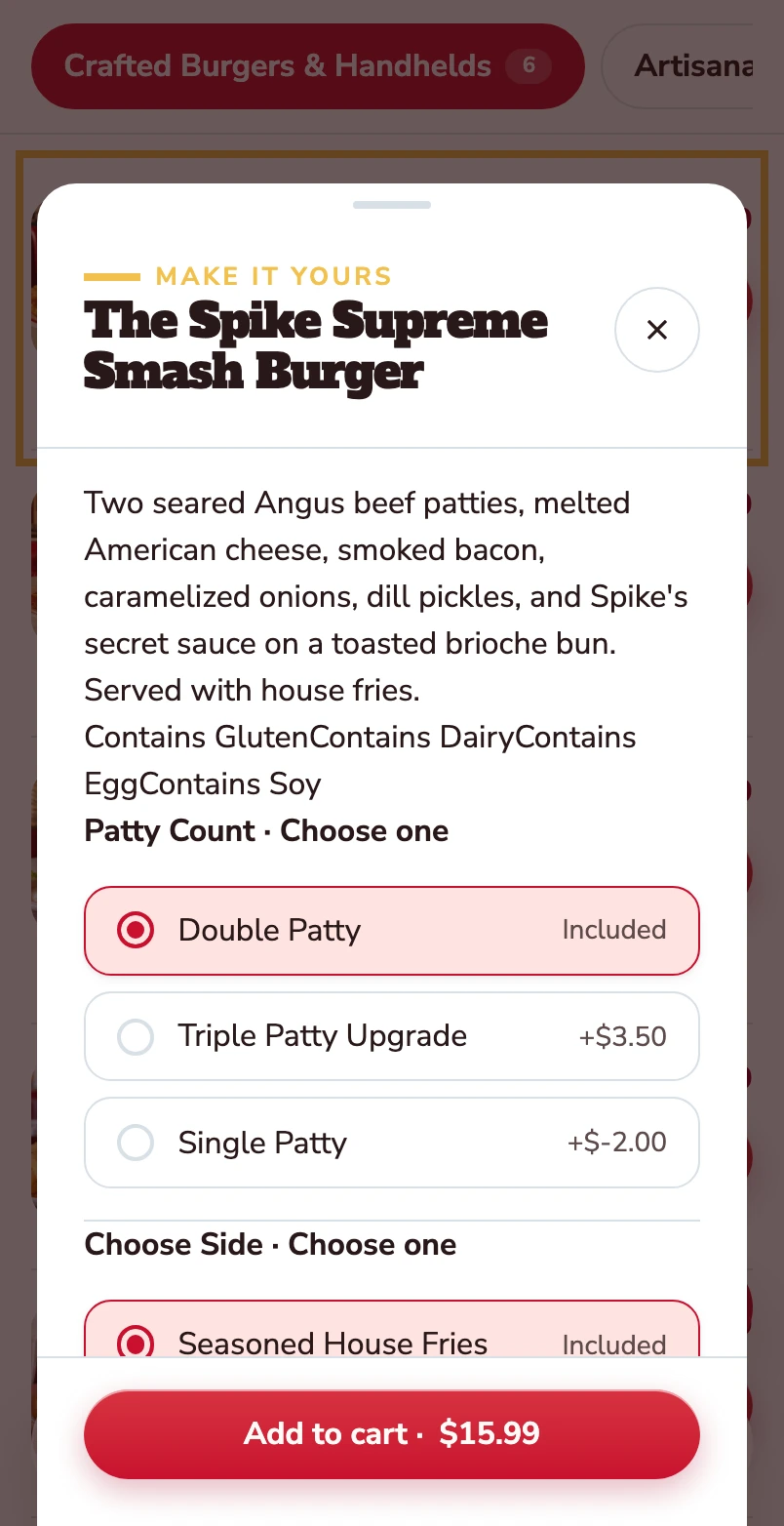
The item opens with its description, allergens and the choices attached to it.
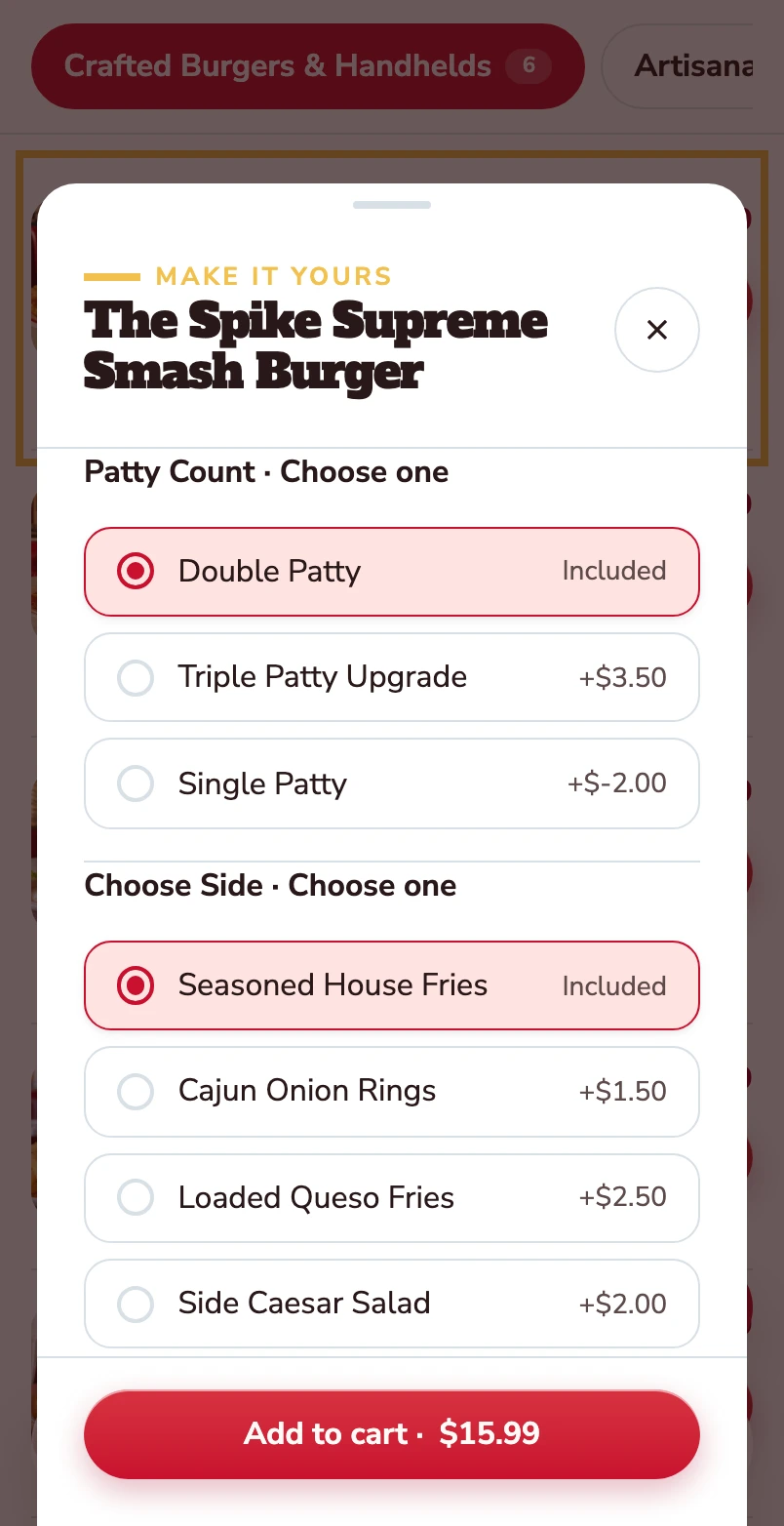
Choose the patty and the side.
Double patty and house fries are included. Other choices show their price difference before the item goes into the basket.
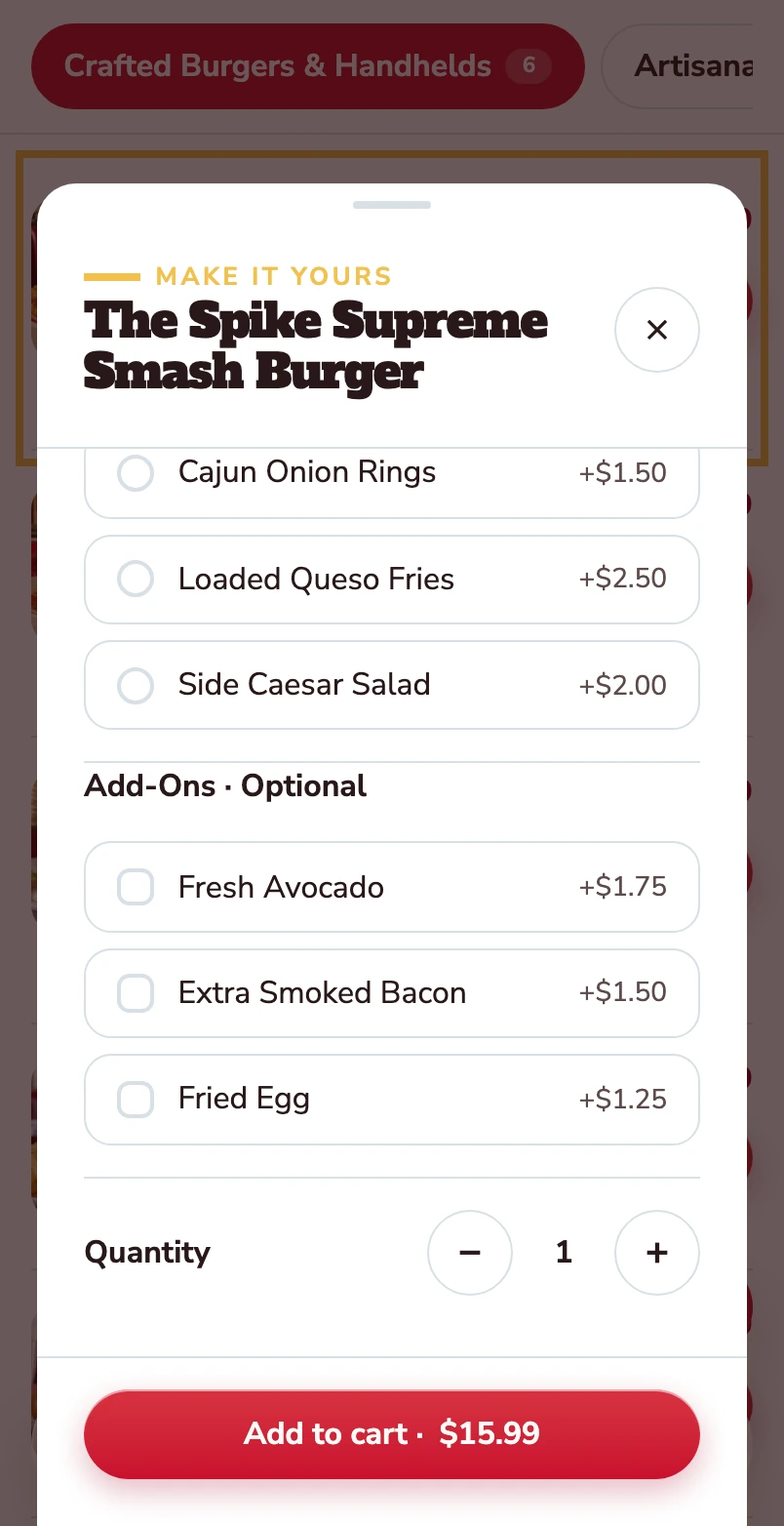
Make it yours.
Avocado, extra bacon and a fried egg are optional. Quantity and the Add to cart total stay together at the bottom.
Added to your basket.
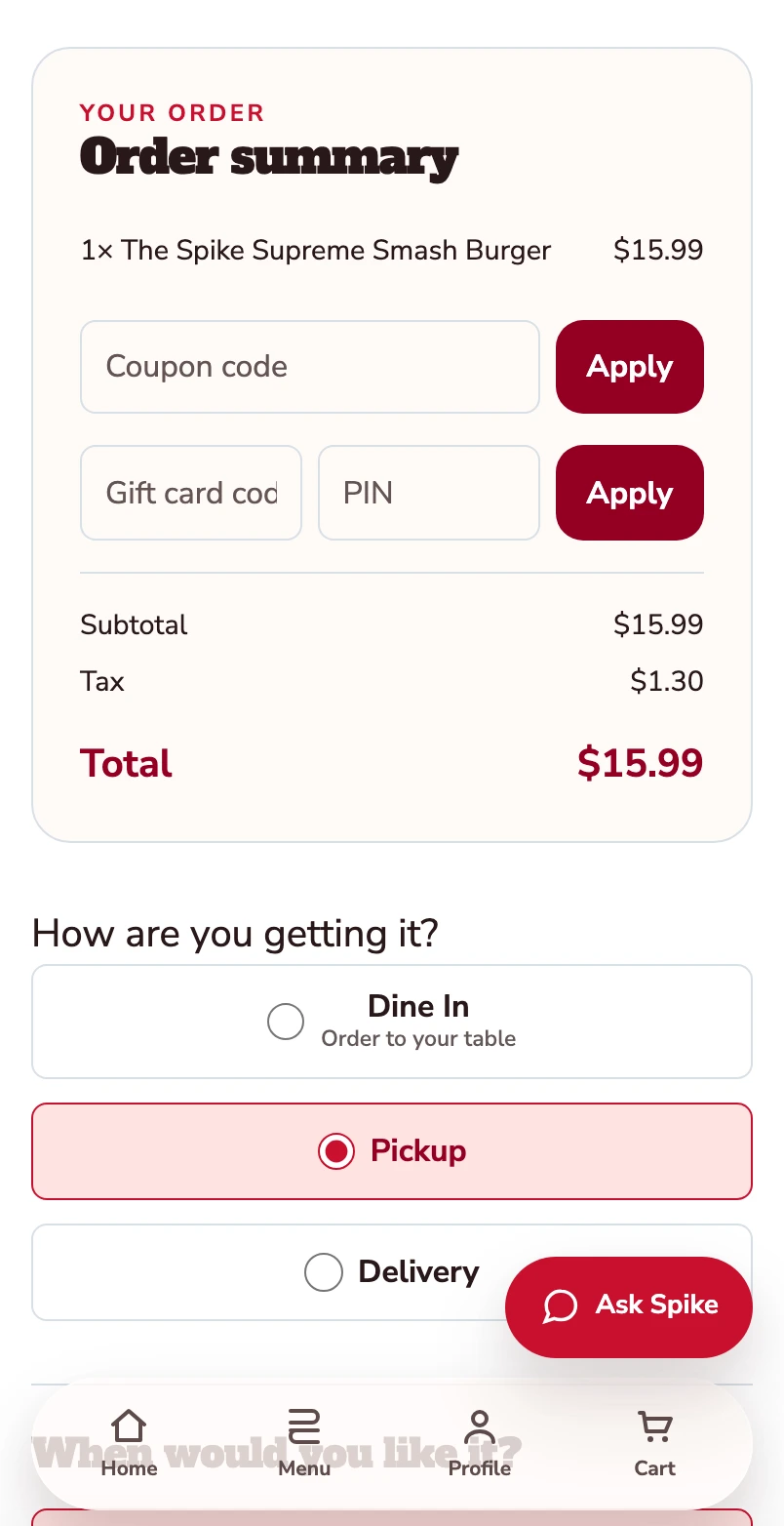
Your burger is now in the basket. The order summary shows one item and a $15.99 total before checkout. Pickup is selected.
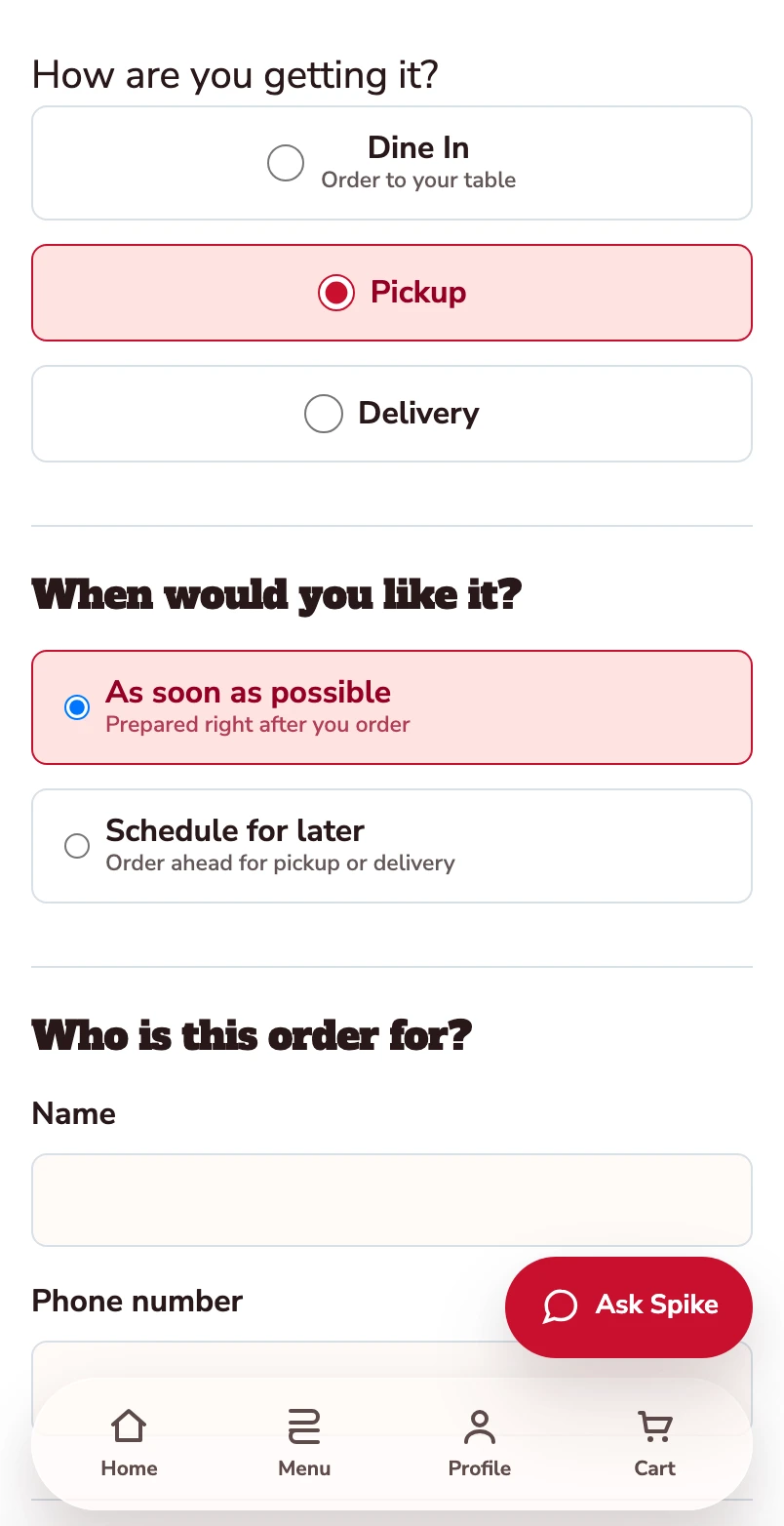
Confirm how you’re ordering.
Pickup is selected. Review the timing and contact details before payment.
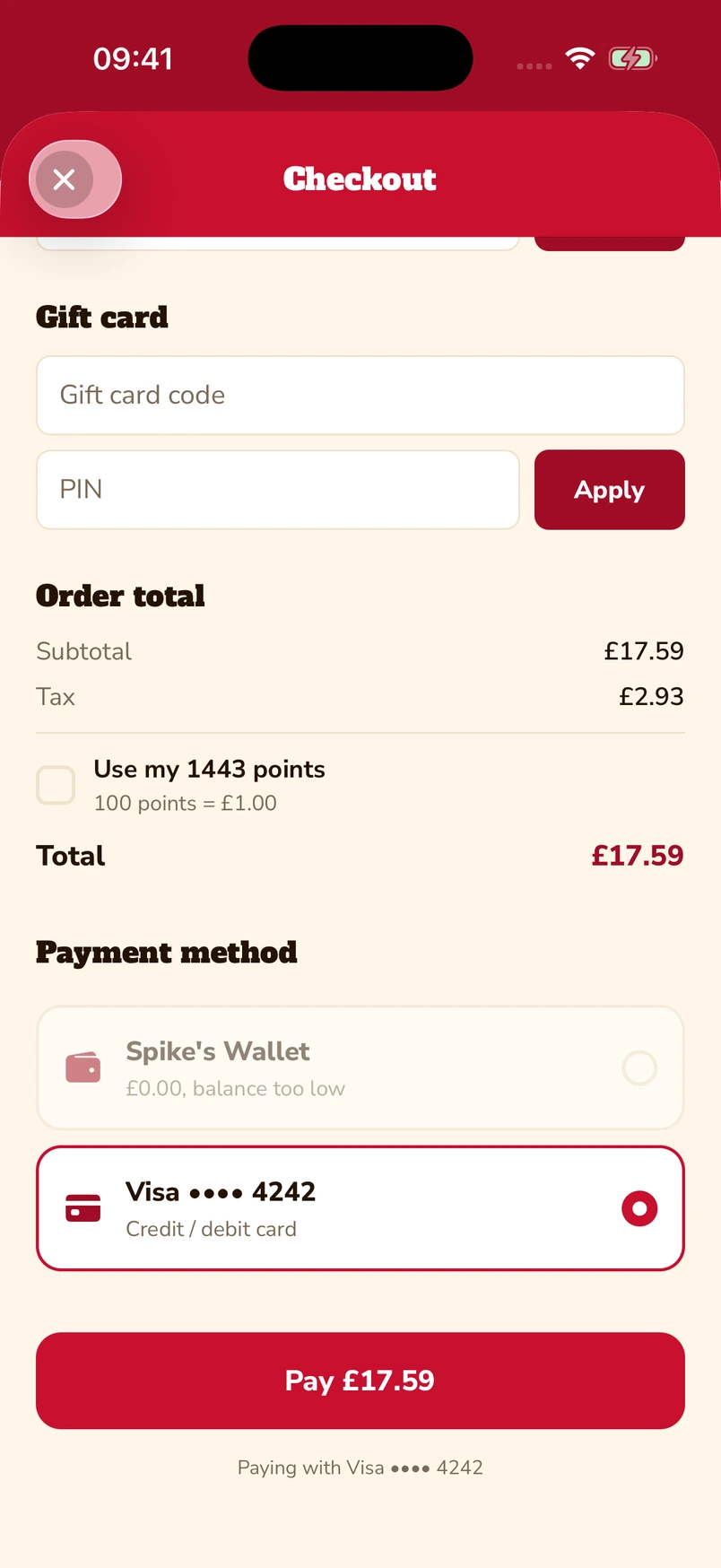
Put gift cards and points towards the bill.
Enter a gift-card code and PIN, or choose to use loyalty points at checkout. The captured app screen shows 1,443 available points alongside a saved Visa card.
Native iOS app · Spike’s Diner demo
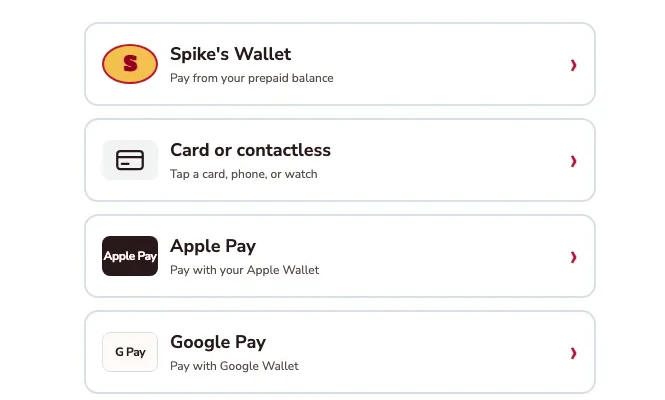
Apple Pay, Google Pay or a card.
The kiosk demo puts Apple Pay and Google Pay alongside card or contactless payment and prepaid wallet. Choose the method that suits you.
Kiosk demo · Payment-options detail · Simulated payment
Keep a balance ready for the next visit.
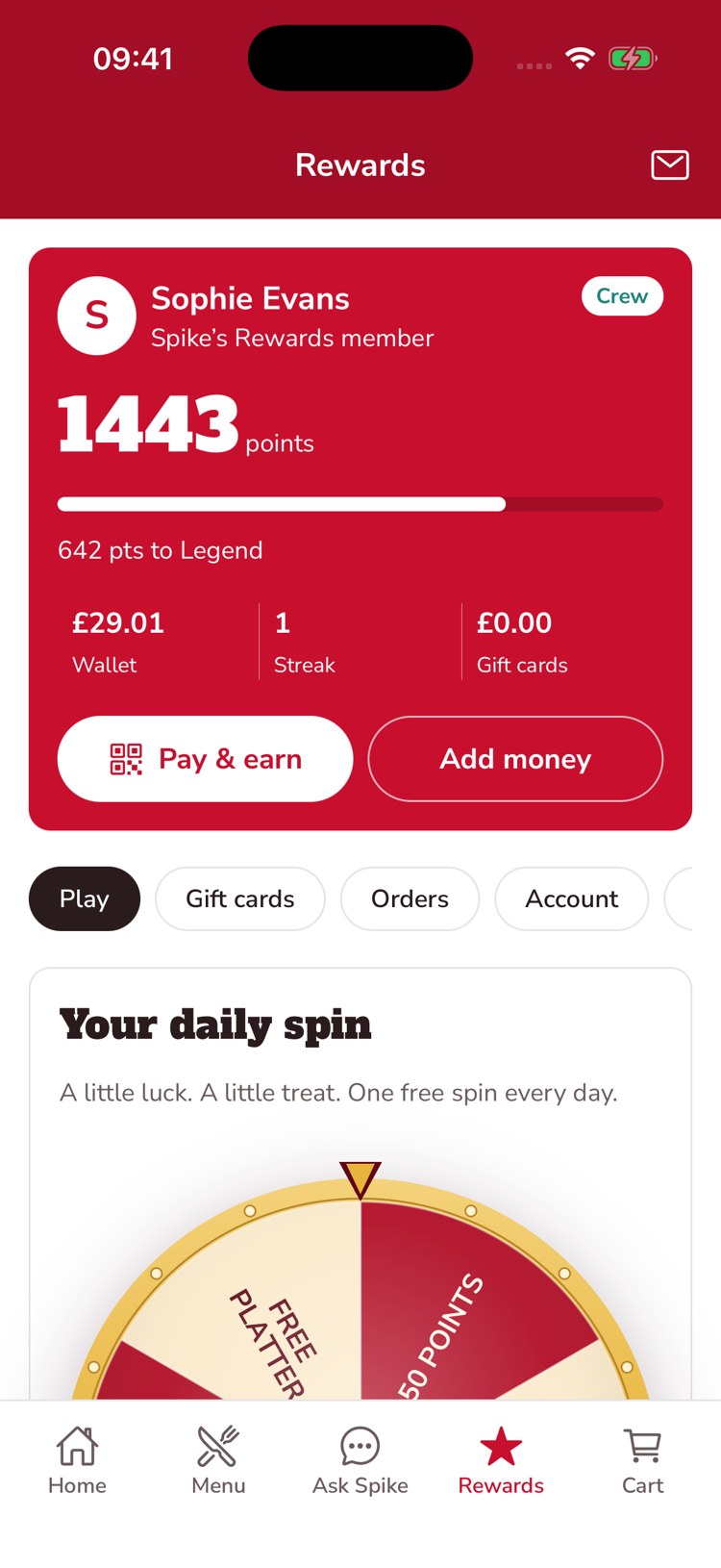
The guest’s account brings prepaid balance, loyalty points and gift-card balance together. This example shows £29.01 in the wallet, 1,443 points and an Add money control.
Native iOS app · Spike’s Diner demo
Mobile web ordering · Native app & kiosk payment examples · Spike’s Diner demo
Watch the assistant find an answer
A short replay of an actual Ops Copilot conversation using demo records. See the request being typed and the answer arrive, then try the live assistant below with fictional restaurant data.
A question becomes a useful answer.
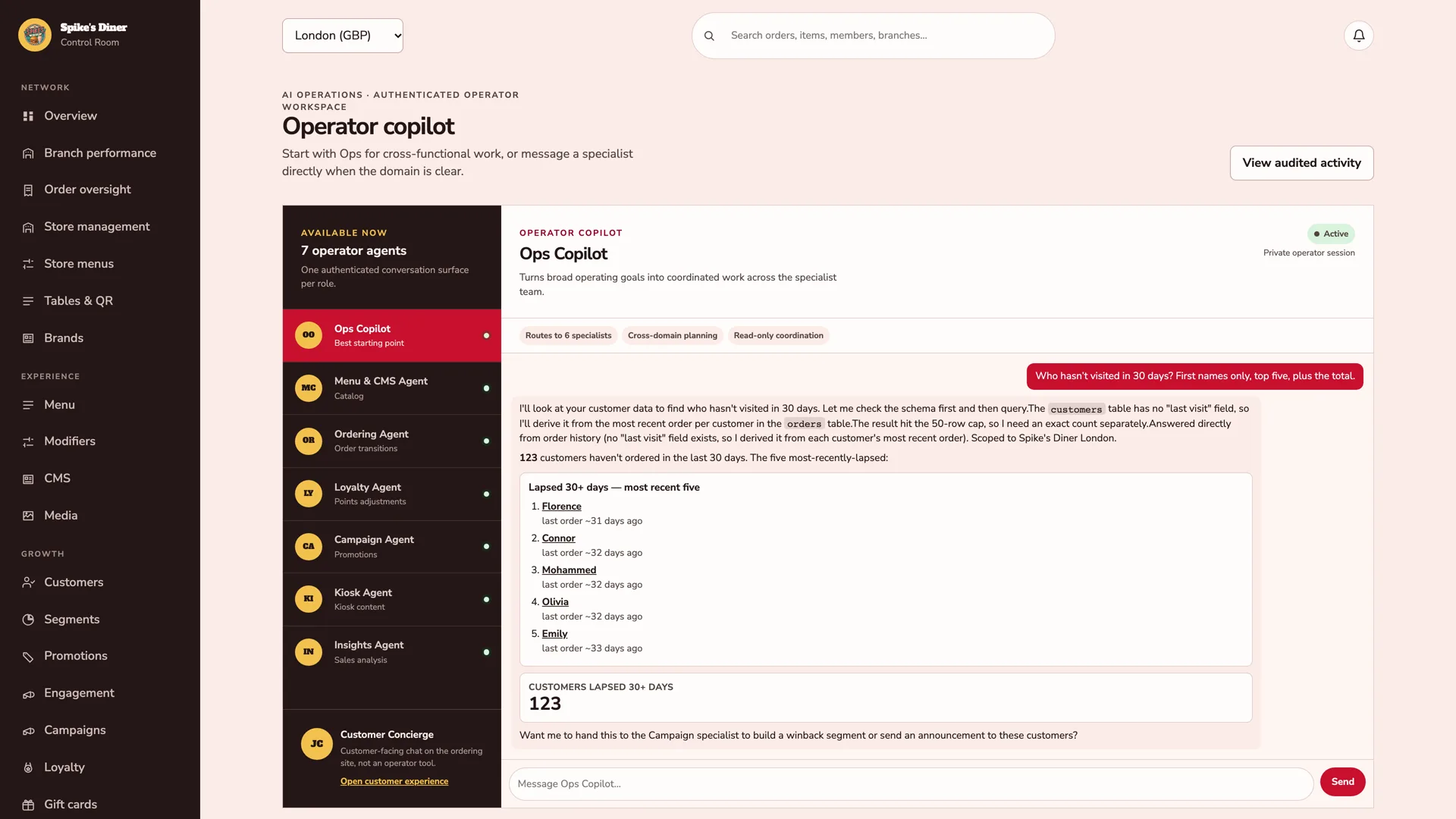
An operator asks who has not visited in 30 days. Ops Copilot checks the order history, finds the count and brings back five guests to follow up with.
Back office · Demo records · Captured 4 November 2026.
Edited replay of a captured answer; typing and response timing are recreated.
Read the conversation
Operator
Who hasn’t visited in 30 days? First names only, top five, plus the total.
Ops Copilot
123 customers haven’t ordered in the last 30 days. The five most-recently-lapsed:
Florence — last order approximately 31 days ago. Connor — approximately 32 days ago. Mohammed — approximately 32 days ago. Olivia — approximately 32 days ago. Emily — approximately 33 days ago.
Real AI, fictional data. Chats are stored. Please leave out personal or confidential details. Privacy.
Now imagine your own restaurant.
Make changes in a private restaurant demo, then preview the guest experience.
The operator workspace behind it
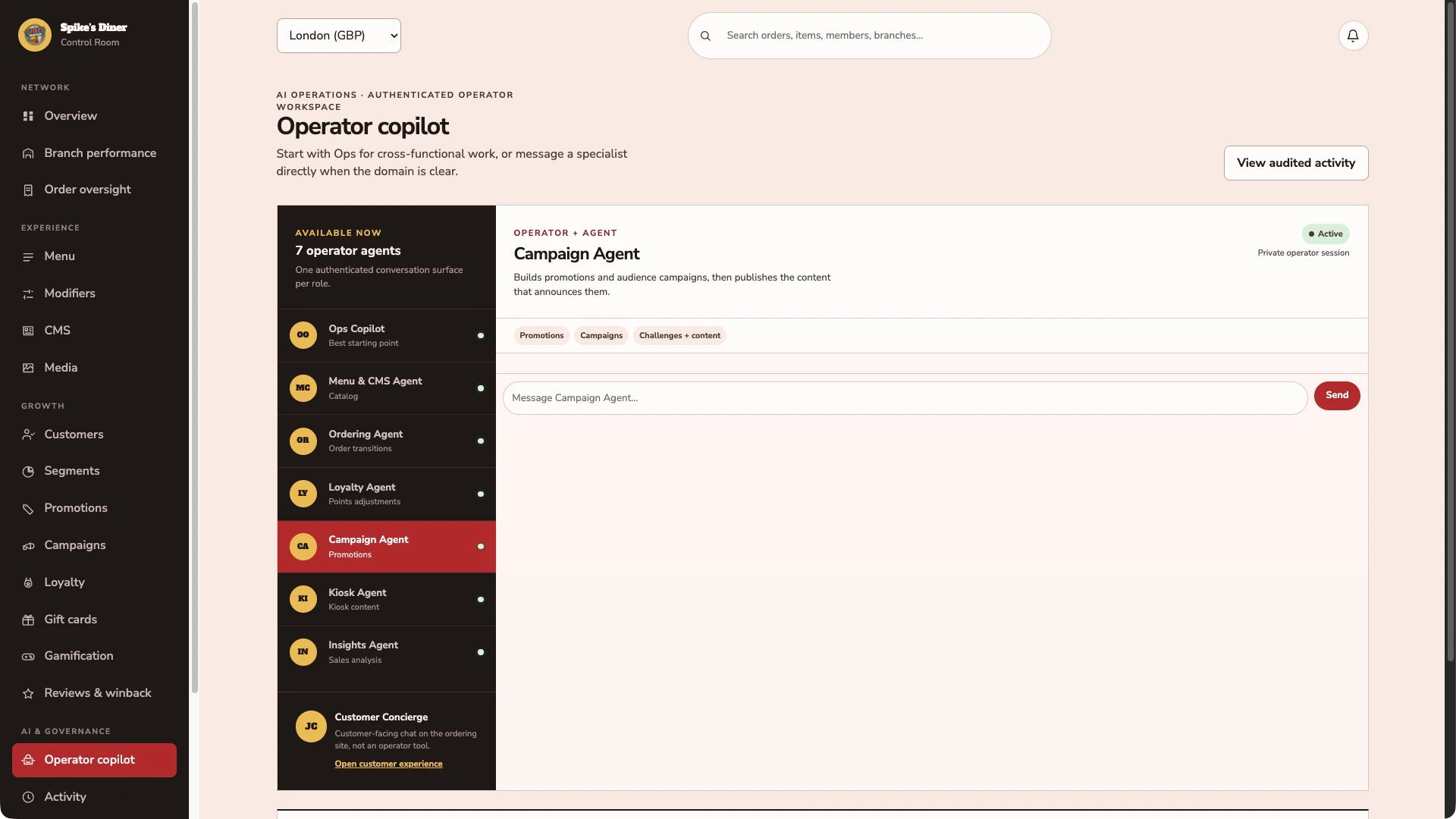
Start with the right specialist.
The operator workspace provides an Ops Copilot and specialists for menus, orders, loyalty, campaigns, kiosks and insights. An employee asks in plain words; the specialist that owns the records answers.
A question, answered from the records.
Recorded in the live demo back office: asked who has not visited in 30 days, the Ops Copilot finds 123 London customers, names the five most recently lapsed by first name and hands the offer to the Campaign specialist. A read-only question; nothing was changed.
Keep the record of what changed.
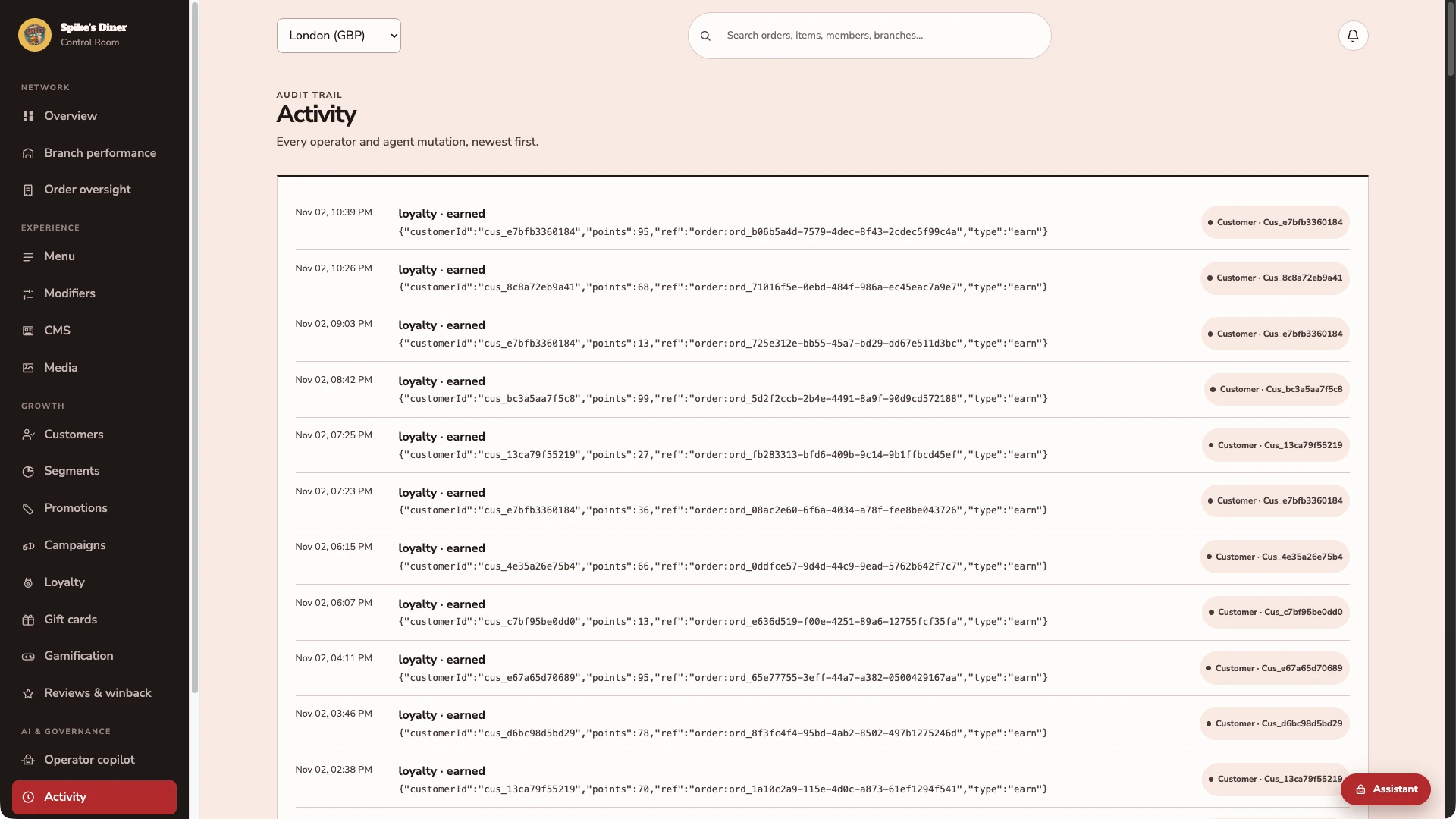
The activity view lists recorded events, their actor and the underlying details, so an approved proposal and its outcome stay visible to the whole team. These entries come from the demo’s seeded history.
Real Back office screens · Seeded demo data · Contact details hidden where shown
Select a stage to watch its steps. Pause to inspect a screen.
What your team
gets with it.
- Find the supporting records
- Guest, order and site data behind a question, gathered and explained.
- Prepare a useful next step
- A draft campaign, menu update or task, ready for review.
- Approval stays with your people
- The proposal, the approver and the result are visible to the team.
Part of your complete setup.
Your website, customer app, waiter app and kiosk integration come together as standard. Retter builds and runs them under your brand, connected through the same menus, orders and guest records.
Questions about
employee AI agents.
Read all FAQs What are AI agents for restaurant teams?
AI agents for restaurant teams are assistants that take a business question in plain words, investigate the guest, order and site records, and prepare an action for a person to approve. Retter builds them into the back office: an agent can prepare a campaign audience, a menu change or a follow-up, and nothing is published or sent until a named person approves it.
Can the AI agents change anything without approval?
No. The AI agents Retter builds into the back office investigate the guest, order and site records and prepare a proposal, such as a campaign audience, a menu change or a follow-up. Changes require a named person’s approval, with the proposal and outcome visible to the team. Campaign sending is not yet available: approving an audience or offer preview does not send email, SMS or push messages.
Can we compare sites in one report?
Yes. The reporting Retter builds brings orders, sales, guest activity and rewards across a group's locations onto one consistent basis, with CSV export. An area manager compares sites and periods, then opens the orders, refunds and exceptions behind a change before choosing a response.
Who owns the guest data?
The operator does. The group is the data controller and Retter processes guest data under a data-processing agreement. Every guest record keeps its marketing permission per channel, guests can unsubscribe from any message, and the operator can export its data at any time.
Let’s put your restaurant in the picture.
Tell us about your sites and the systems you use. We’ll show you the guest experience, the team’s workspace and what a first rollout would include.
The guest demo uses a fictional restaurant. Payments are simulated.
In your walkthrough
- Place an order as a guest.
- See the account and rewards behind it.
- Agree the scope of your first site.