Email & SMS
Email & SMS prepares the audiences behind your messages from guest history and recorded contact permission: who qualifies, who may be contacted on which channel, and a fixed list to export. Audience building and exports are available now; sending email and SMS campaigns from the back office is not yet available.
Start from your app.
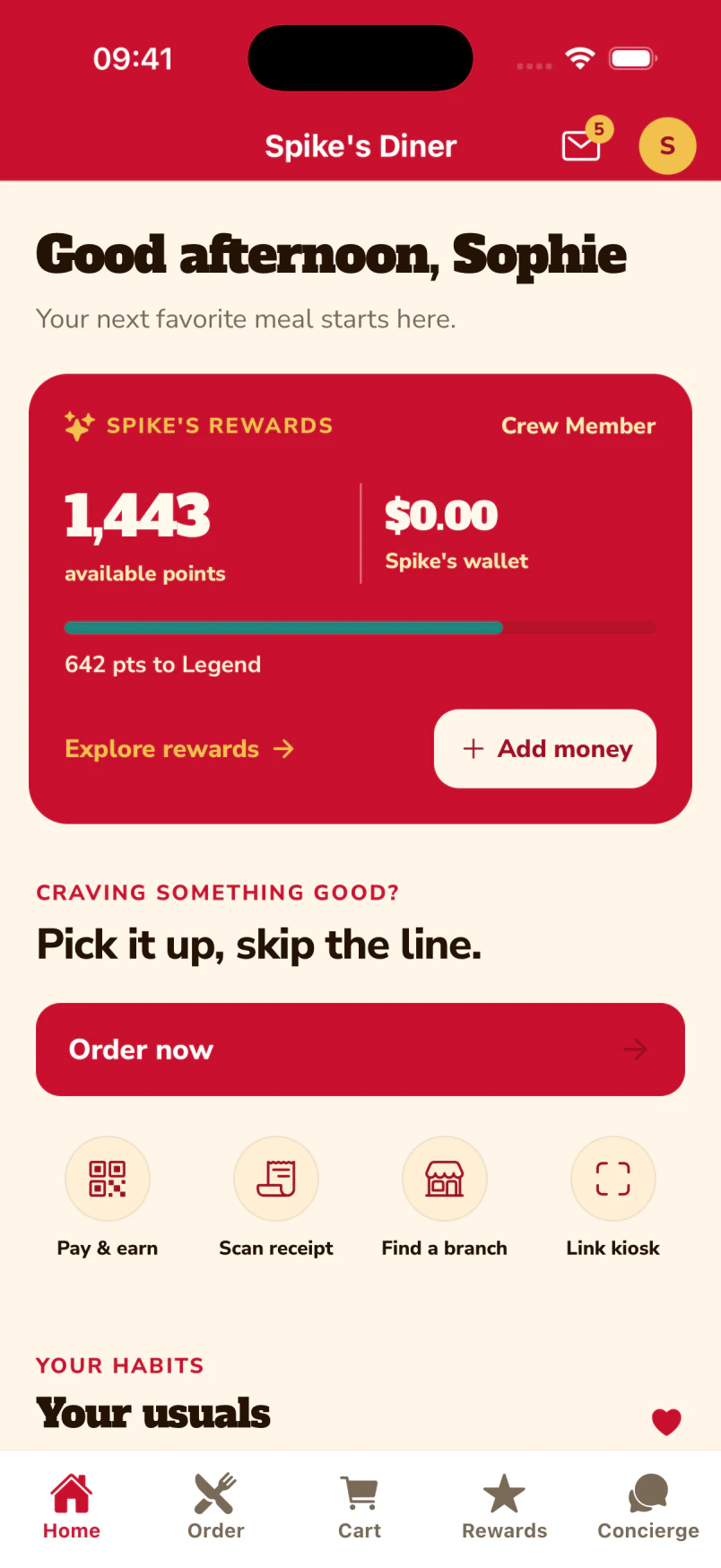
The guest’s home screen brings the inbox, rewards and ordering together.
Updates with a home in the app.
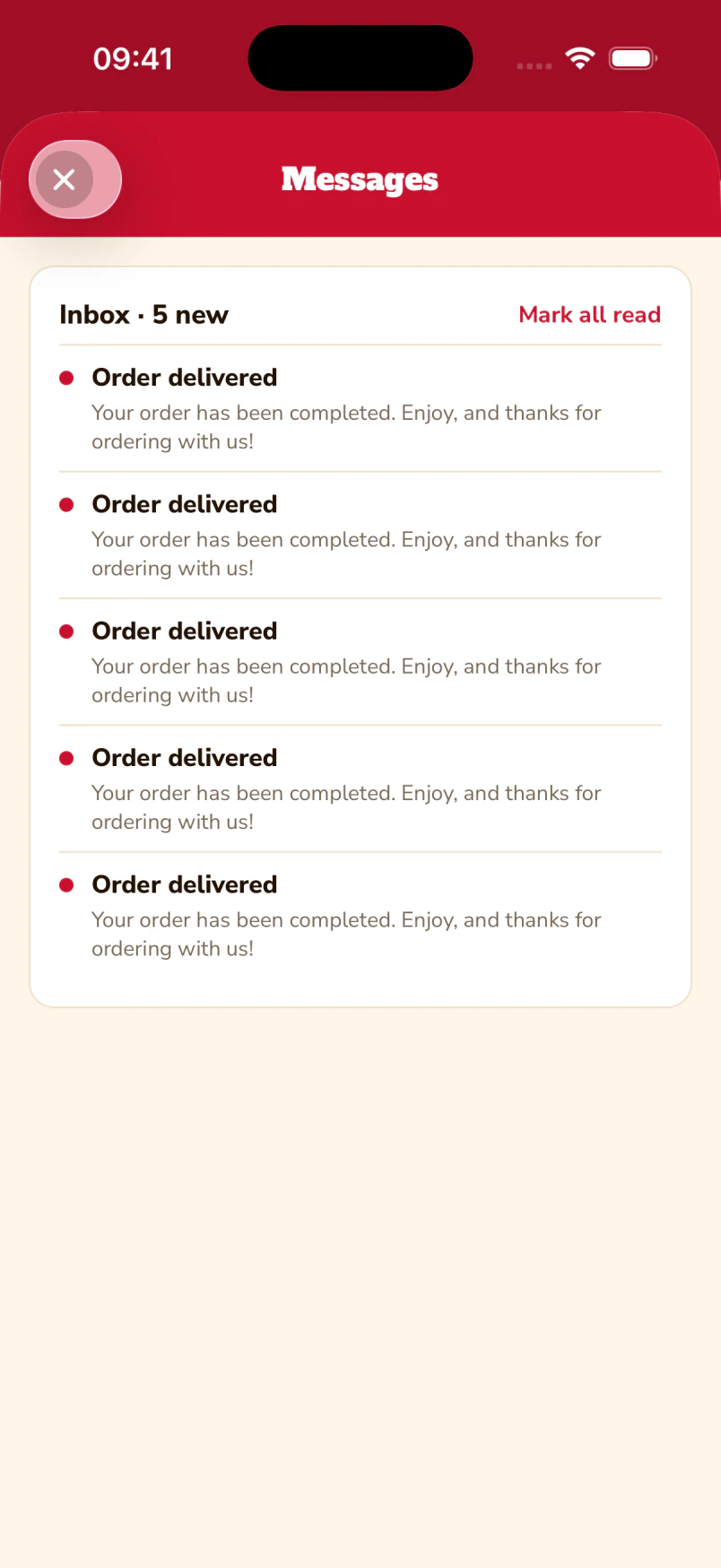
The guest inbox keeps order updates where the guest can find them again. The demo shows seeded order-delivered messages; offers arrive here once delivery is enabled.
Native iOS app · Spike’s Diner demo
From a rule to a list you can send to
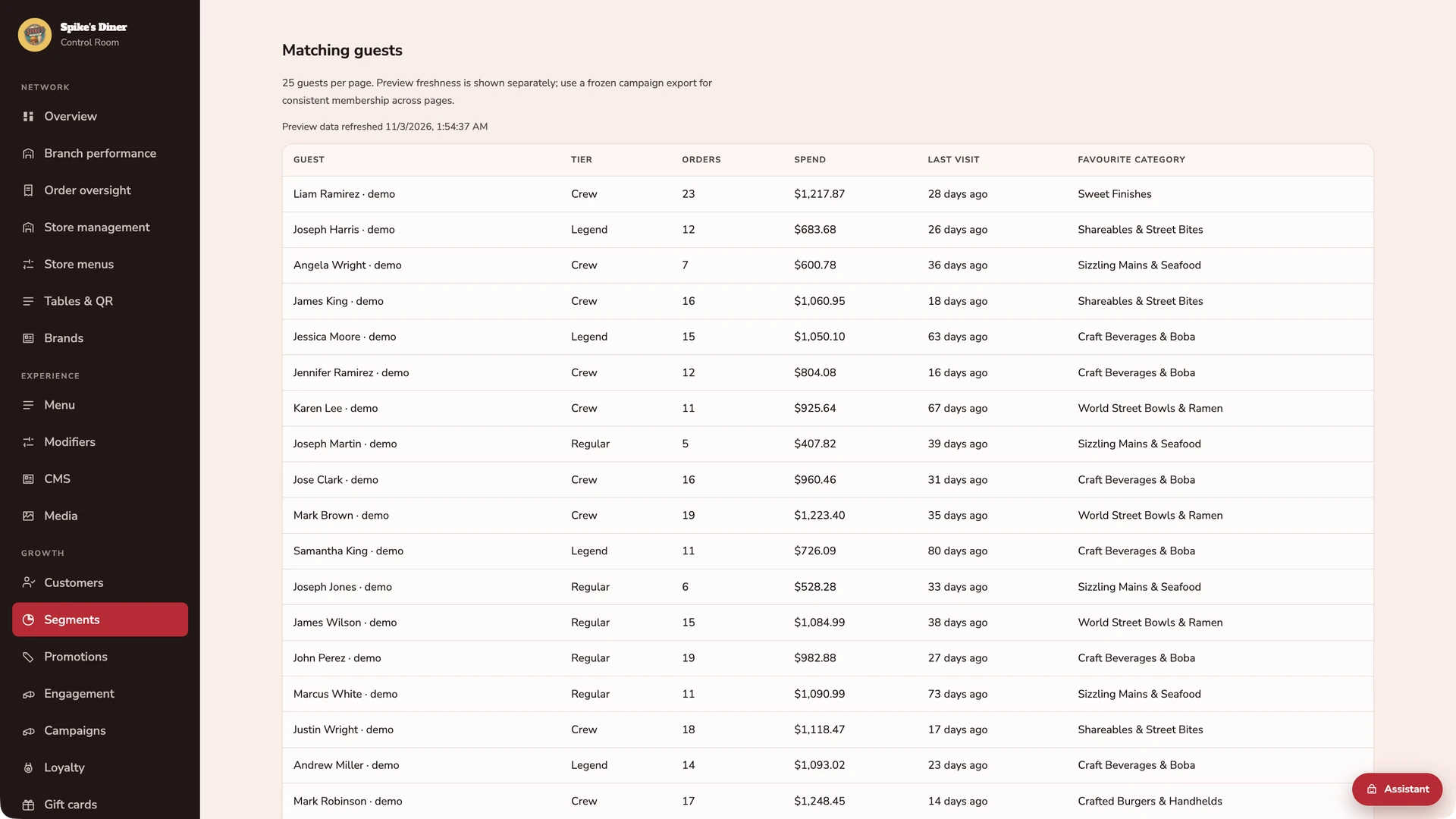
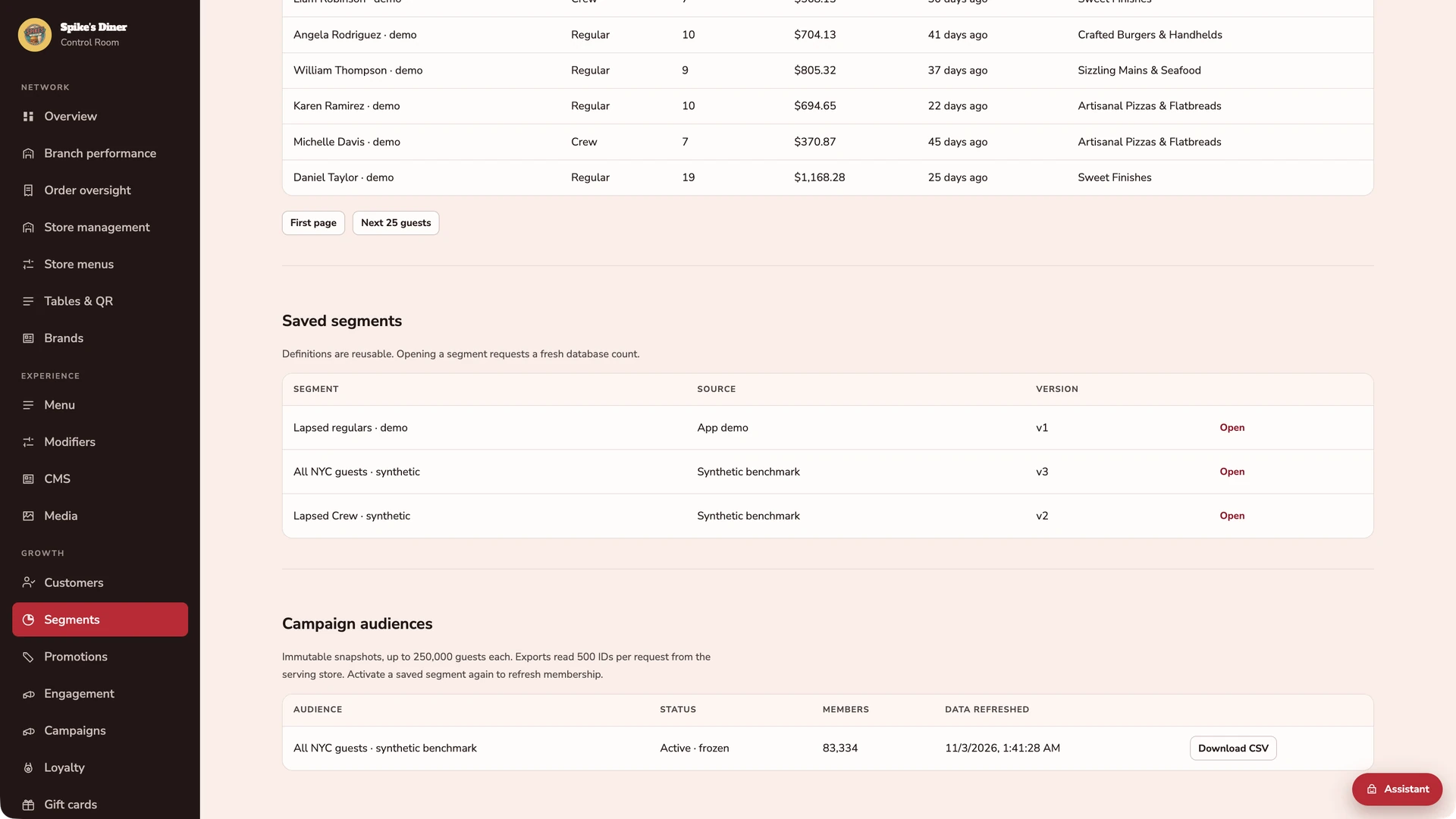
Three actual back-office screens from Spike’s Diner: the audience builder, the matching guests and the saved definitions with their exports. These are the screens an email or SMS campaign starts from.
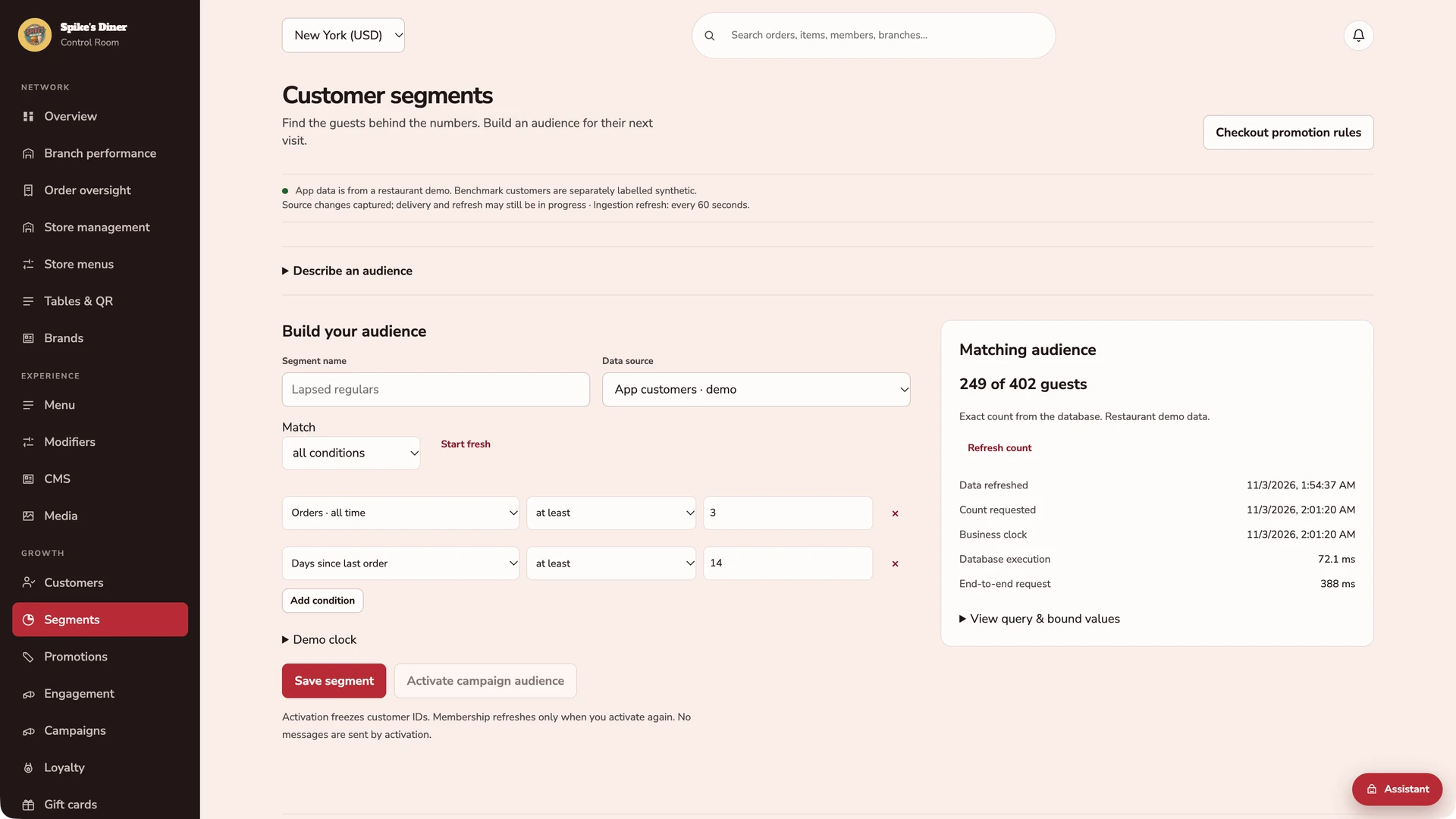
Start with behaviour you can act on.
Combine purchase, visit, channel and loyalty rules. This captured example matches 249 of 402 demo guests with at least 3 orders and no order for at least 14 days. Counts are exact for the data at the displayed refresh time.
See the people behind the count.
Inspect the matching guests, their tier, orders, spend, last visit and favourite category. The preview has its own freshness timestamp; a frozen export keeps a campaign list consistent as new orders arrive.
Save the rules. Freeze the recipients.
Reopen a saved definition for a fresh audience. Activate it to freeze the customer IDs, then export the list. The 83,334-member audience shown here is from the synthetic benchmark; activation sends no messages.
Real Back office screens · Seeded demo data · Contact details hidden where shown
Select a stage to watch its steps. Pause to inspect a screen.
What your team
gets with it.
- The right audience
- Build a segment from guest records and export the matching customer list.
- Permission per channel
- Marketing permission is recorded per channel on the guest record and respected in every audience.
- Review before delivery
- Your team reviews the audience and offer preview. Approving a preview does not send a campaign.
Part of your complete setup.
Your website, customer app, waiter app and kiosk integration come together as standard. Retter builds and runs them under your brand, connected through the same menus, orders and guest records.
Questions about
email & SMS.
Read all FAQs Can we build an audience from what guests actually ordered?
Yes. In the back office Retter provides, the team writes a rule over guest order history, for example regulars who have not visited for 30 days, and sees exactly who matches, how fresh the data is and who may be contacted on which channel. The rule can be saved and the matching guests exported as a fixed list.
Can our marketing team send campaigns themselves?
Not yet. Today, in the back office Retter provides, the team can build an audience from guest order history, such as regulars who have not visited for 30 days, inspect exactly who matches and how fresh the data is, save the rules and export a fixed customer list. It can also preview personal offers for individual guests using sample data. Sending email, SMS and push campaigns from the back office and incremental-revenue measurement are not yet available.
Who owns the guest data?
The operator does. The group is the data controller and Retter processes guest data under a data-processing agreement. Every guest record keeps its marketing permission per channel, guests can unsubscribe from any message, and the operator can export its data at any time.
Let’s put your restaurant in the picture.
Tell us about your sites and the systems you use. We’ll show you the guest experience, the team’s workspace and what a first rollout would include.
The guest demo uses a fictional restaurant. Payments are simulated.
In your walkthrough
- Place an order as a guest.
- See the account and rewards behind it.
- Agree the scope of your first site.