
Reporting & analytics
Reporting and analytics bring orders, sales, guest activity and rewards across your locations onto one consistent basis, with CSV export. An area manager compares sites and periods, then opens the orders, refunds and exceptions behind a change before choosing a response.
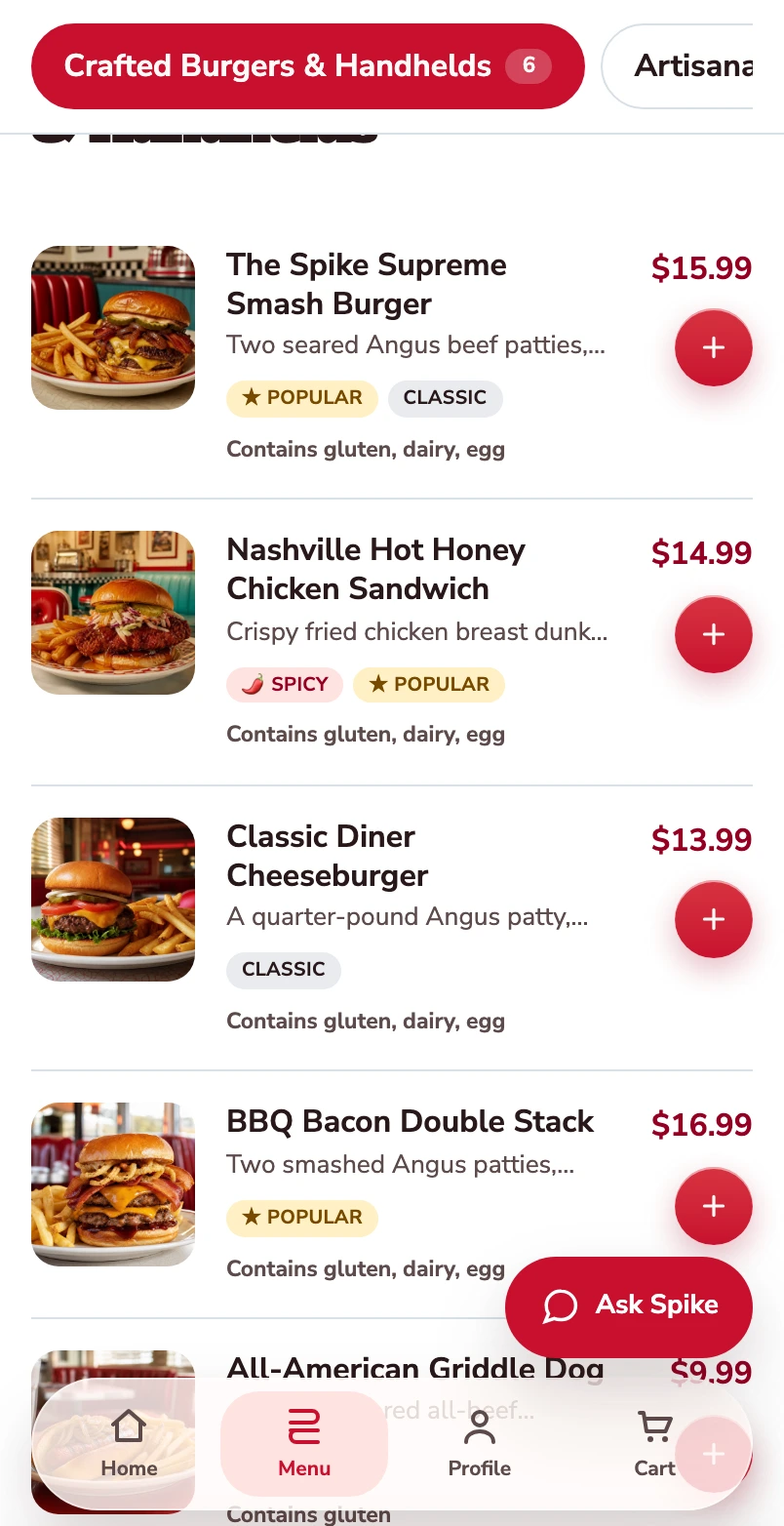
Start with the burger menu.
One burger follows through this mobile web journey, from its choices to its populated checkout.
Open the burger.
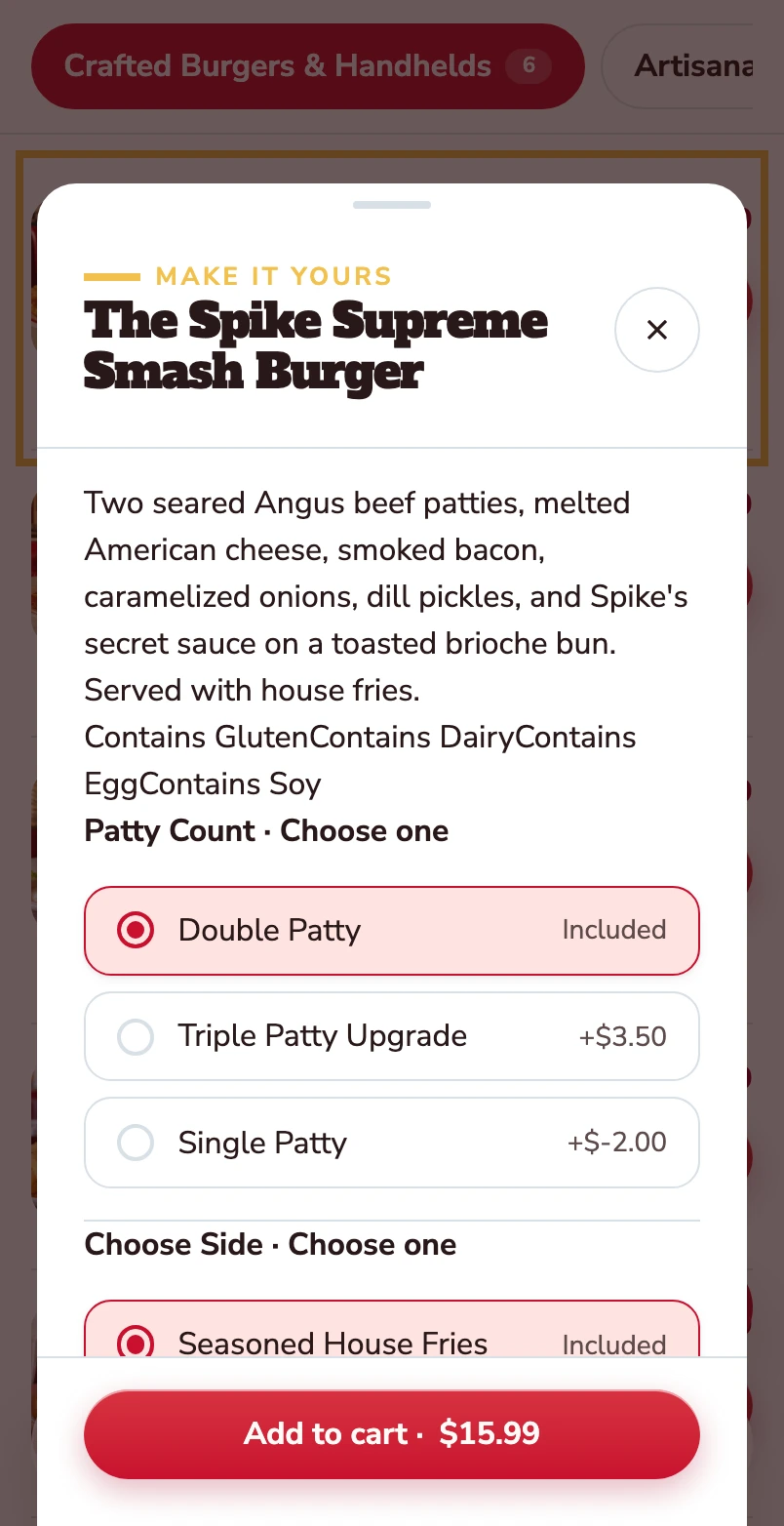
The item opens with its description, allergens and the choices attached to it.
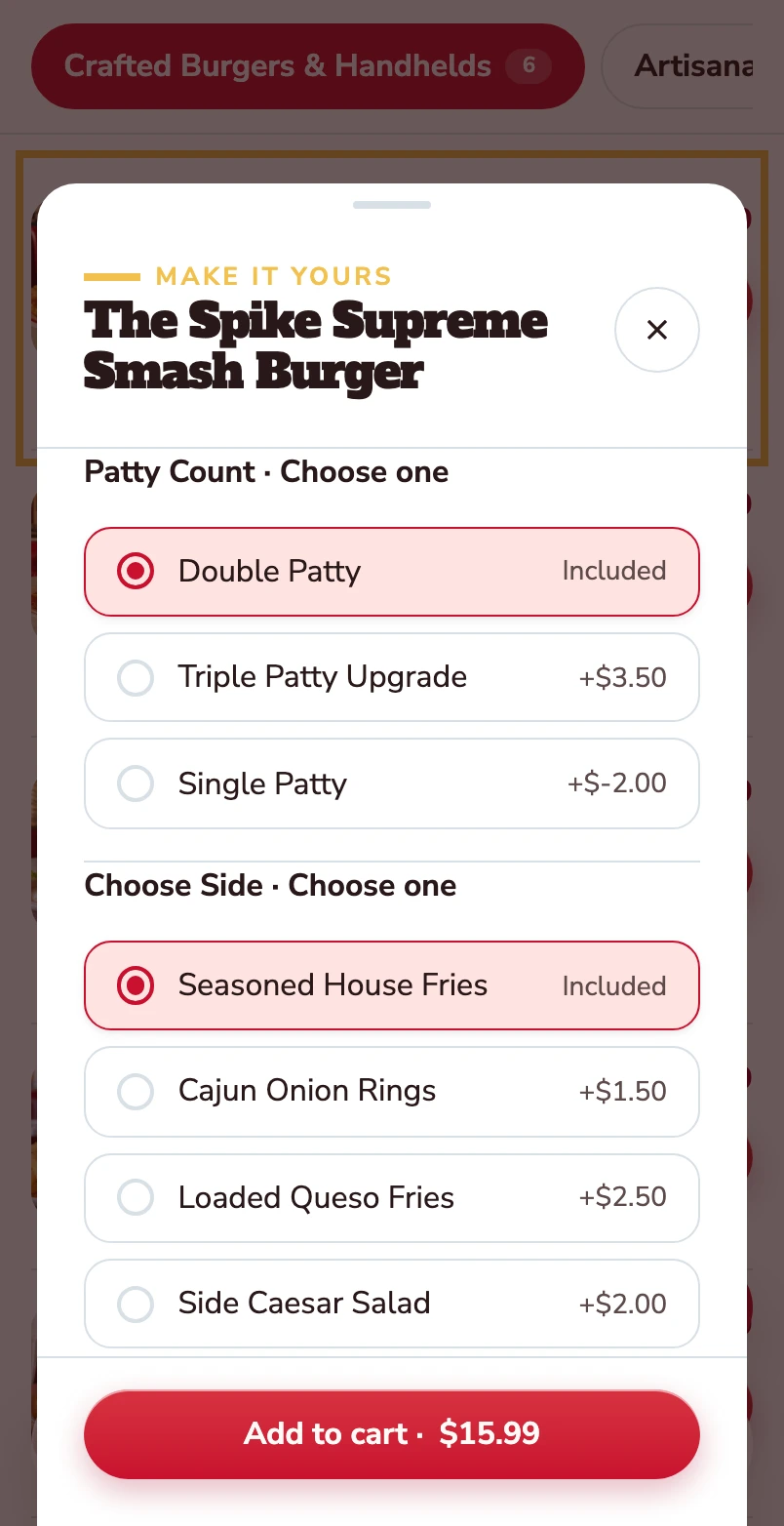
Choose the patty and the side.
Double patty and house fries are included. Other choices show their price difference before the item goes into the basket.
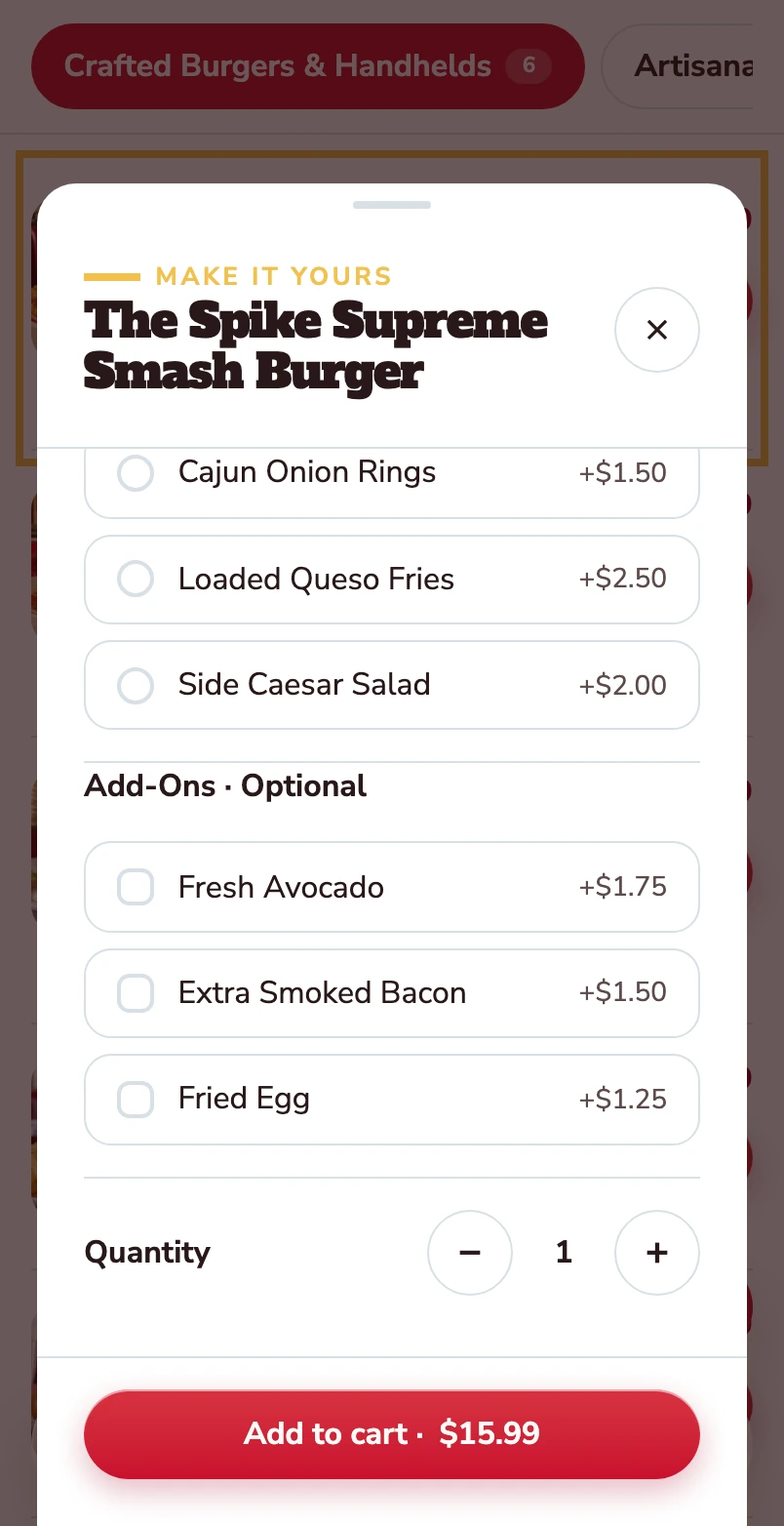
Make it yours.
Avocado, extra bacon and a fried egg are optional. Quantity and the Add to cart total stay together at the bottom.
Added to your basket.
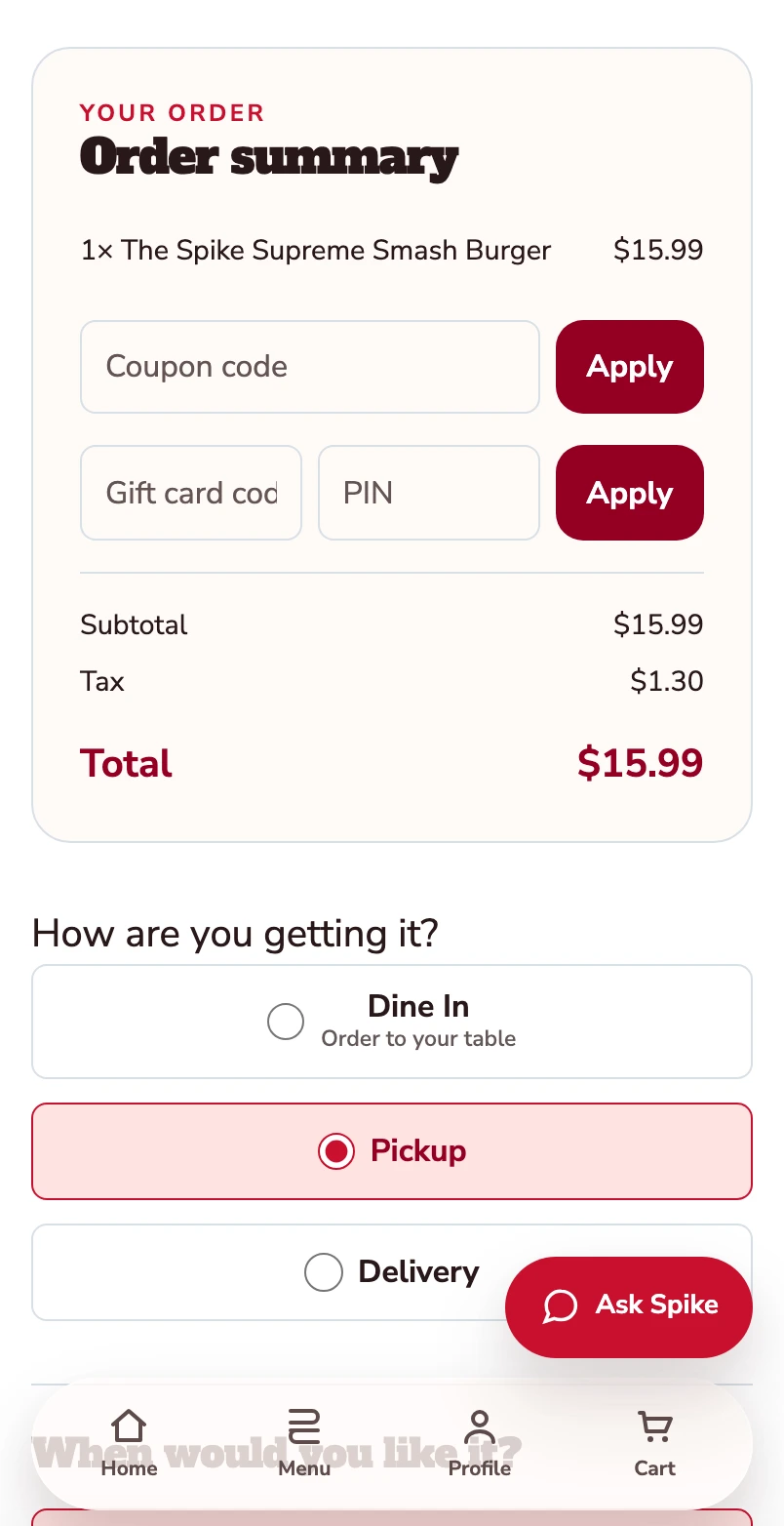
Your burger is now in the basket. The order summary shows one item and a $15.99 total before checkout. Pickup is selected.
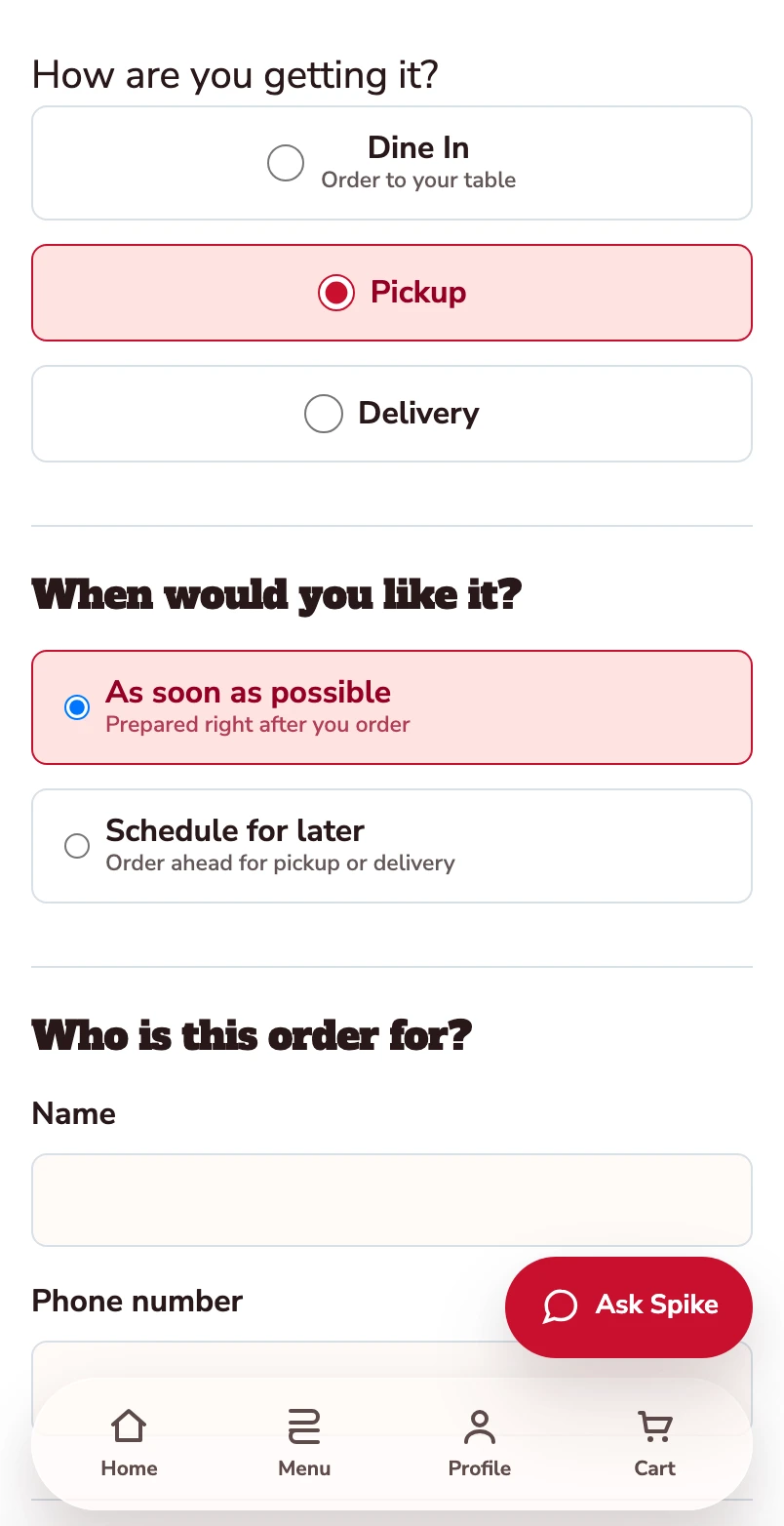
Confirm how you’re ordering.
Pickup is selected. Review the timing and contact details before payment.
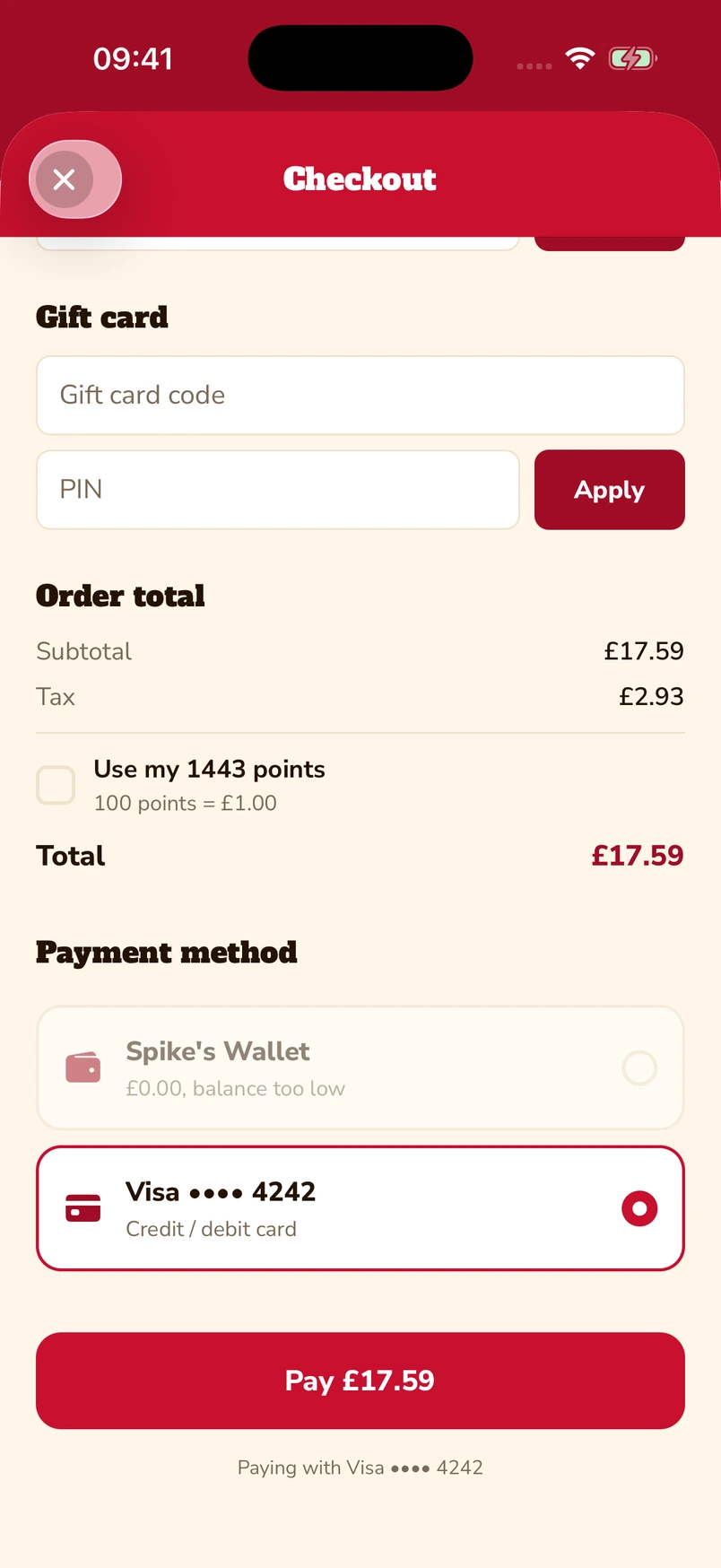
Put gift cards and points towards the bill.
Enter a gift-card code and PIN, or choose to use loyalty points at checkout. The captured app screen shows 1,443 available points alongside a saved Visa card.
Native iOS app · Spike’s Diner demo
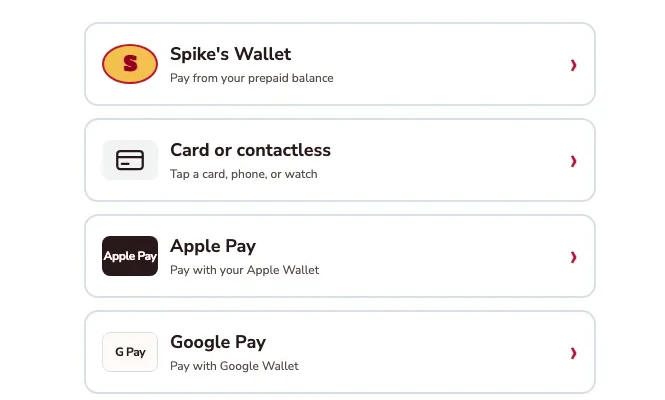
Apple Pay, Google Pay or a card.
The kiosk demo puts Apple Pay and Google Pay alongside card or contactless payment and prepaid wallet. Choose the method that suits you.
Kiosk demo · Payment-options detail · Simulated payment
Keep a balance ready for the next visit.
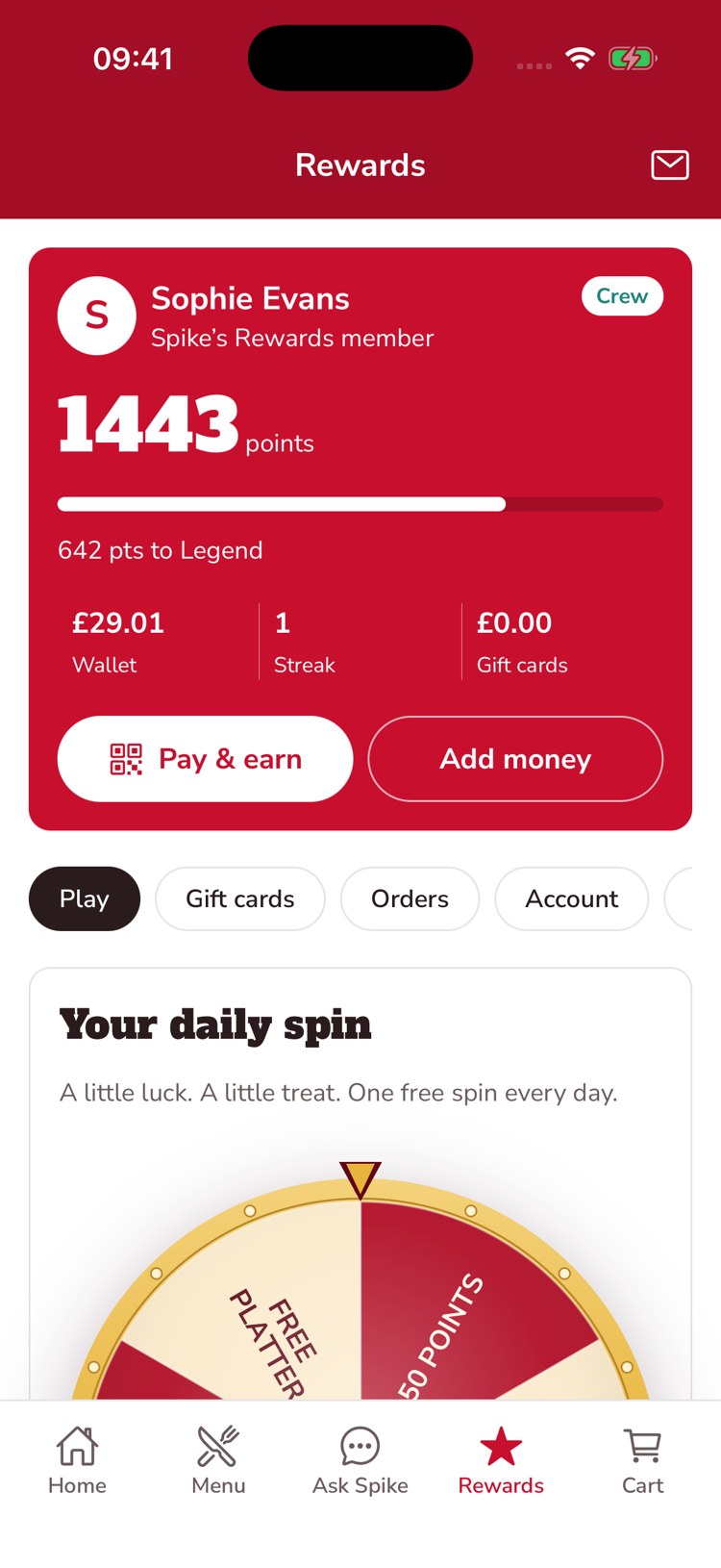
The guest’s account brings prepaid balance, loyalty points and gift-card balance together. This example shows £29.01 in the wallet, 1,443 points and an Add money control.
Native iOS app · Spike’s Diner demo
Mobile web ordering · Native app & kiosk payment examples · Spike’s Diner demo
From the overview to one order
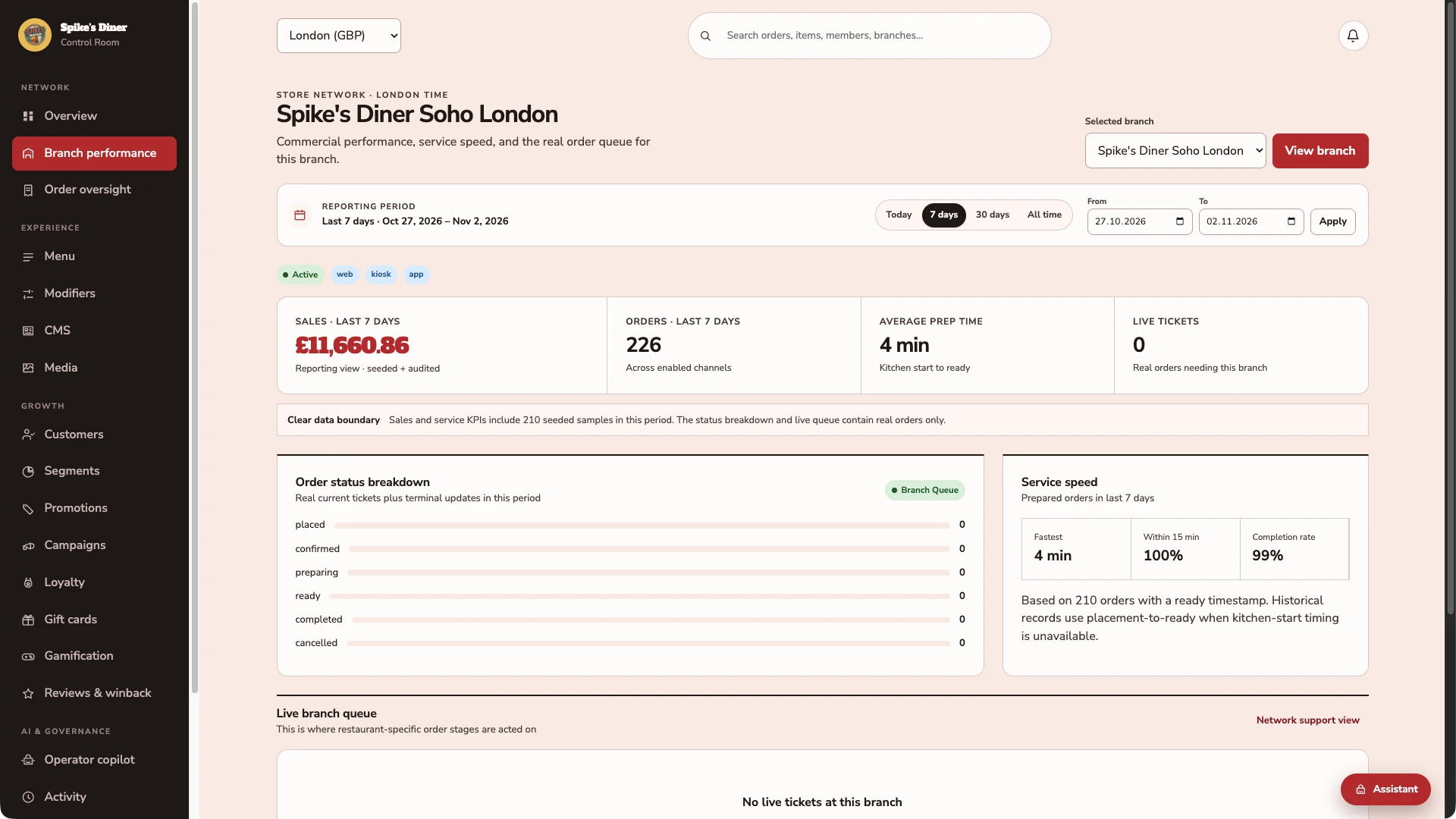
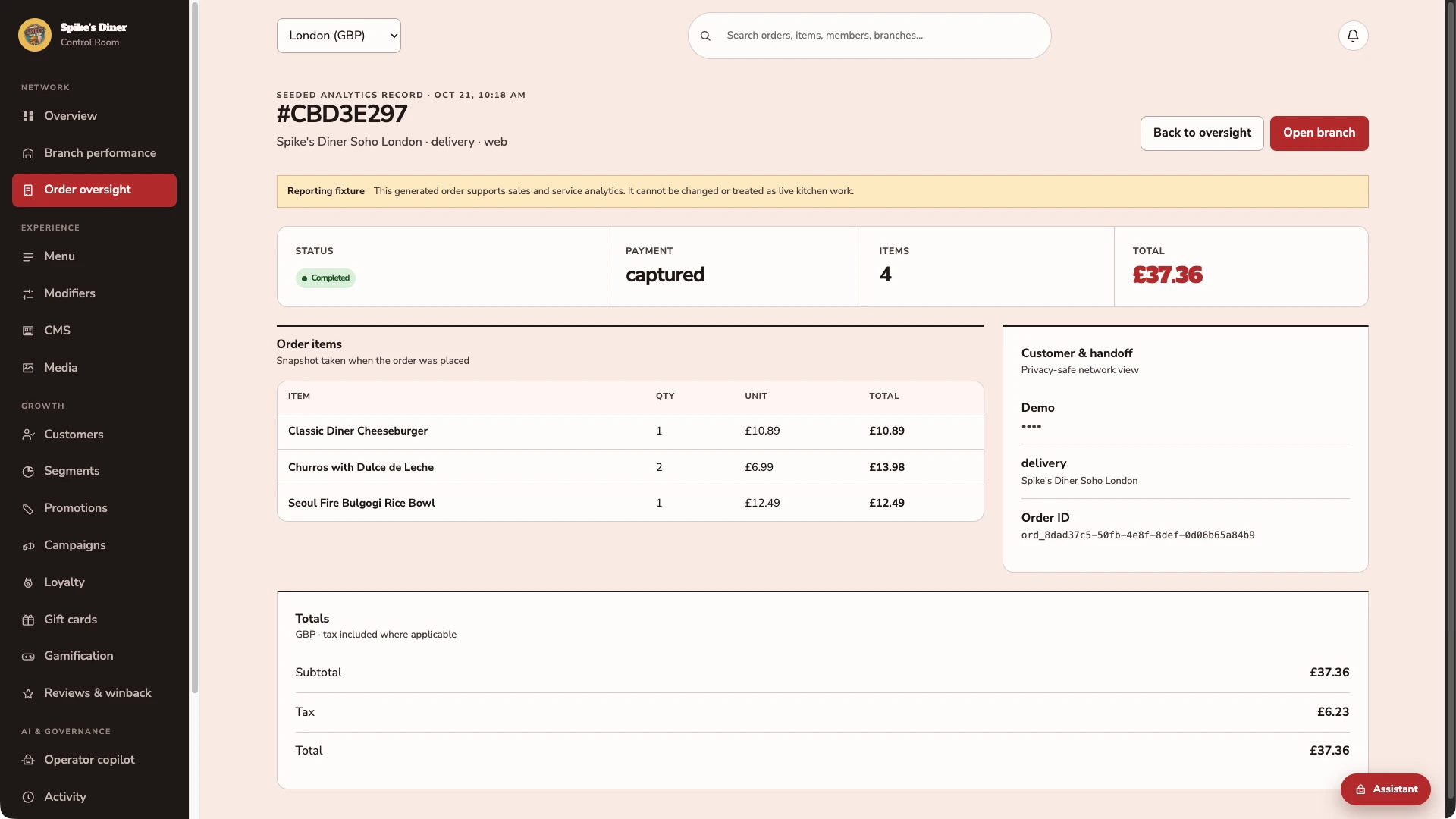
Three actual back-office screens from Spike’s Diner, with seeded reporting history: the overview, the branch view and an order record.
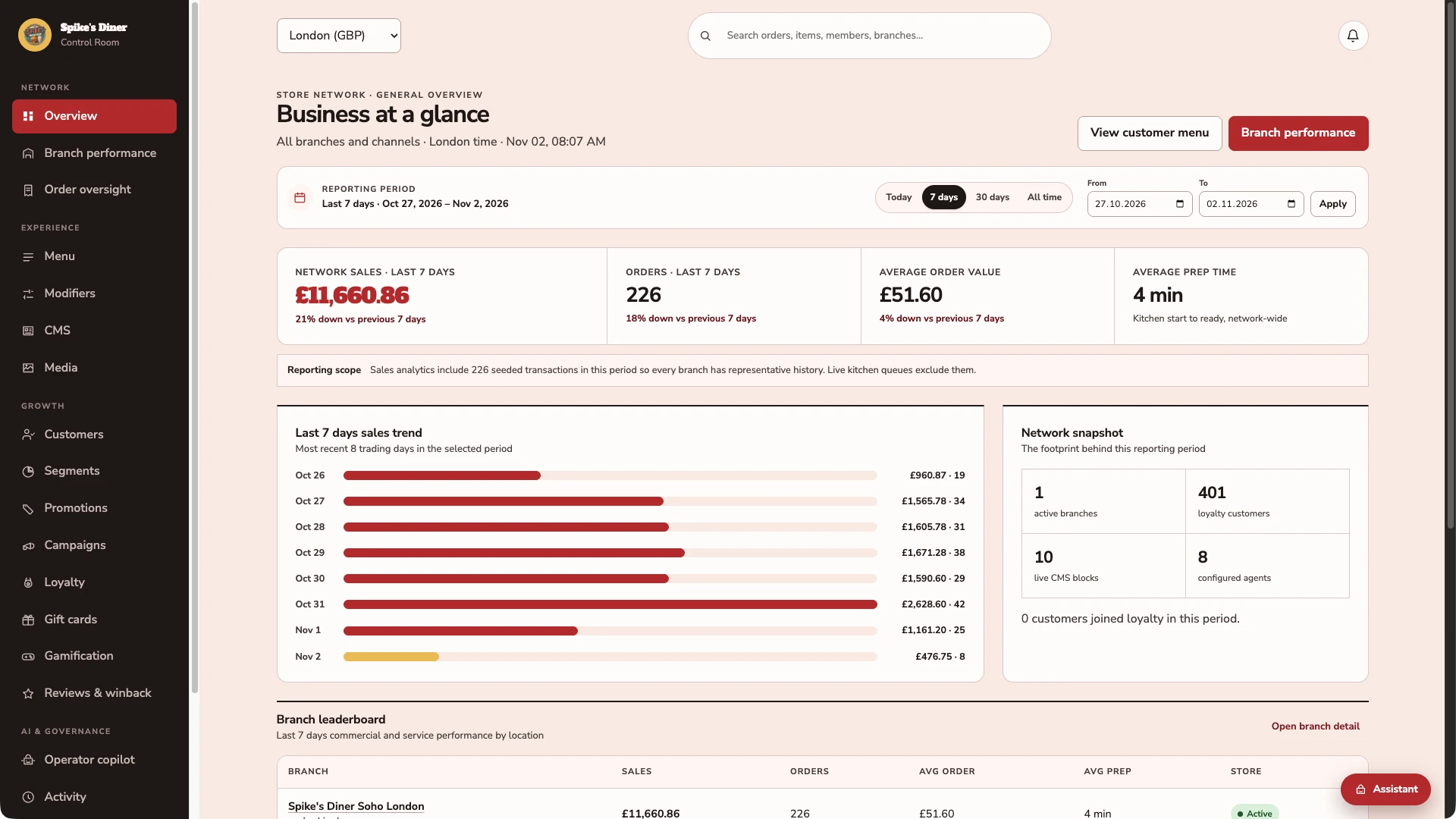
Start with the whole operation.
Choose a reporting period and see sales, order volume, average spend and preparation time together. This demo is showing London.
Go from the total to the location.
Inspect a branch’s sales, order status and service speed. The demo keeps seeded reporting history separate from its live queue.
Inspect the order behind the total.
A seeded demo order shows its items, quantities, prices and total. It is a reporting example, so it does not appear as live kitchen work.
Real Back office screens · Seeded demo data · Contact details hidden where shown
Select a stage to watch its steps. Pause to inspect a screen.
What your team
gets with it.
- Compare sites and periods
- Recorded orders and sales, like for like.
- Connect visits and rewards
- Identified purchases, points earned and redemptions in one view.
- Investigate the detail
- Refunds, availability and missing data before you choose a response.
Part of your complete setup.
Your website, customer app, waiter app and kiosk integration come together as standard. Retter builds and runs them under your brand, connected through the same menus, orders and guest records.
Questions about
reporting & analytics.
Read all FAQs Can we compare sites in one report?
Yes. The reporting Retter builds brings orders, sales, guest activity and rewards across a group's locations onto one consistent basis, with CSV export. An area manager compares sites and periods, then opens the orders, refunds and exceptions behind a change before choosing a response.
What is a restaurant CRM?
A restaurant CRM is one record per guest that holds their orders, visits, rewards and marketing permissions across every site and channel. Retter builds it as the guest account behind a group's website, app, table ordering and loyalty programme, so the team sees one history per guest instead of separate lists in separate tools.
Do we have to replace our POS?
No. Retter builds around the POS a group already uses. The first site can go live without a POS connection: guests order and pay through the group's own website and app, staff scan a guest's code to add points and reporting starts on day one. Retter then reviews the POS and agrees which menus, orders, payments and loyalty events can be connected. How deep the link goes depends on what your POS vendor opens up. We confirm it in writing before you commit.
Who owns the guest data?
The operator does. The group is the data controller and Retter processes guest data under a data-processing agreement. Every guest record keeps its marketing permission per channel, guests can unsubscribe from any message, and the operator can export its data at any time.
Let’s put your restaurant in the picture.
Tell us about your sites and the systems you use. We’ll show you the guest experience, the team’s workspace and what a first rollout would include.
The guest demo uses a fictional restaurant. Payments are simulated.
In your walkthrough
- Place an order as a guest.
- See the account and rewards behind it.
- Agree the scope of your first site.