Online menu
An online menu built for a phone, with photos, options, prices, allergen and nutrition information on every item. Your team maintains each item once in the back office and the change shows everywhere guests order: the website, the app, the table QR and the kiosk.
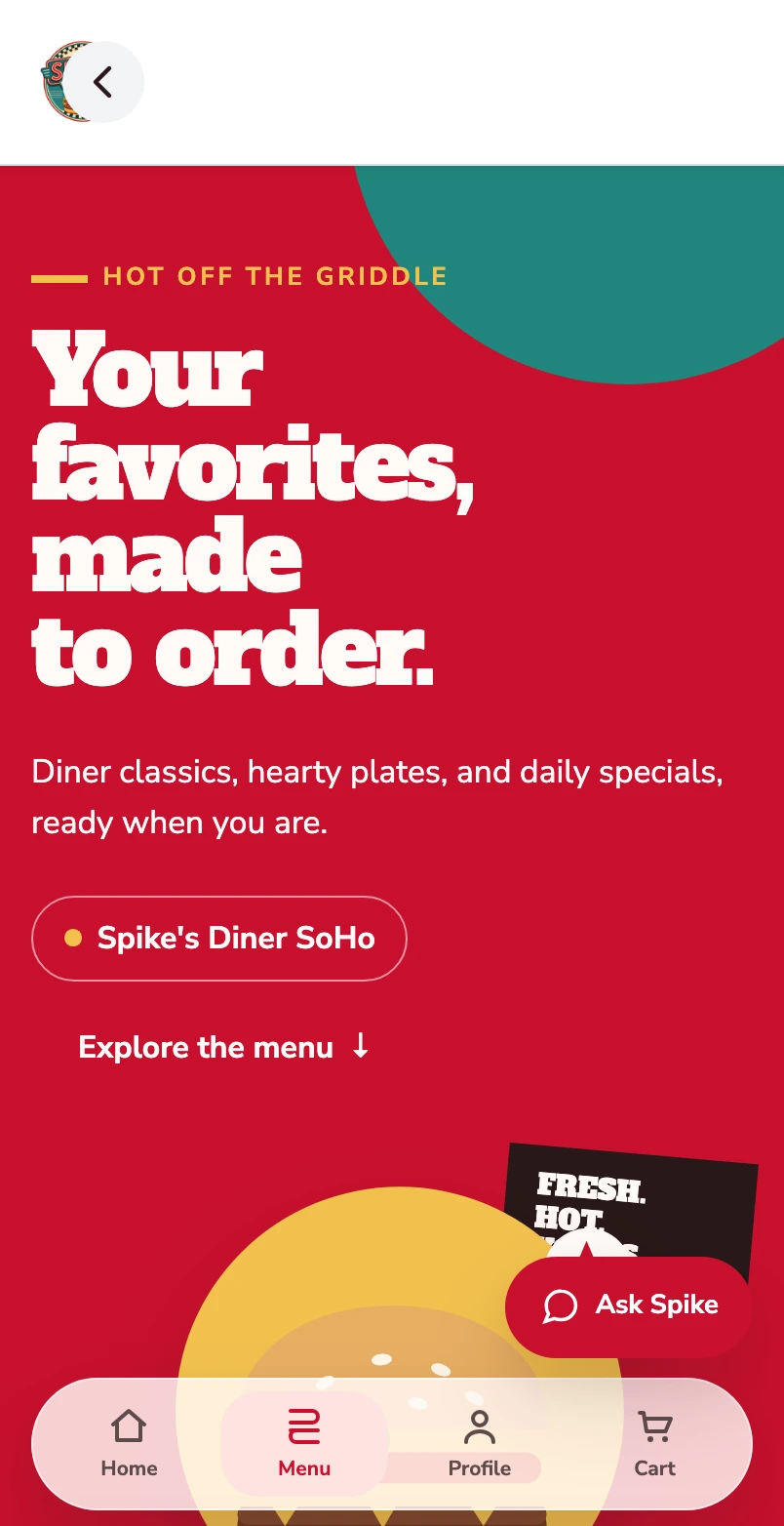
Start with the categories.
The mobile menu opens on the categories a guest scrolls. The structure is the one your team sets in the back office, per site.
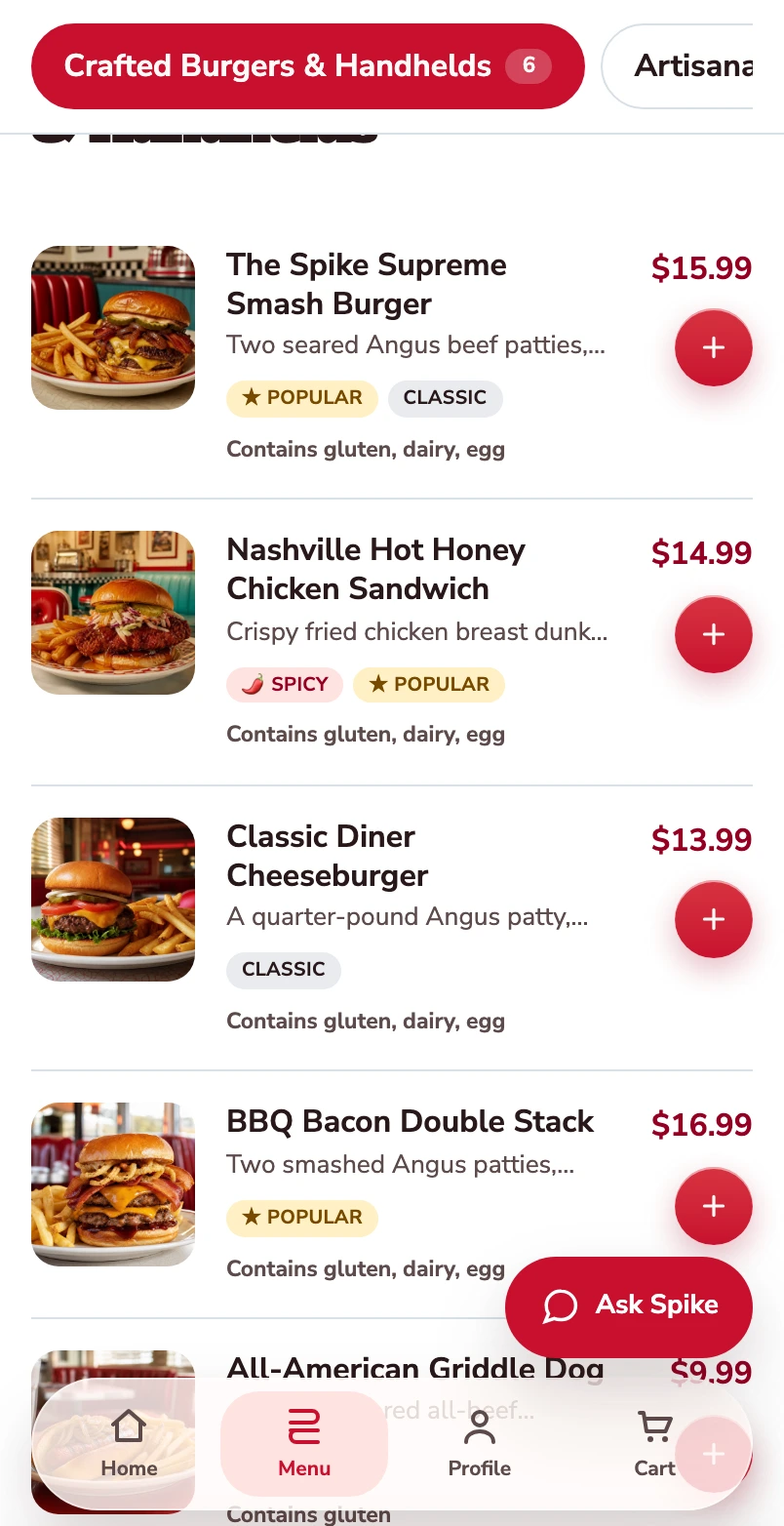
Find a dish to order.
The burger category shows photographs, prices and a way to open each item.
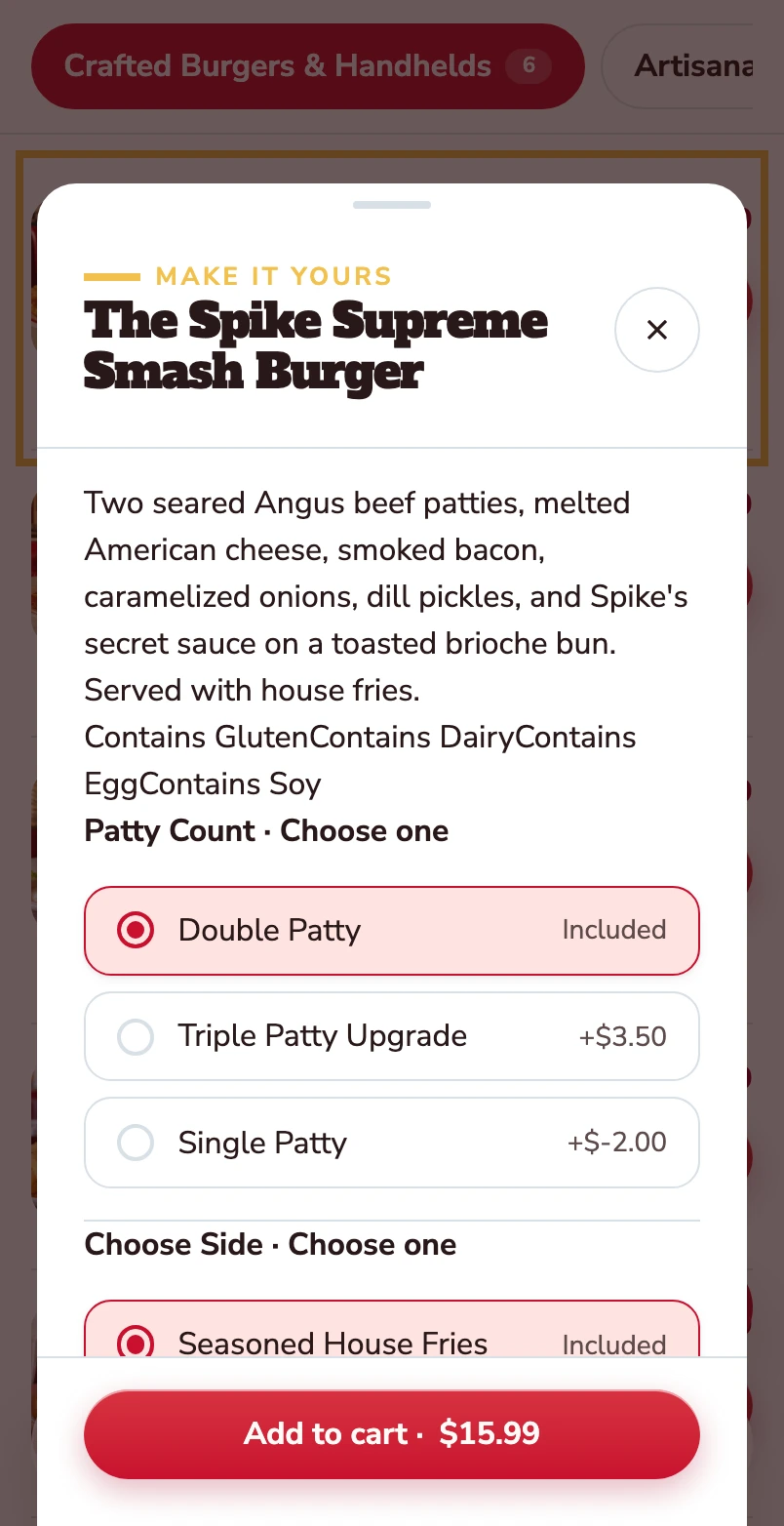
Open the burger.
The item opens with its description, allergens and the choices attached to it.
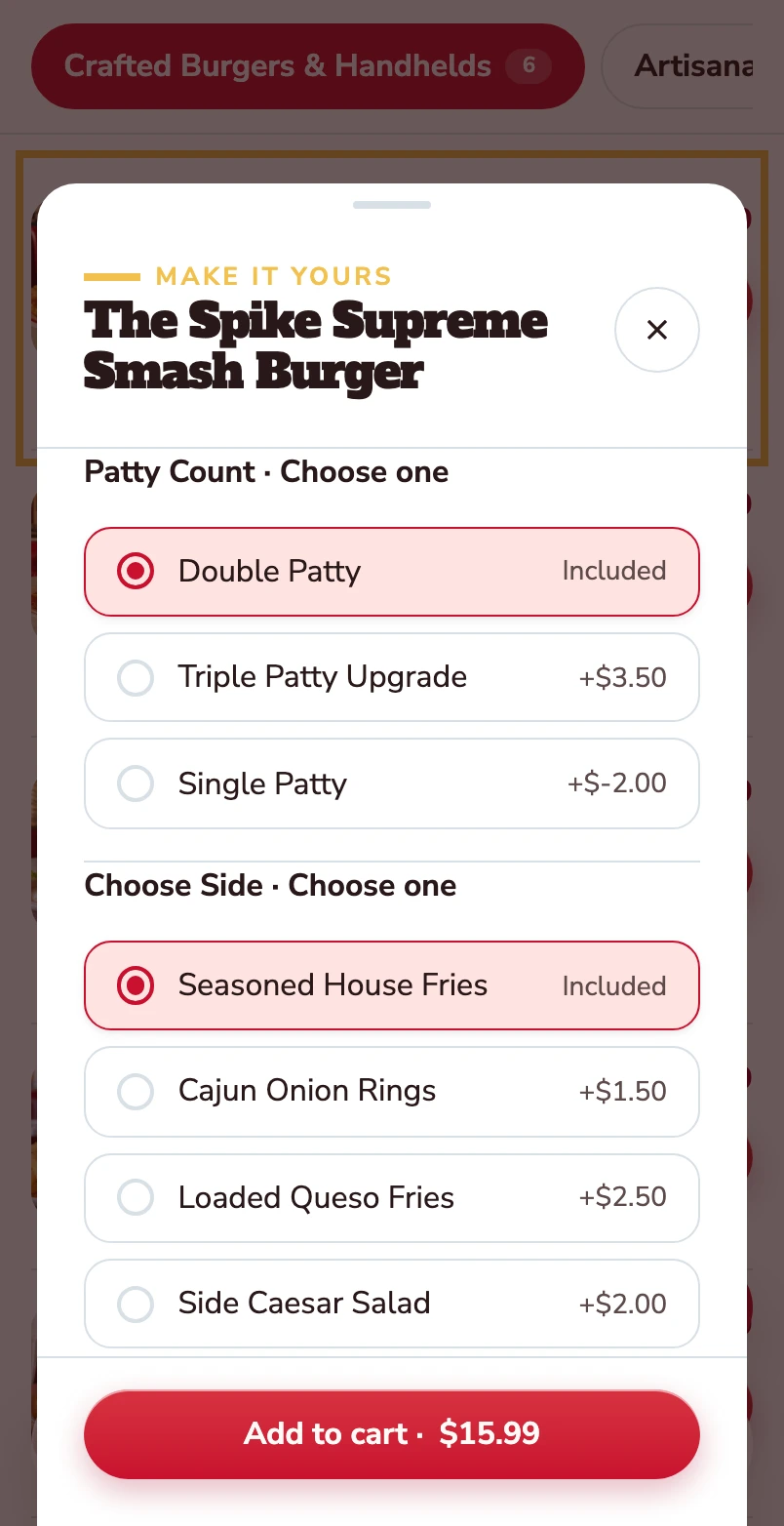
Choose the patty and the side.
Double patty and house fries are included. Other choices show their price difference before the item goes into the basket.
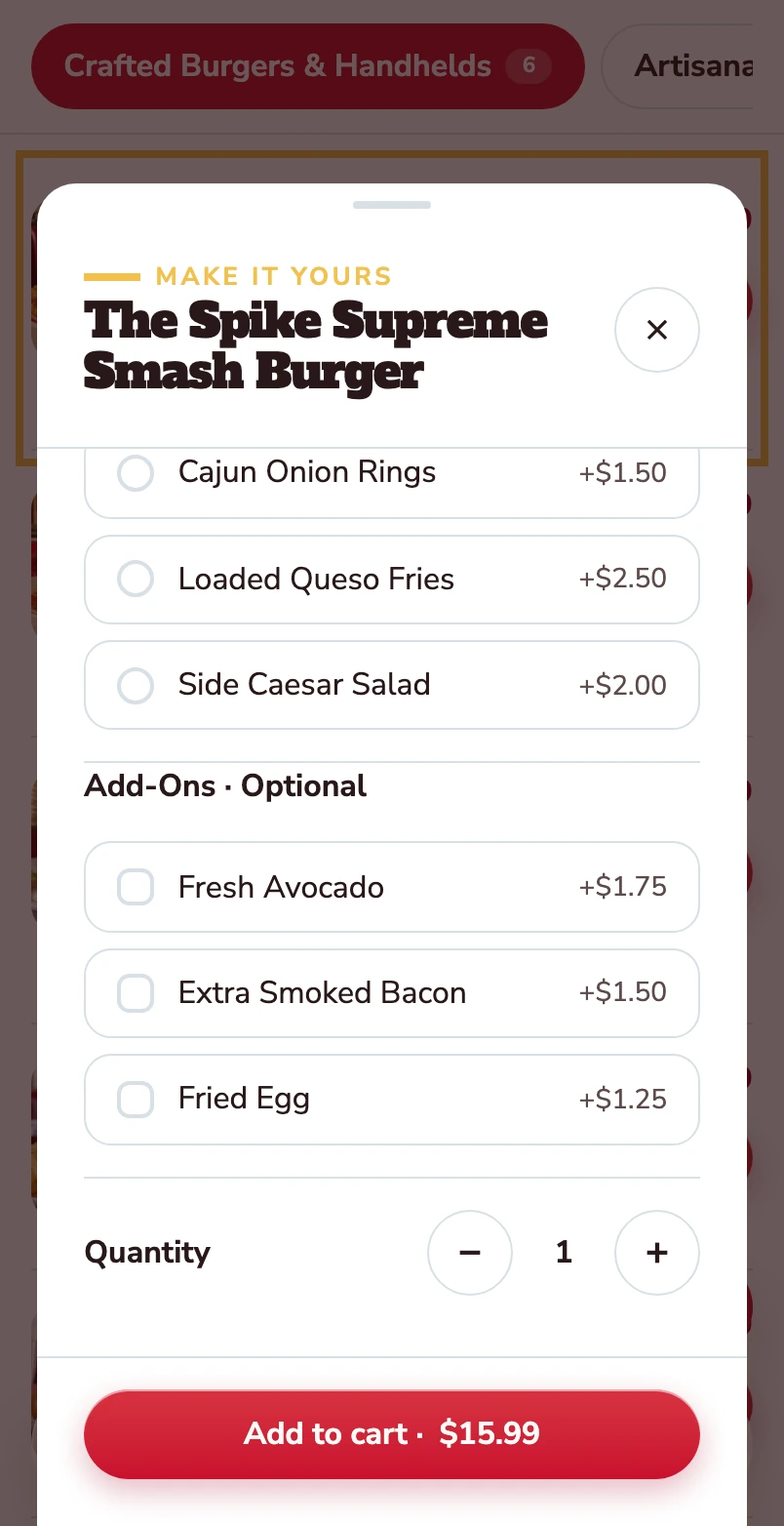
Make it yours.
Avocado, extra bacon and a fried egg are optional. Quantity and the Add to cart total stay together at the bottom.
Mobile website · Spike’s Diner demo
Browse the menu as a guest
Follow the mobile menu from categories to a burger, its patty and side choices, and optional extras. Below, explore the back-office controls behind the item.
Start with the categories.
The mobile menu opens on the categories a guest scrolls. The structure is the one your team sets in the back office, per site.
Find a dish to order.
The burger category shows photographs, prices and a way to open each item.
Open the burger.
The item opens with its description, allergens and the choices attached to it.
Choose the patty and the side.
Double patty and house fries are included. Other choices show their price difference before the item goes into the basket.
Make it yours.
Avocado, extra bacon and a fried egg are optional. Quantity and the Add to cart total stay together at the bottom.
Mobile website · Spike’s Diner demo
Select a stage to watch its steps. Pause to inspect a screen.
What your team
gets with it.
- Help guests choose
- Descriptions and photography alongside every item.
- Keep the detail together
- Options, allergen information and nutrition live on the item, not in a PDF.
- Room for local differences
- Menus, prices and availability per location, managed from one place.
Inside your team’s
workspace.
The real controls behind what the guest just saw, captured from Spike’s Diner’s back office.
Inspect the controls behind a menu itemMenus · Product details · Choices & channels
One catalogue. Clear channel availability.
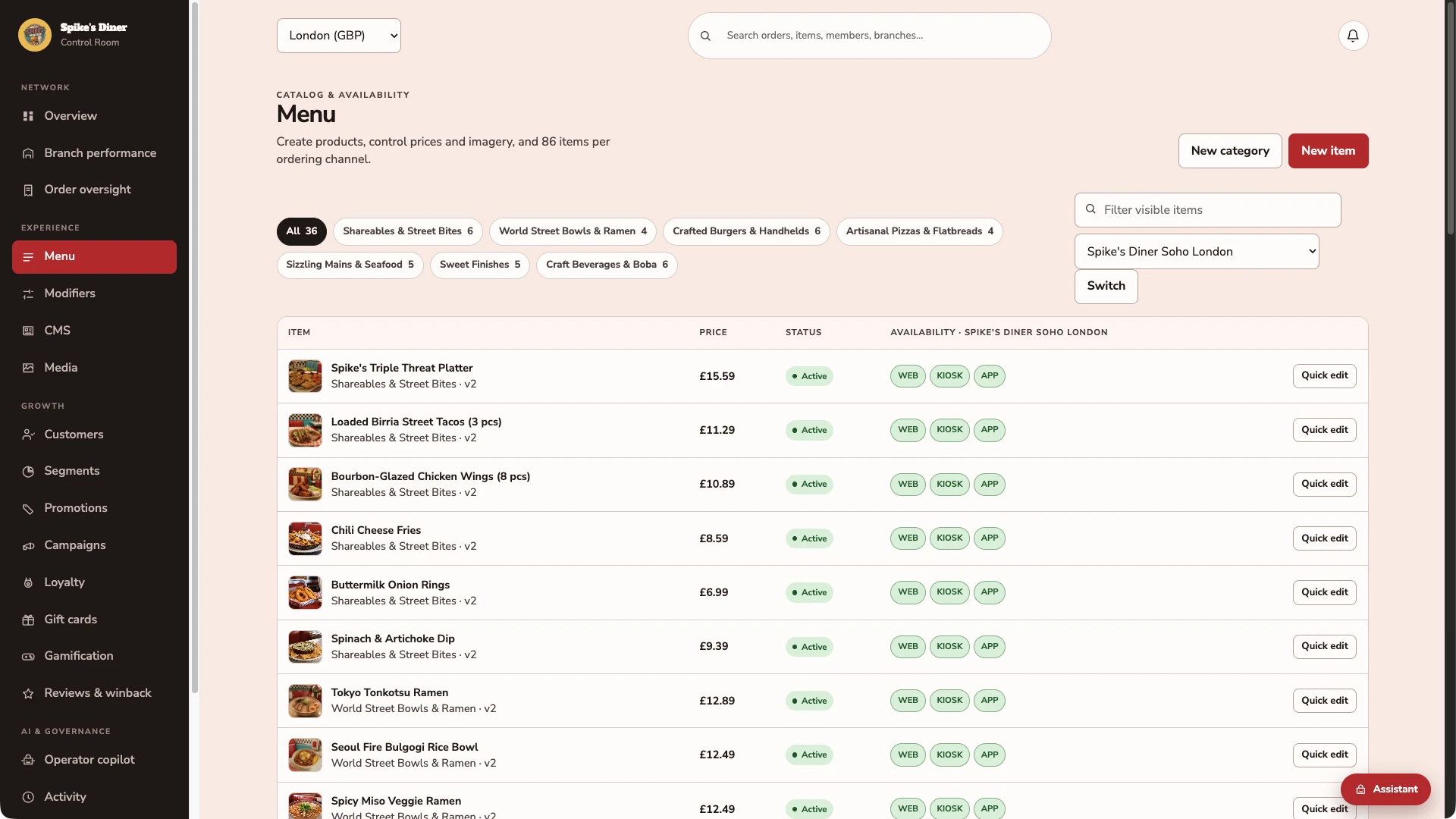
Browse products by category, check prices and see availability for web, kiosk and app at the selected site.
Open the product behind the menu.
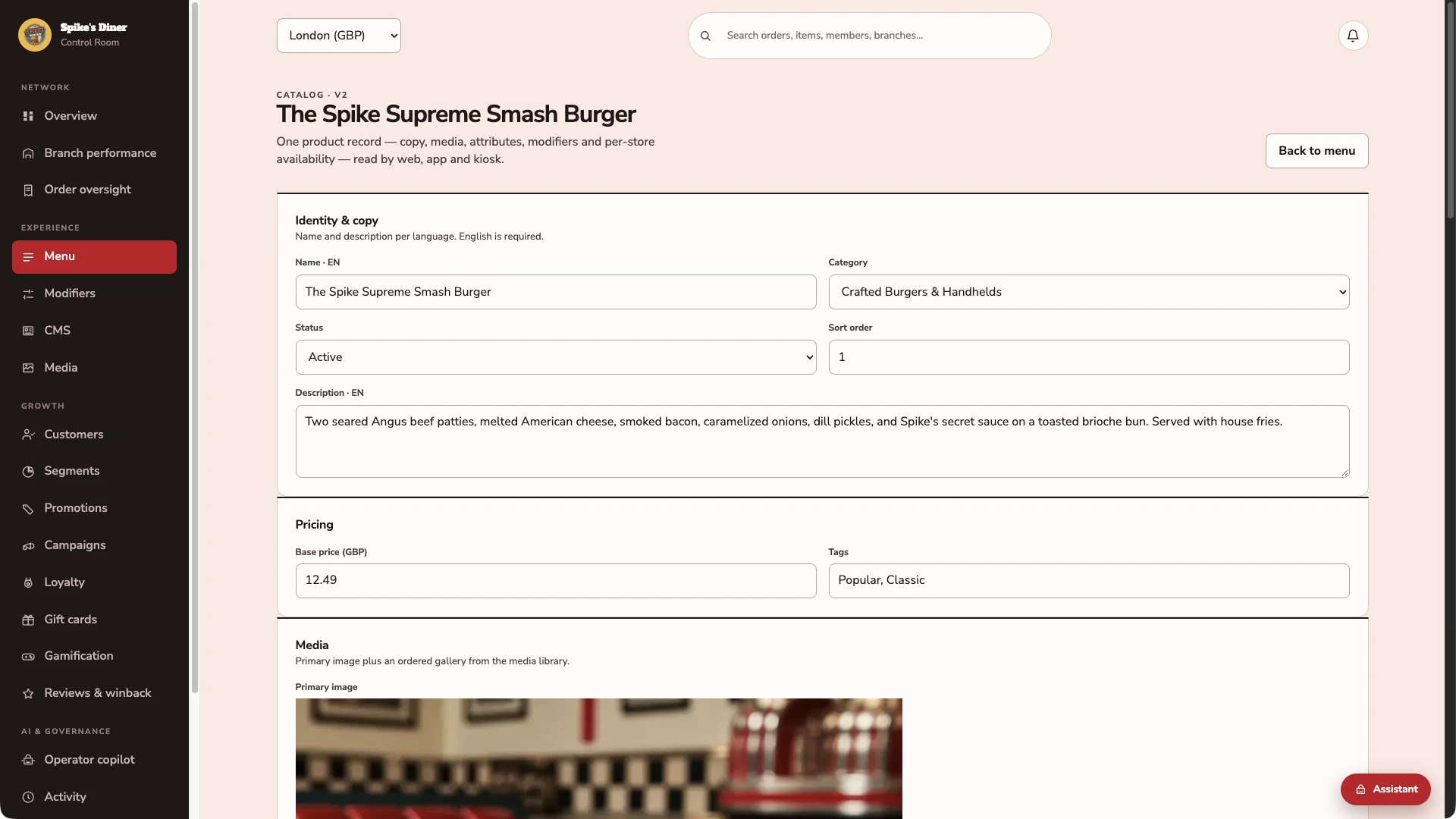
The Spike Supreme Smash Burger has its own name, category, description, £12.49 base price, tags and primary image. The team manages these together in the product editor.
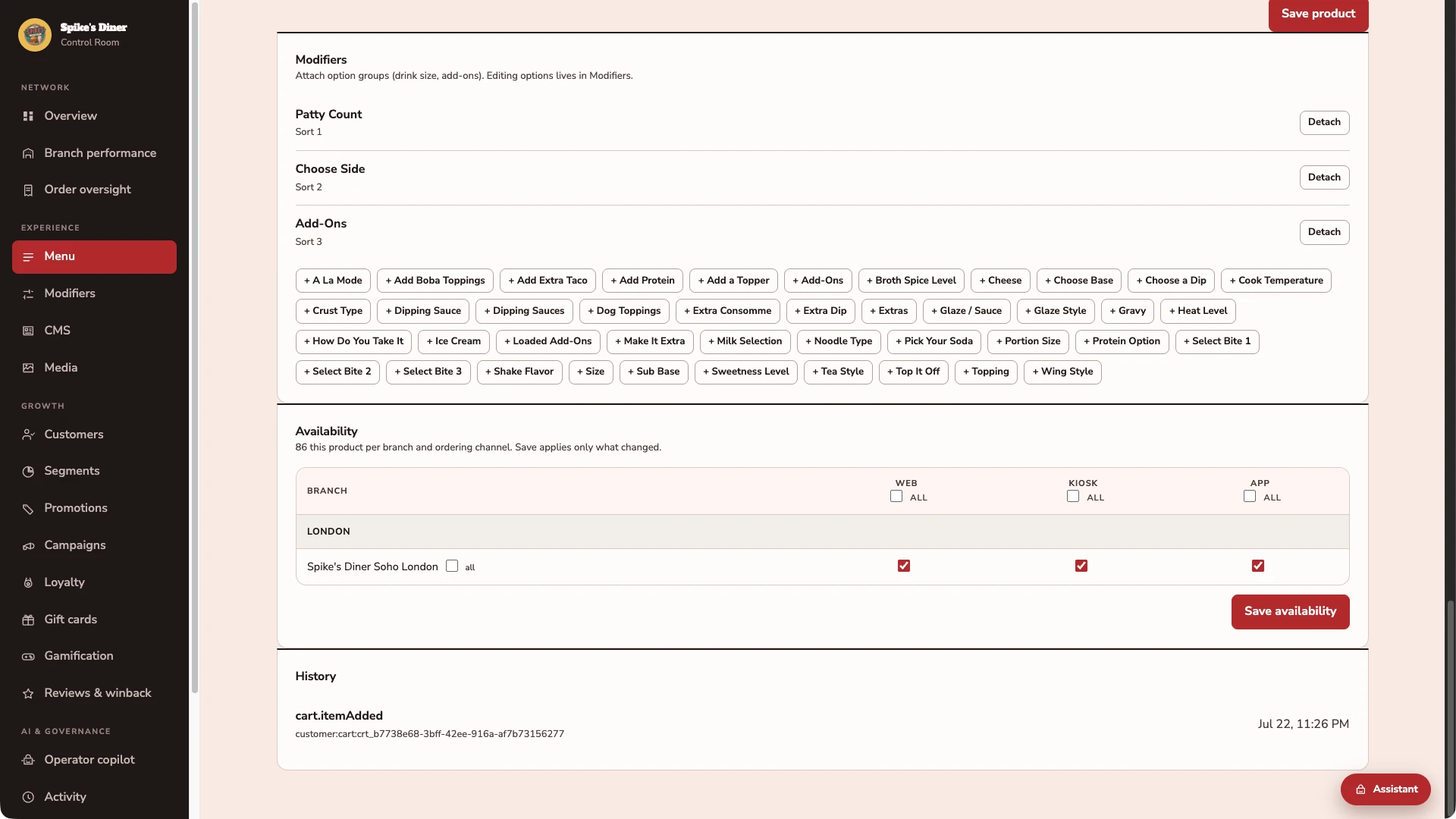
Connect the choices. Control where it sells.
The same burger has Patty Count, Choose Side and Add-Ons attached. Its availability matrix shows separate web, kiosk and app switches for Soho London, with a dedicated Save availability control.
Real Back office screens · Seeded demo data · Contact details hidden where shown
Select a stage to watch its steps. Pause to inspect a screen.
Part of your complete setup.
Your website, customer app, waiter app and kiosk integration come together as standard. Retter builds and runs them under your brand, connected through the same menus, orders and guest records.
Questions about
online menu.
Read all FAQs What is a digital menu?
A digital menu is a restaurant's menu built for a phone, with photos, options, prices, allergen and nutrition information on every item. On the menu Retter builds, the team maintains each item once in the back office and the change shows everywhere guests order: the website, the app, the table QR and the kiosk.
Does the online menu show allergens and nutrition information?
Yes. Each item on the online menu Retter builds carries its photos, options, price, allergen and nutrition information. The team maintains an item once in the back office and the change shows everywhere guests order: the website, the app, the table QR and the kiosk.
Can waiters offer upsells as well as guests ordering online?
Yes. The mobile waiter app supports offering relevant sides, drinks and extras while taking an order at the table. Guest ordering on the website, customer app and kiosk can also present those choices. The waiter confirms the choice with the guest, and extras and their prices remain clear before the order is placed.
Do guests have to download an app to order?
No. Guests order, pay and use rewards in their phone's browser, from a table QR code or from the group's ordering website. The branded iOS and Android app Retter builds for the group is for the regulars who come back: it keeps their rewards, saved payment methods, inbox and order history in one place, on the same account as the web and the table.
Let’s put your restaurant in the picture.
Tell us about your sites and the systems you use. We’ll show you the guest experience, the team’s workspace and what a first rollout would include.
The guest demo uses a fictional restaurant. Payments are simulated.
In your walkthrough
- Place an order as a guest.
- See the account and rewards behind it.
- Agree the scope of your first site.