Catering
Catering gives offices, events and groups a direct way to explore a separate catering menu and order ahead with the lead time your kitchen needs. The customer and the order join the same guest records as every other channel.
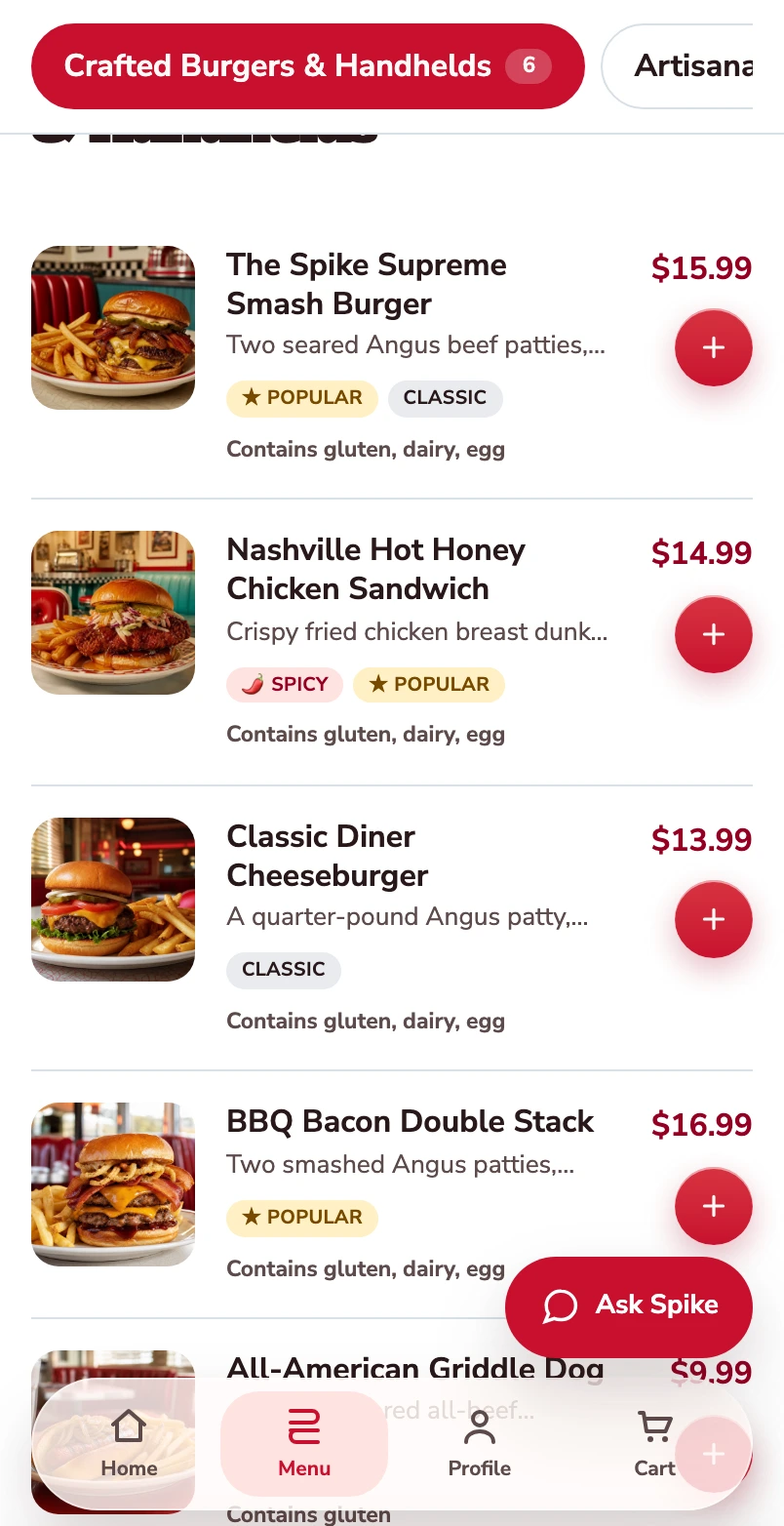
Start with the burger menu.
One burger follows through this mobile web journey, from its choices to its populated checkout.
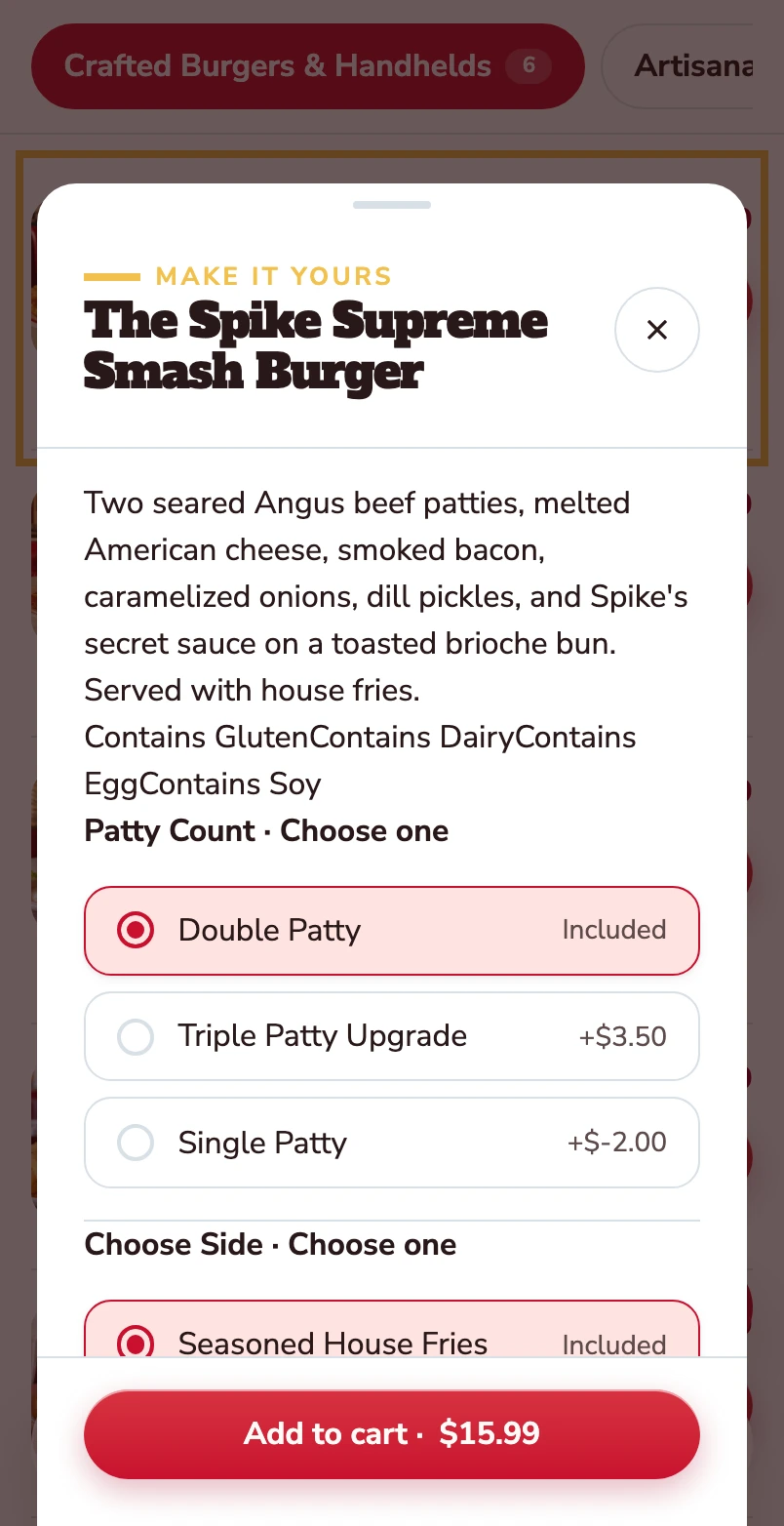
Open the burger.
The item opens with its description, allergens and the choices attached to it.
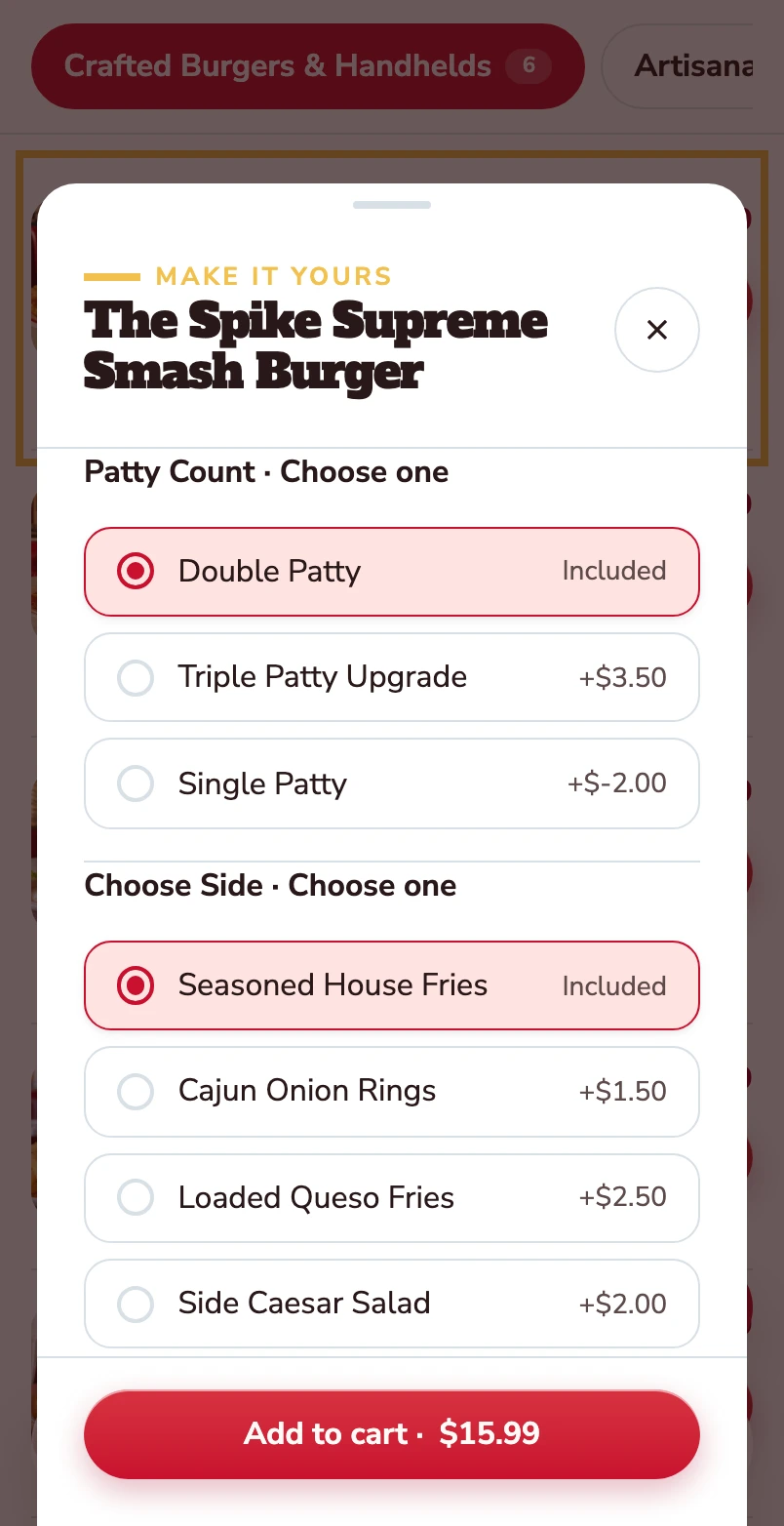
Choose the patty and the side.
Double patty and house fries are included. Other choices show their price difference before the item goes into the basket.
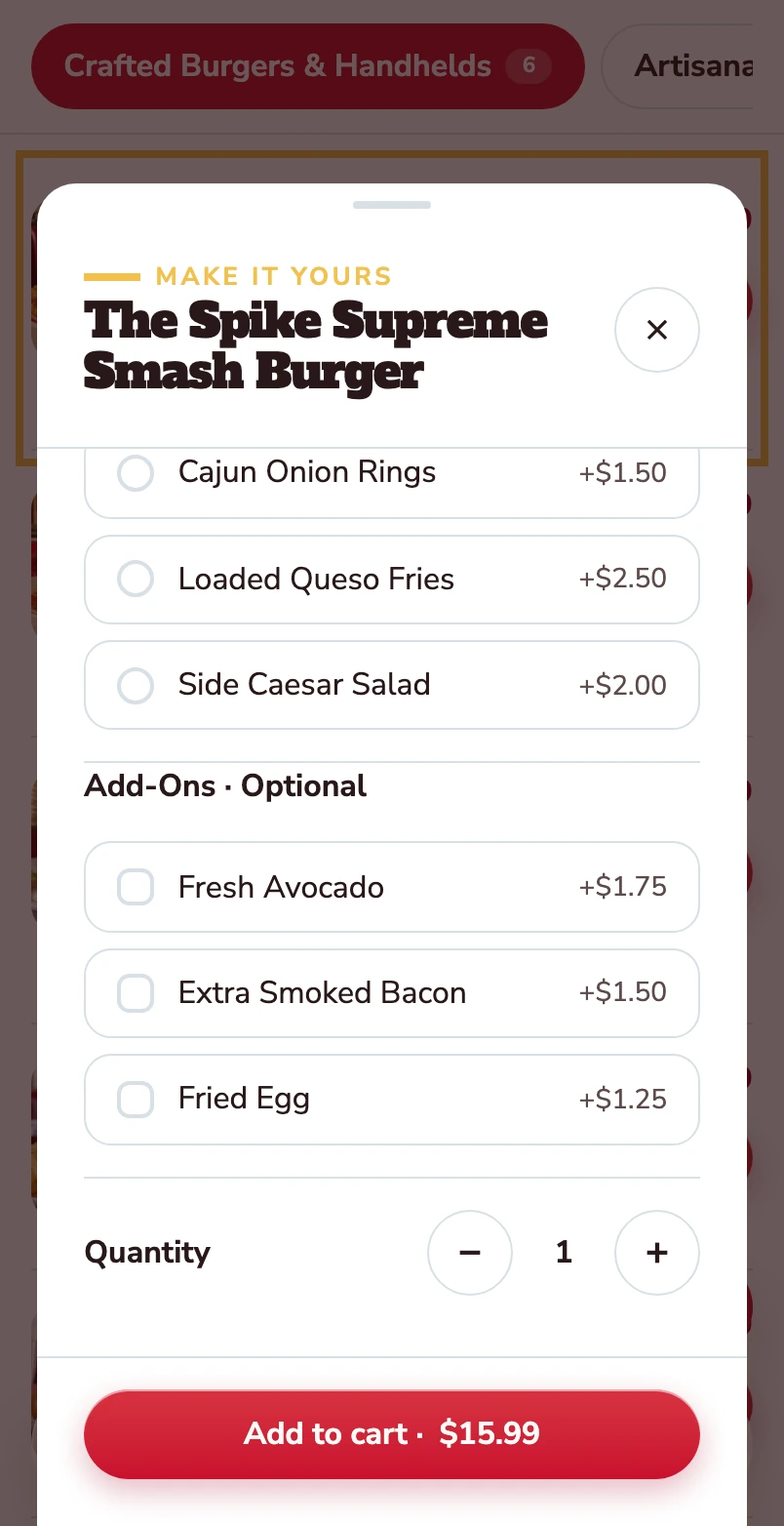
Make it yours.
Avocado, extra bacon and a fried egg are optional. Quantity and the Add to cart total stay together at the bottom.
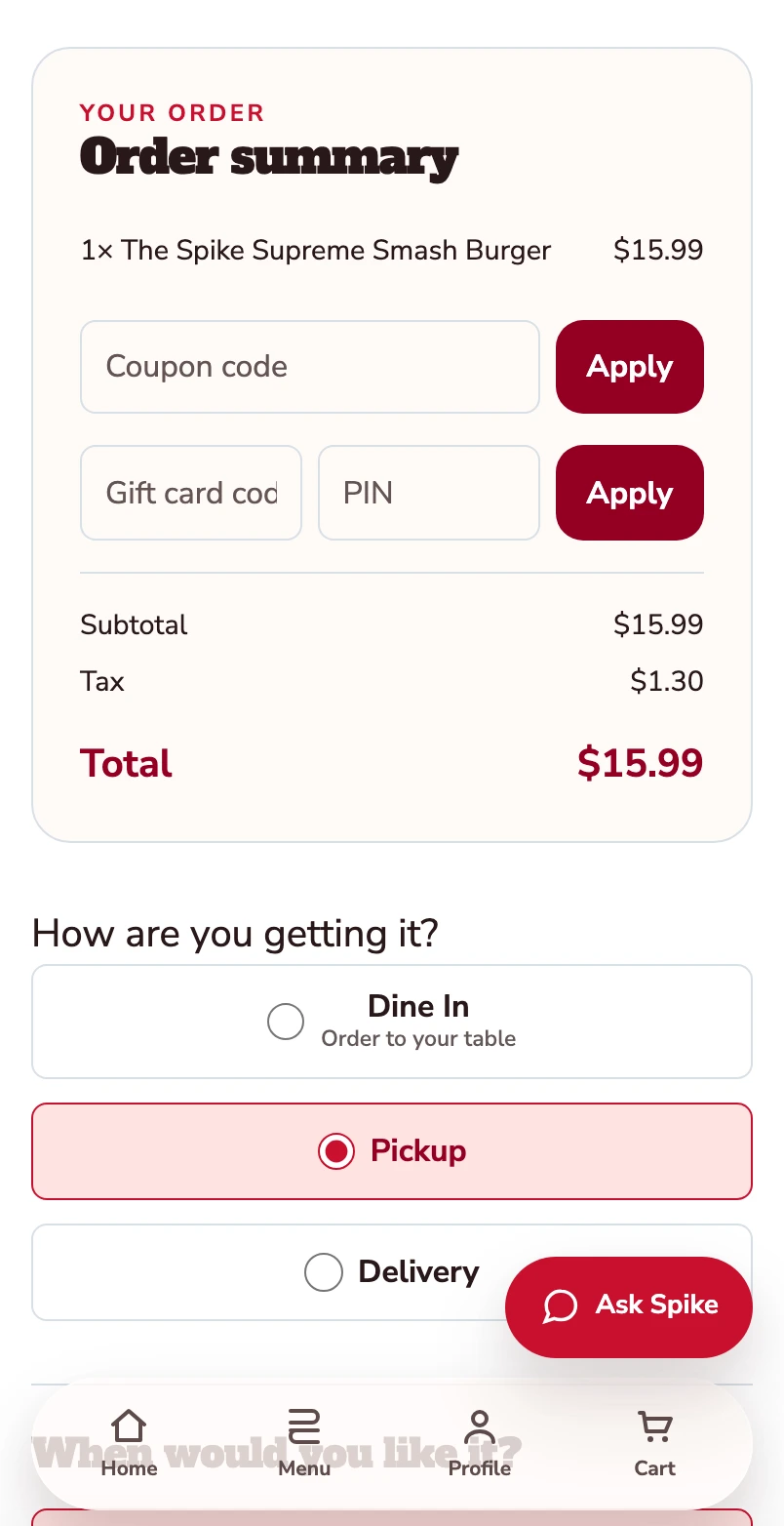
Added to your basket.
Your burger is now in the basket. The order summary shows one item and a $15.99 total before checkout. Pickup is selected.
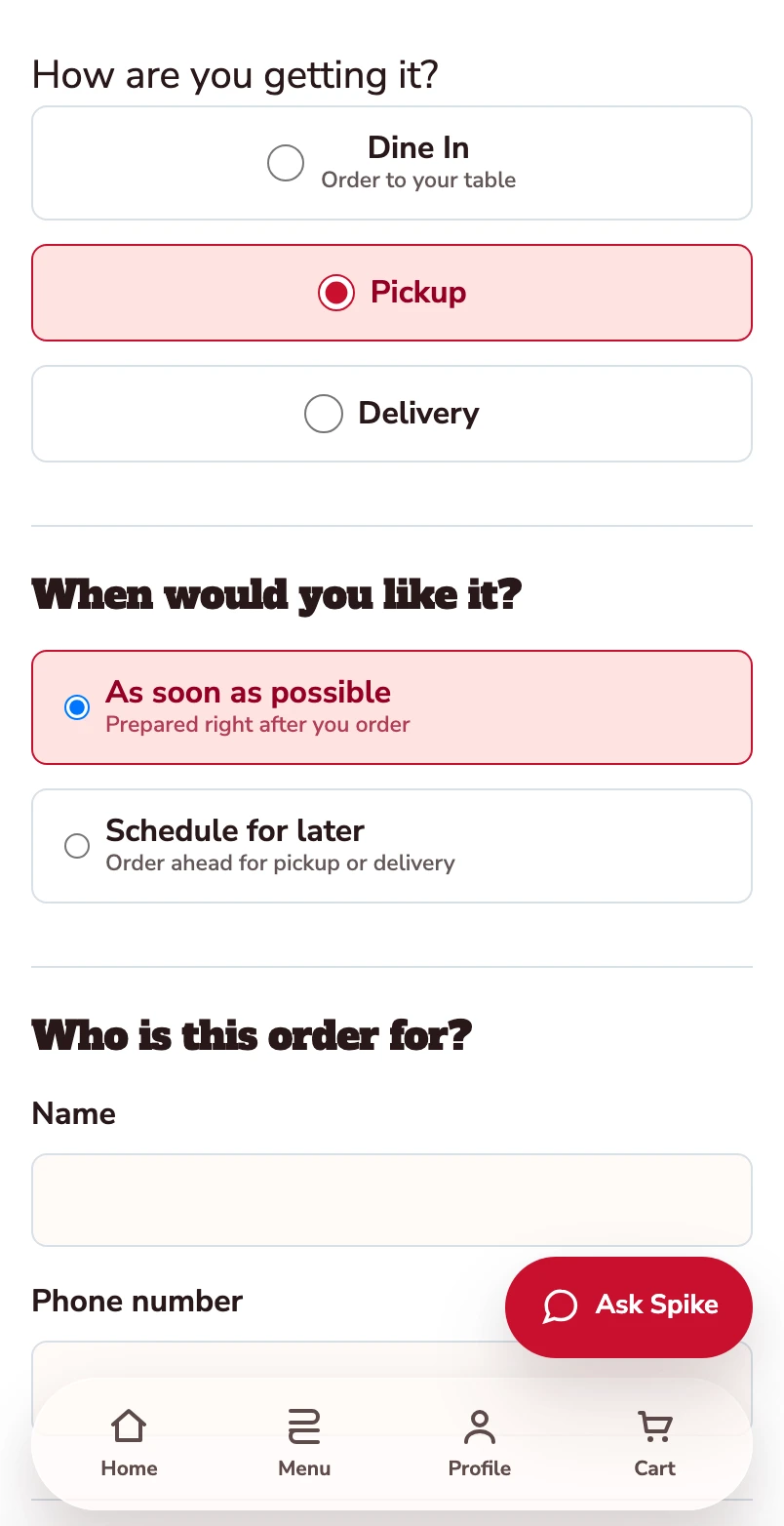
Confirm how you’re ordering.
Pickup is selected. Review the timing and contact details before payment.
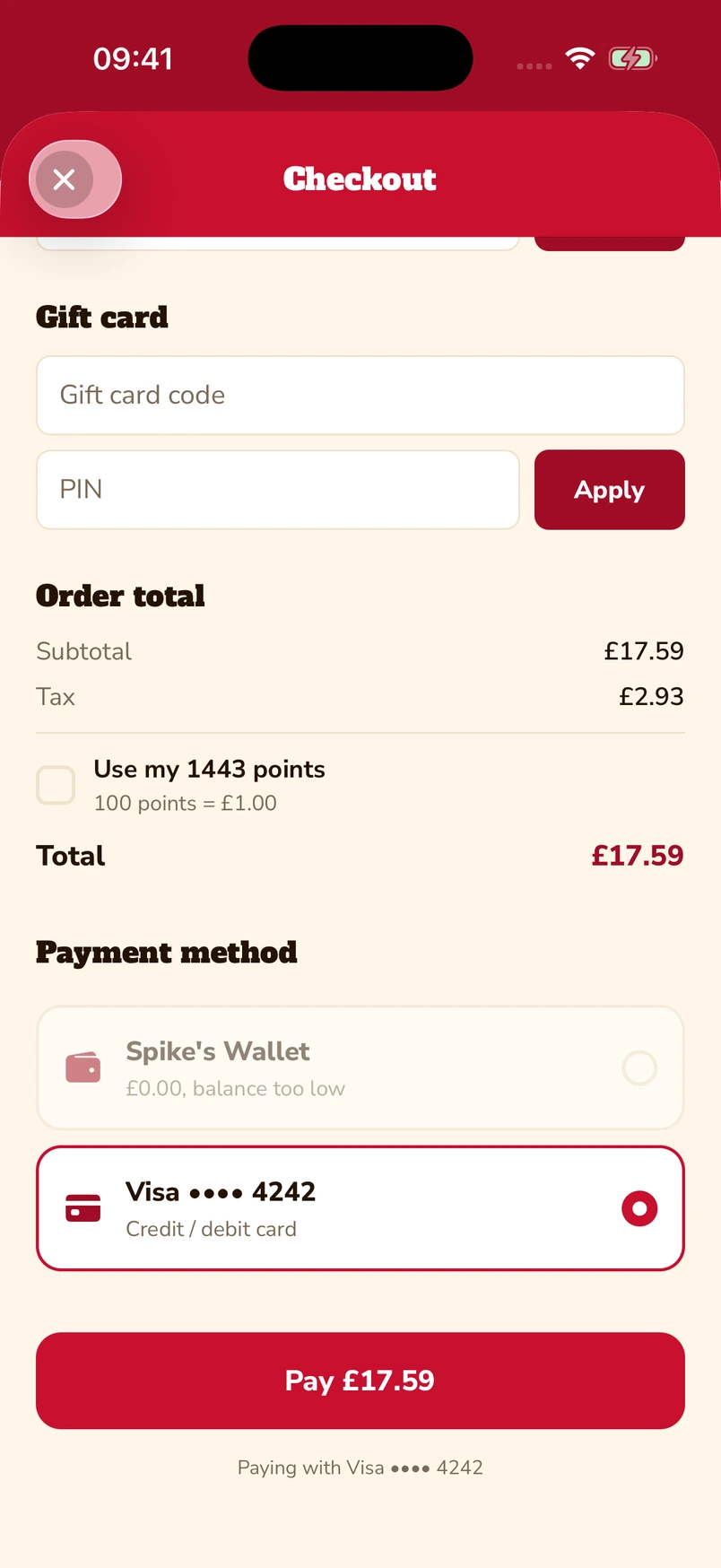
Put gift cards and points towards the bill.
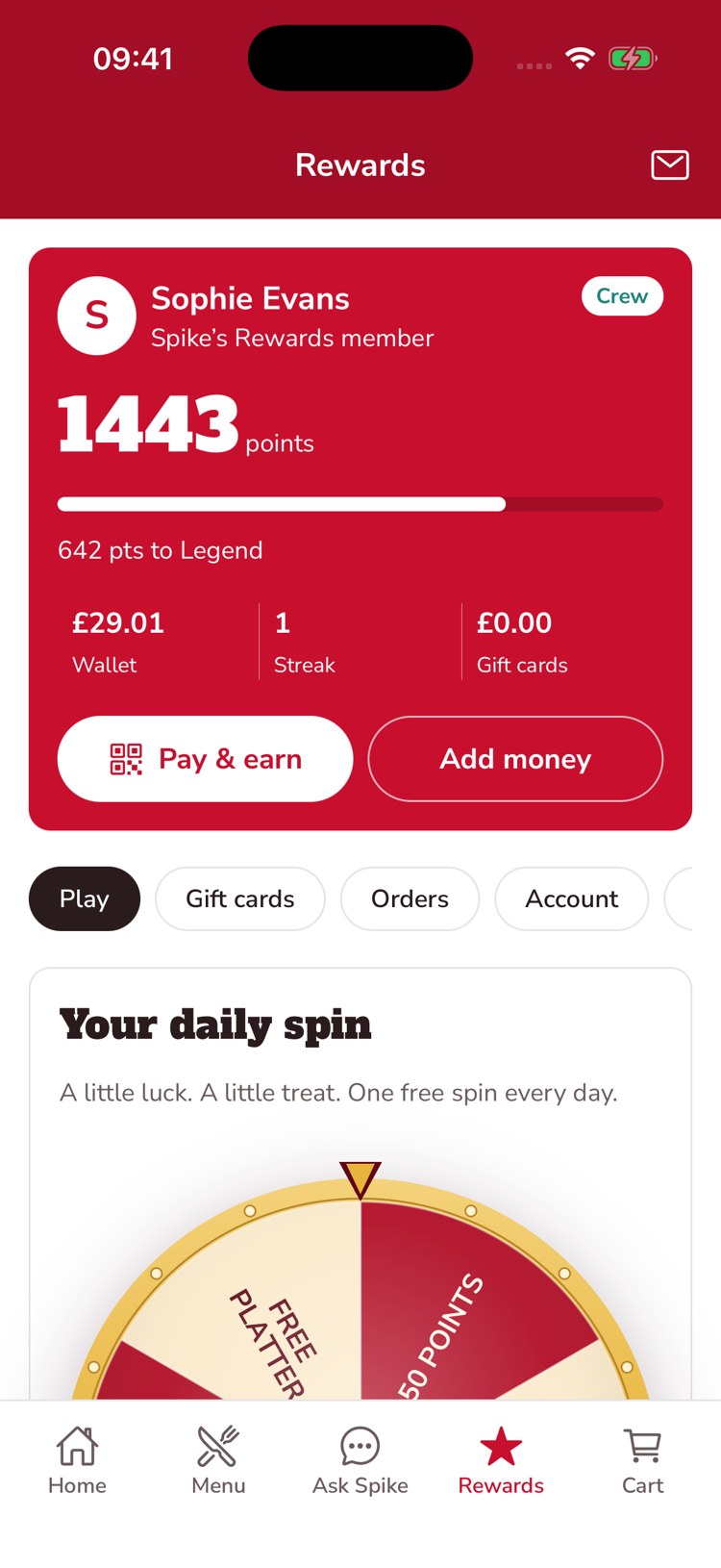
Enter a gift-card code and PIN, or choose to use loyalty points at checkout. The captured app screen shows 1,443 available points alongside a saved Visa card.
Native iOS app · Spike’s Diner demo
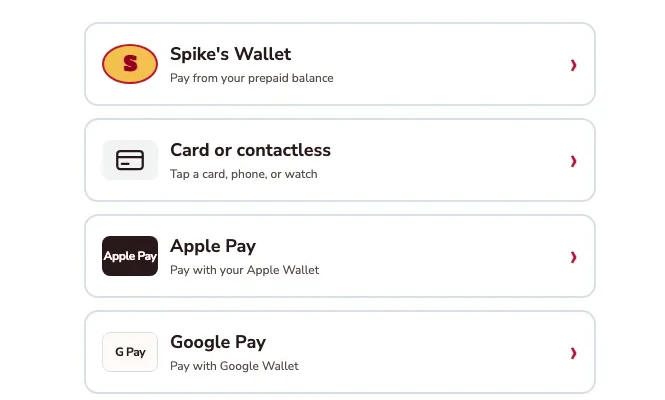
Apple Pay, Google Pay or a card.
The kiosk demo puts Apple Pay and Google Pay alongside card or contactless payment and prepaid wallet. Choose the method that suits you.
Kiosk demo · Payment-options detail · Simulated payment
Keep a balance ready for the next visit.
The guest’s account brings prepaid balance, loyalty points and gift-card balance together. This example shows £29.01 in the wallet, 1,443 points and an Add money control.
Native iOS app · Spike’s Diner demo
Mobile web ordering · Native app & kiosk payment examples · Spike’s Diner demo
How a catering order runs
An illustrative journey, not a product capture: the catering flow for Spike’s Diner has not been captured yet. The three steps are the ones the product follows.
An office orders Friday lunch for forty
The office manager finds your catering menu
Platters and bundles presented apart from the everyday menu, with portions explained.
They choose the food and the date
The order carries a delivery or collection time inside the lead time you set.
Your team reviews and prepares
The order is visible to the kitchen ahead of the day, and the company becomes a customer you can contact again.
What your team
gets with it.
- A menu for the occasion
- Catering choices presented separately from the everyday menu.
- Plan ahead
- Advance orders with the lead time your kitchen needs.
- Keep the relationship direct
- The customer and the order join the same guest records as everything else.
Part of your complete setup.
Your website, customer app, waiter app and kiosk integration come together as standard. Retter builds and runs them under your brand, connected through the same menus, orders and guest records.
Questions about
catering.
Read all FAQs Can offices and events order catering ahead?
Yes. Retter builds catering ordering that gives offices, events and groups a separate catering menu and lets them order ahead with the lead time the kitchen needs. The customer and the order join the same guest records as every other channel.
How is ordering through our own website and app different from a delivery marketplace?
On a marketplace such as Deliveroo, Uber Eats or Just Eat, the order arrives without the guest attached and the marketplace charges commission on it. Retter builds the group's own ordering website, app and table QR ordering, so identified guests’ orders join their account, earn points under the group’s rules and stay in the group’s own records, with no marketplace commission. A group can keep its marketplace listings and run its own channels alongside them.
Where do online, table and kiosk orders appear for the store team?
In one list. The kitchen and store tools Retter builds show incoming online, table and kiosk orders together. The store sets preparation times, pauses ordering and marks items unavailable, and the order status flows back to the guest.
Let’s put your restaurant in the picture.
Tell us about your sites and the systems you use. We’ll show you the guest experience, the team’s workspace and what a first rollout would include.
The guest demo uses a fictional restaurant. Payments are simulated.
In your walkthrough
- Place an order as a guest.
- See the account and rewards behind it.
- Agree the scope of your first site.