Branded website
A branded website for a restaurant, café or coffee group, on its own domain, that brings the food, the locations and direct online ordering together. A guest who finds you in a search has a clear next step: choose a site, browse the menu and order without a marketplace in between.
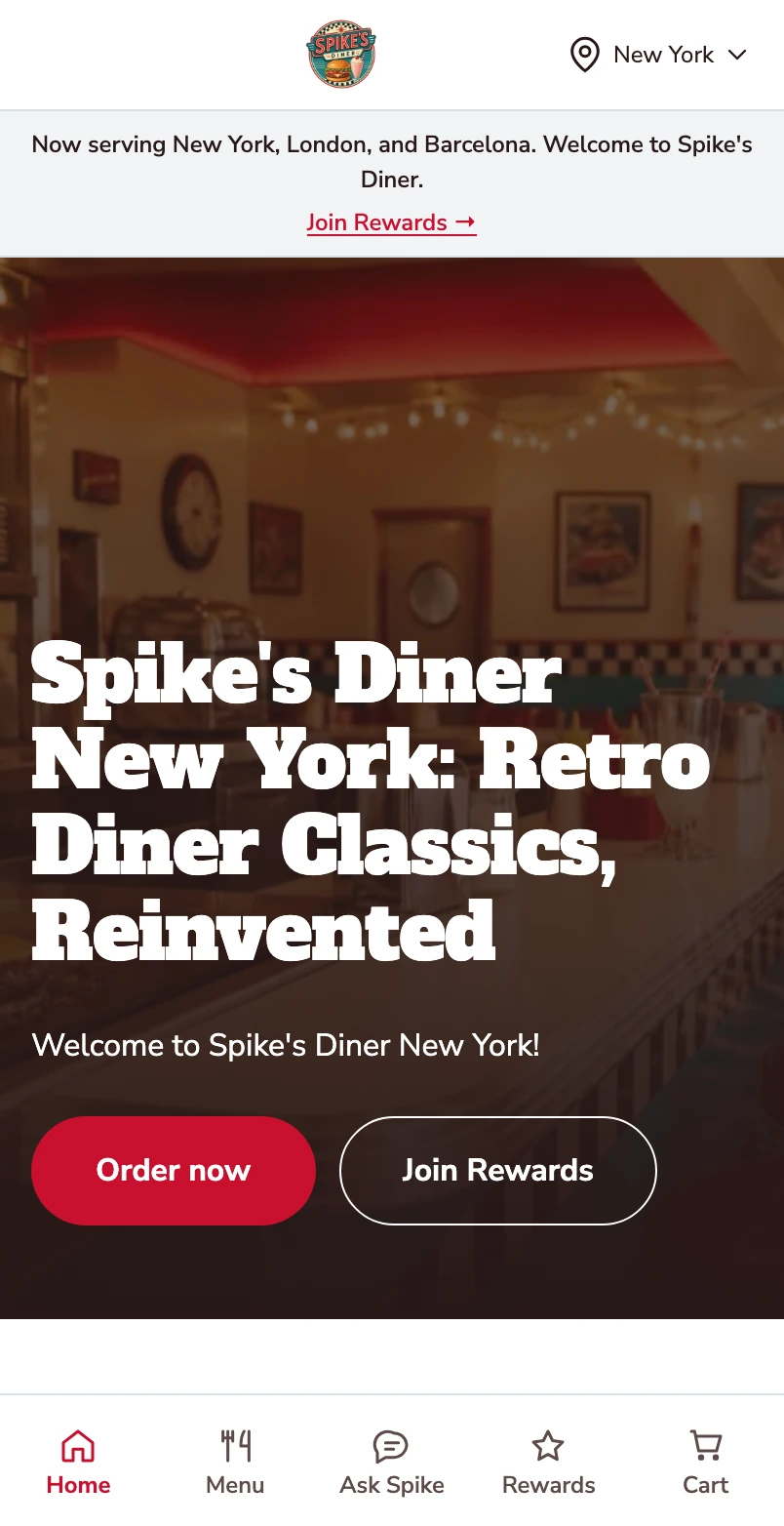
Your restaurant, on their phone.
The same branded website on a mobile screen.
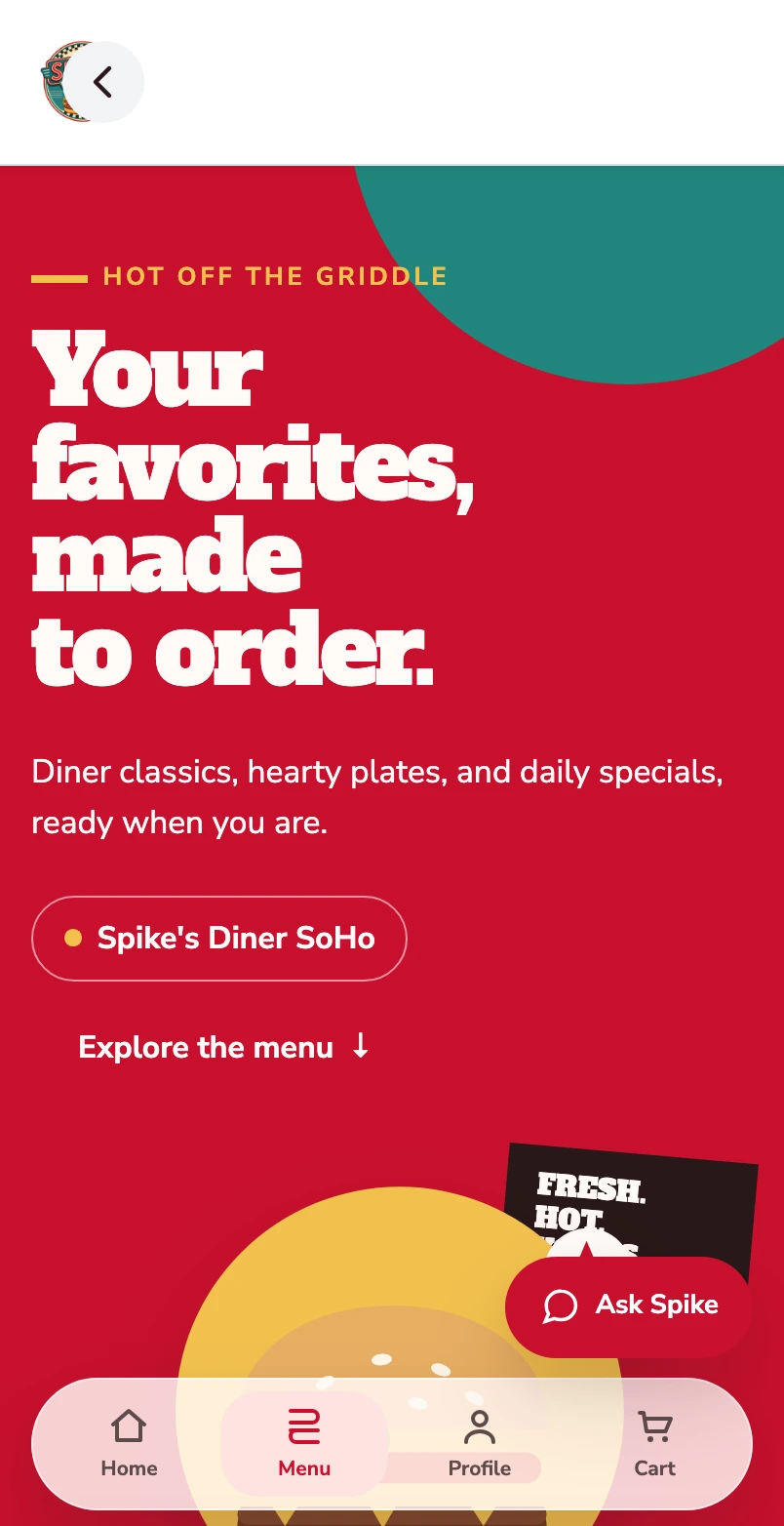
Start with the categories.
The mobile menu opens on the categories a guest scrolls. The structure is the one your team sets in the back office, per site.
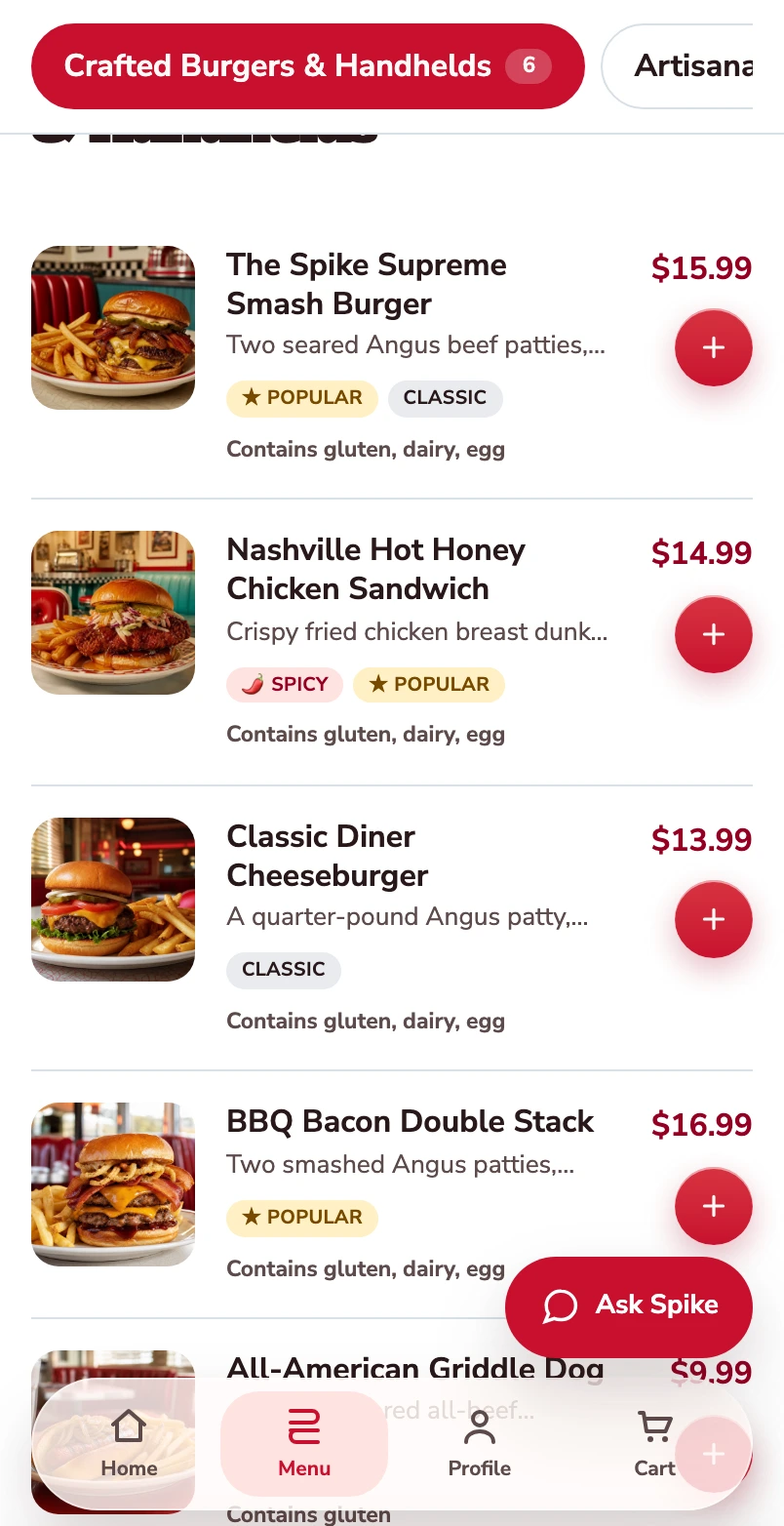
Find a dish to order.
The burger category shows photographs, prices and a way to open each item.
Open the burger.
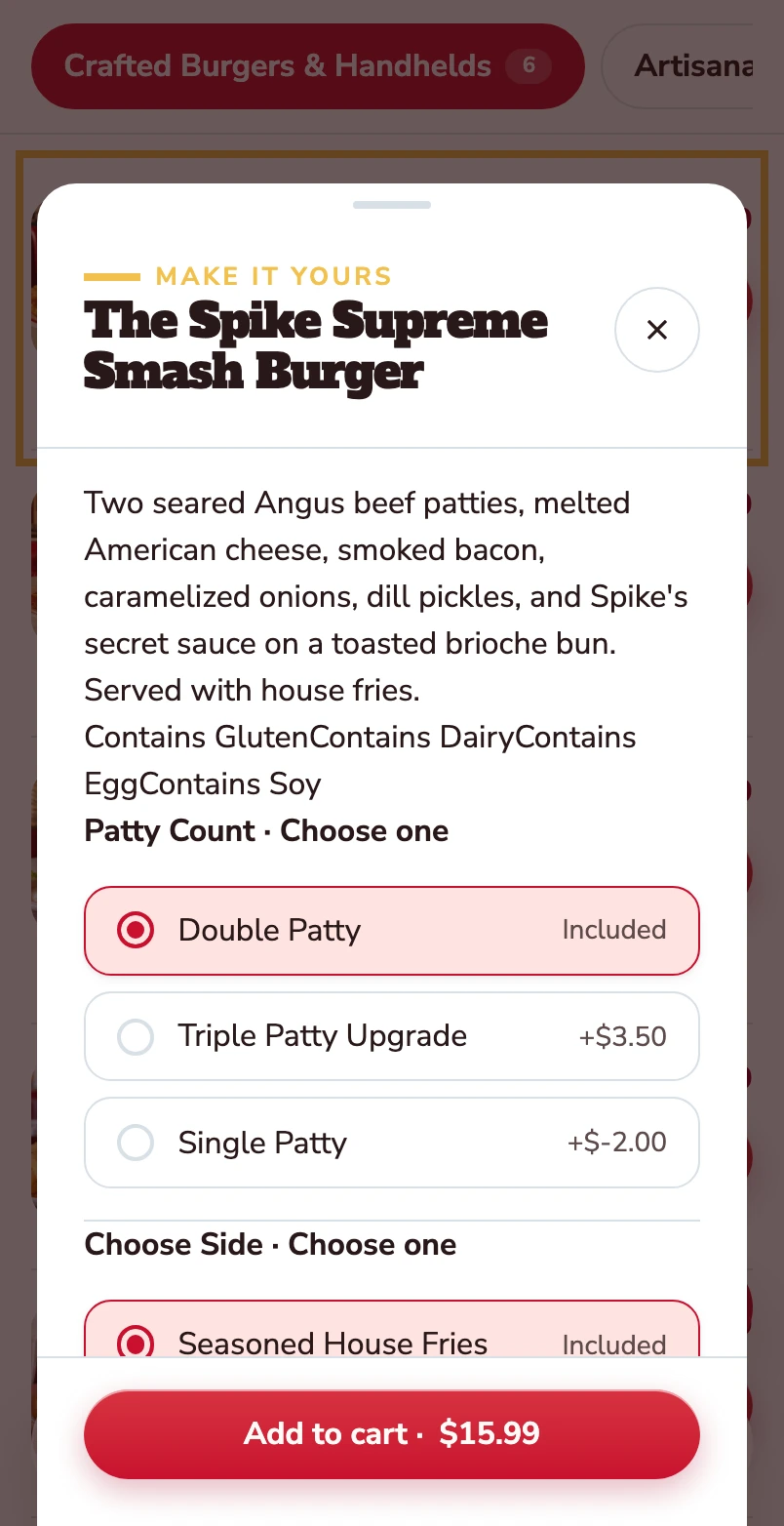
The item opens with its description, allergens and the choices attached to it.
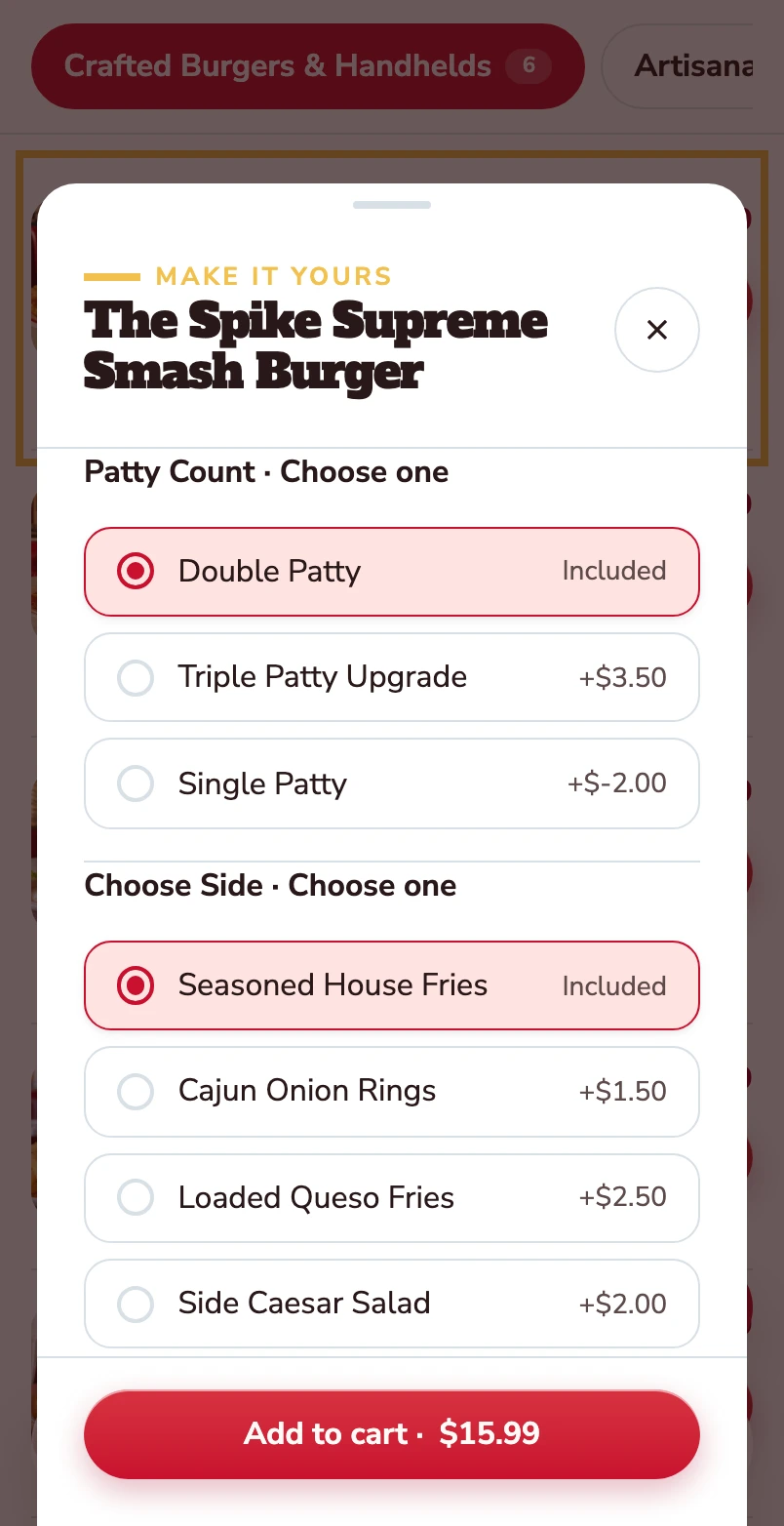
Choose the patty and the side.
Double patty and house fries are included. Other choices show their price difference before the item goes into the basket.
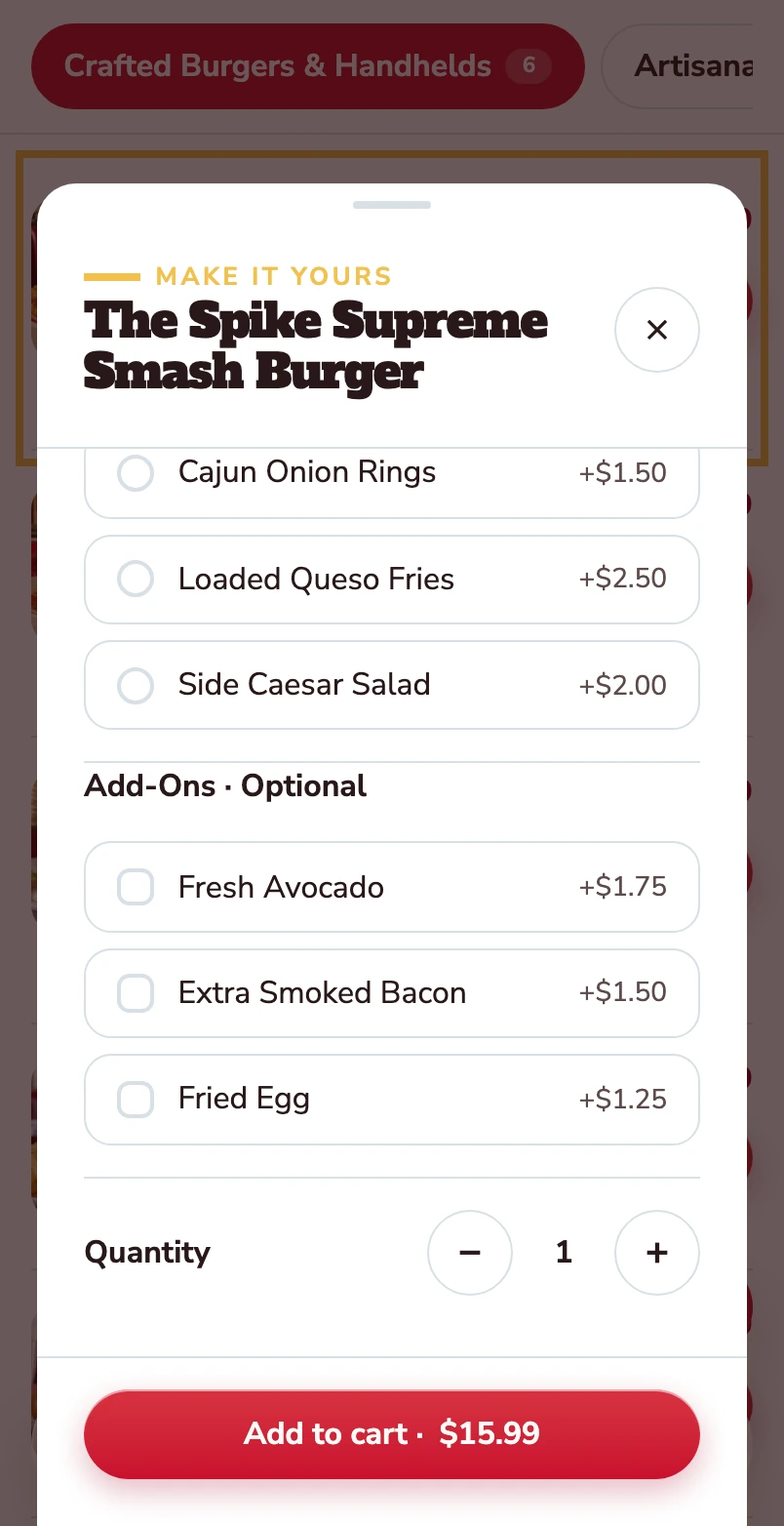
Make it yours.
Avocado, extra bacon and a fried egg are optional. Quantity and the Add to cart total stay together at the bottom.
Mobile website · Spike’s Diner demo
Walk through the guest website
The desktop site of Spike’s Diner, our demo restaurant: the home page, menu and product choices, shown as a short journey through the real site.
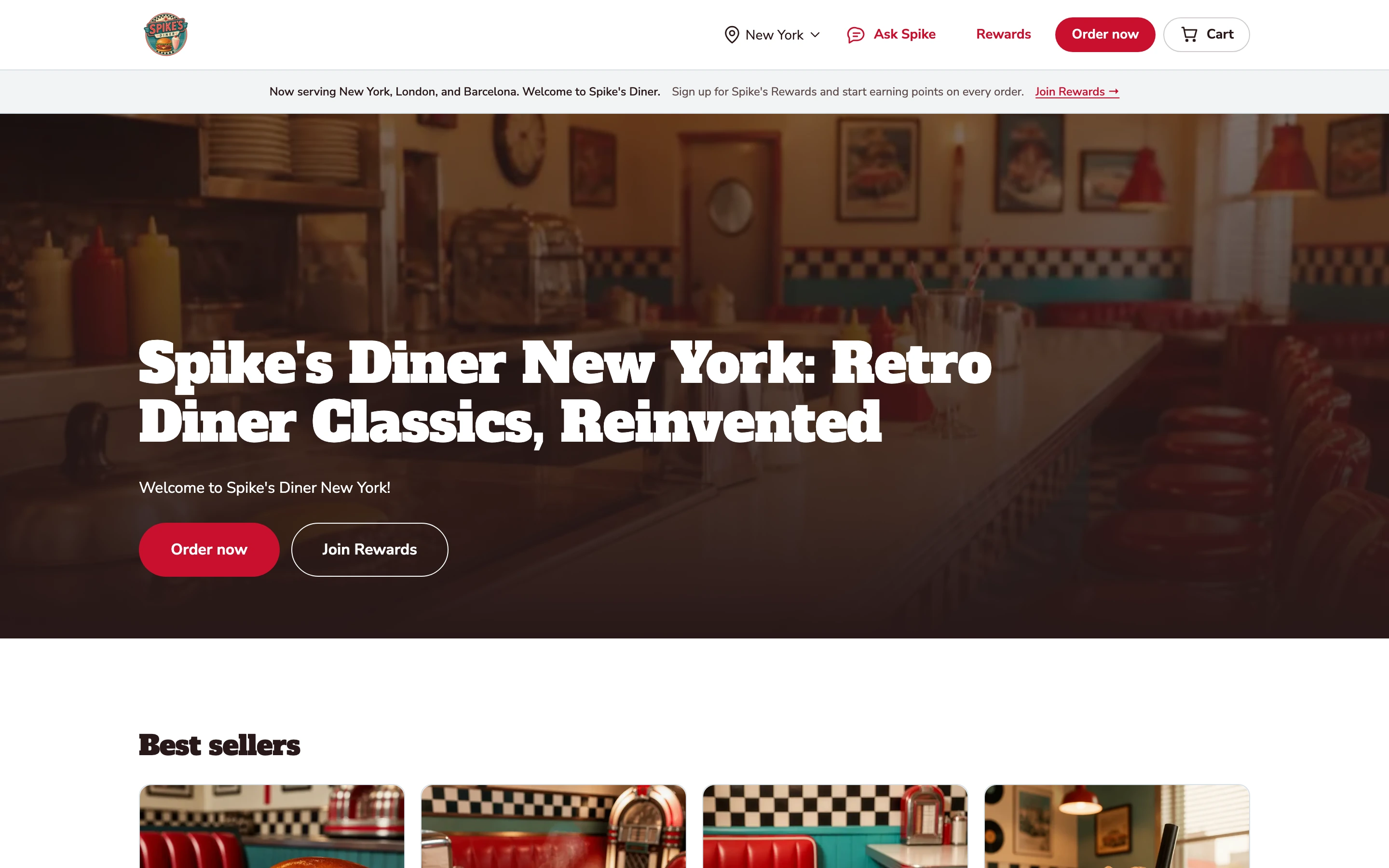
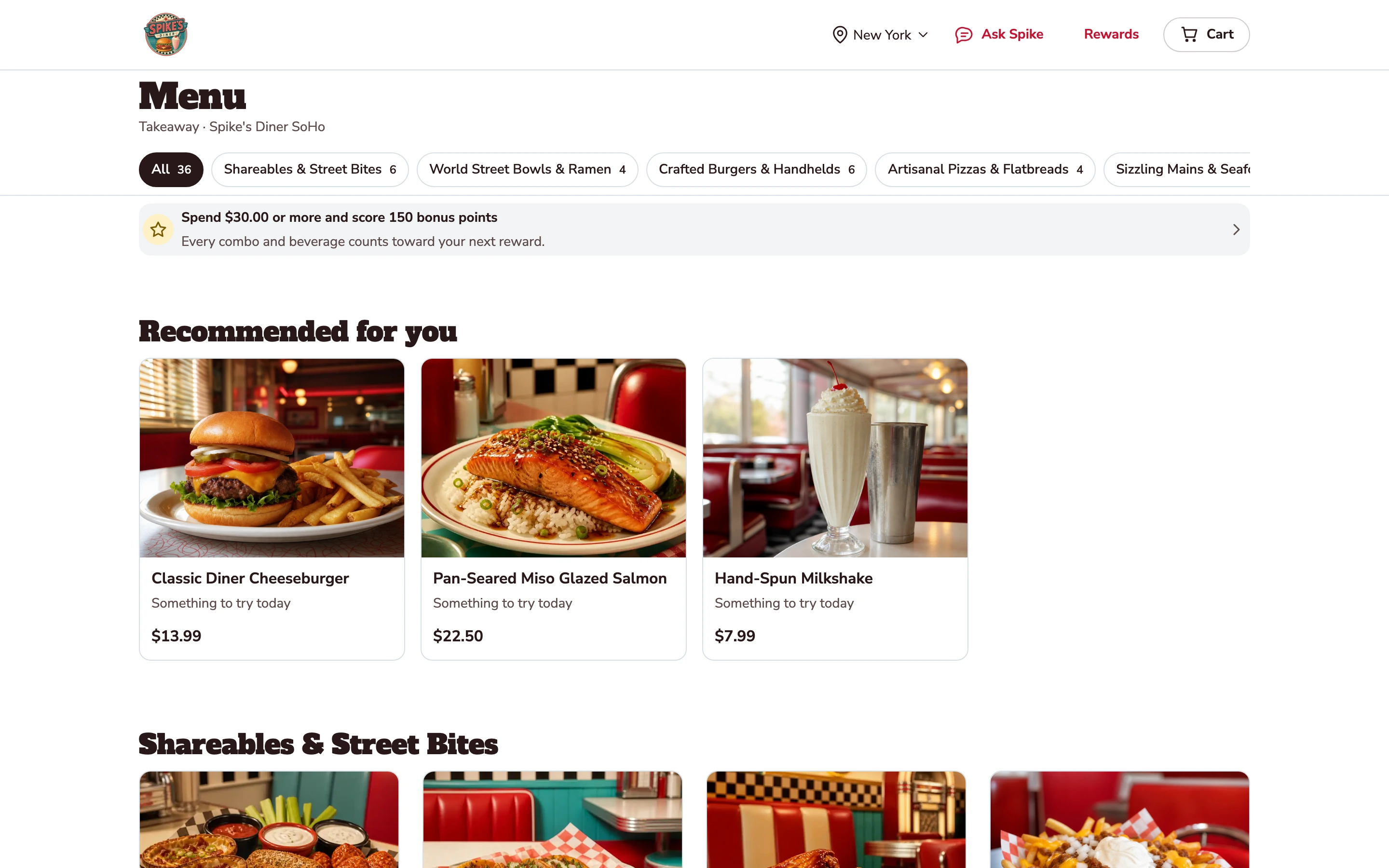
The page a search lands on.
Spike’s Diner’s own site on its own domain: the brand, the photography, Order Now and Join Rewards. A guest arrives here, not on a marketplace listing.
The menu guests order from.
Categories, photographs and prices on the desktop site. These are the same items, options and prices that feed the basket on every channel.
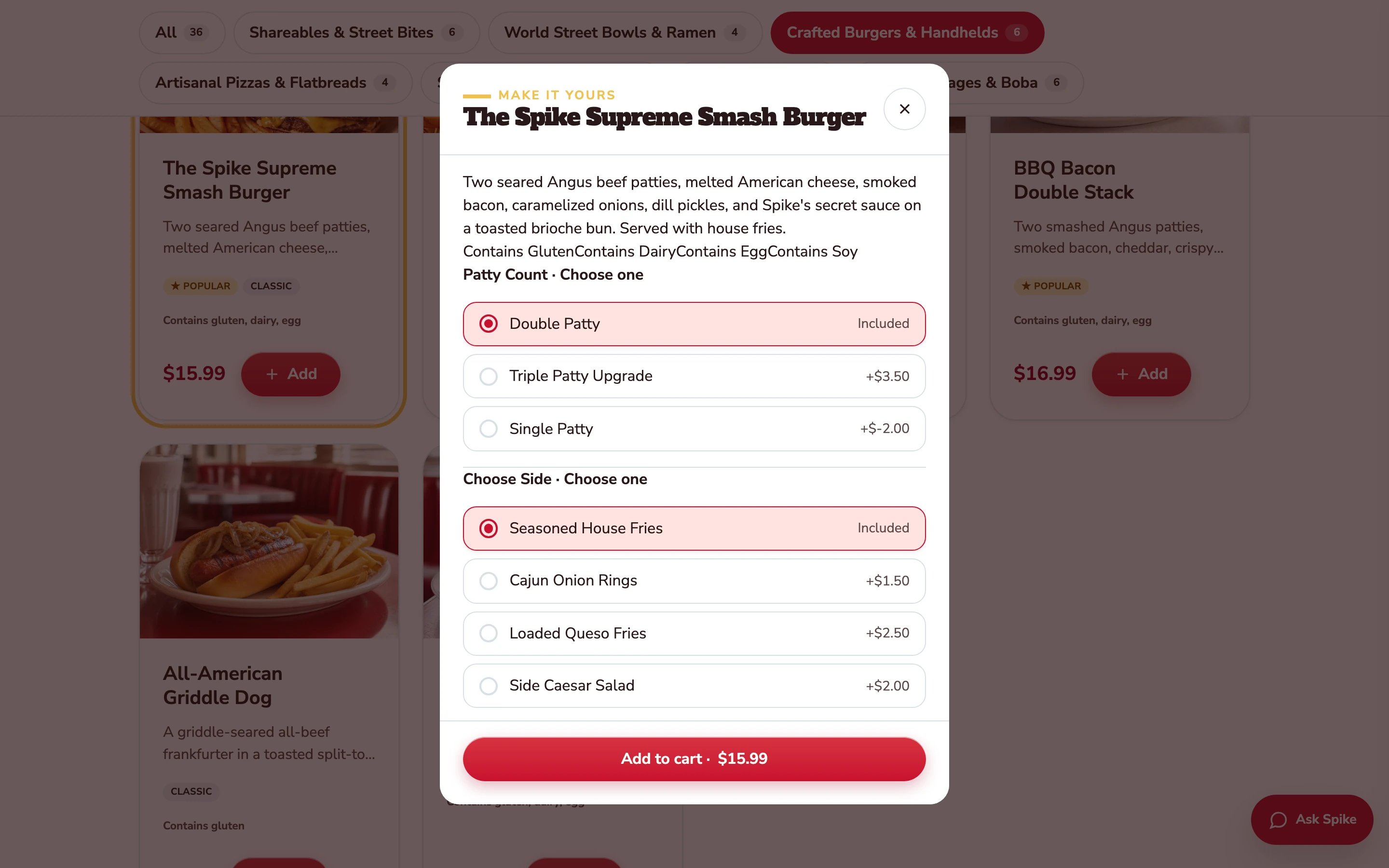
The choices sit with the product.
Open a burger to inspect its patty choices, sides and price adjustments without leaving the menu.
Desktop website · Spike’s Diner demo
Select a stage to watch its steps. Pause to inspect a screen.
What your team
gets with it.
- A home for your brand
- Your identity, food photography and story in one place, on your own domain.
- Every location, easy to find
- Guests choose a site and see its menu, opening hours and ordering options.
- A short path to ordering
- From browsing the food to a basket in a couple of taps.
Part of your complete setup.
Your website, customer app, waiter app and kiosk integration come together as standard. Retter builds and runs them under your brand, connected through the same menus, orders and guest records.
Questions about
branded website.
Read all FAQs Do we get our own website, or a page on someone else’s?
Your own. Retter builds a branded website for the restaurant, café or coffee group on its own domain, bringing the food, the locations and direct online ordering together. A guest who finds the group in a search lands on its own site, chooses a location, browses the menu and orders without a marketplace in between.
How is ordering through our own website and app different from a delivery marketplace?
On a marketplace such as Deliveroo, Uber Eats or Just Eat, the order arrives without the guest attached and the marketplace charges commission on it. Retter builds the group's own ordering website, app and table QR ordering, so identified guests’ orders join their account, earn points under the group’s rules and stay in the group’s own records, with no marketplace commission. A group can keep its marketplace listings and run its own channels alongside them.
How long does it take to go live?
The target is two weeks for an agreed first scope. In week one Retter loads the menu, brands, sites and tables and the operator approves the guest screens. In week two the staff get the waiter app and the back office and the first site takes a guest order. POS integration and app-store review run on their own agreed timelines.
Let’s put your restaurant in the picture.
Tell us about your sites and the systems you use. We’ll show you the guest experience, the team’s workspace and what a first rollout would include.
The guest demo uses a fictional restaurant. Payments are simulated.
In your walkthrough
- Place an order as a guest.
- See the account and rewards behind it.
- Agree the scope of your first site.