
Operations management
Operations management is the back office where your team maintains menus, products, options and approved dietary details centrally, gives each site its own hours, availability and service controls, and sees who changed what. Named roles, approvals and an activity history keep a multi-site group organised.
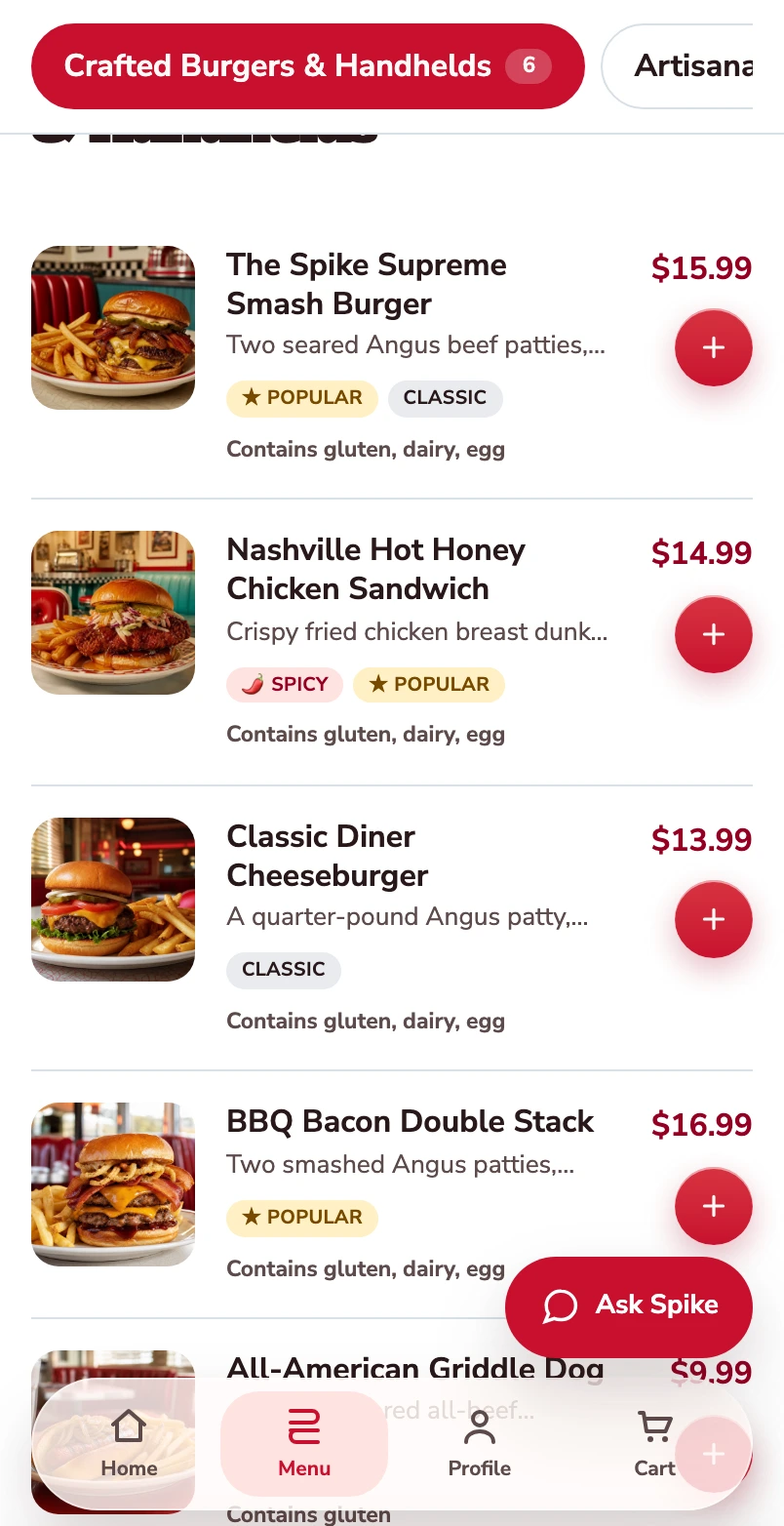
Start with the burger menu.
One burger follows through this mobile web journey, from its choices to its populated checkout.
Open the burger.
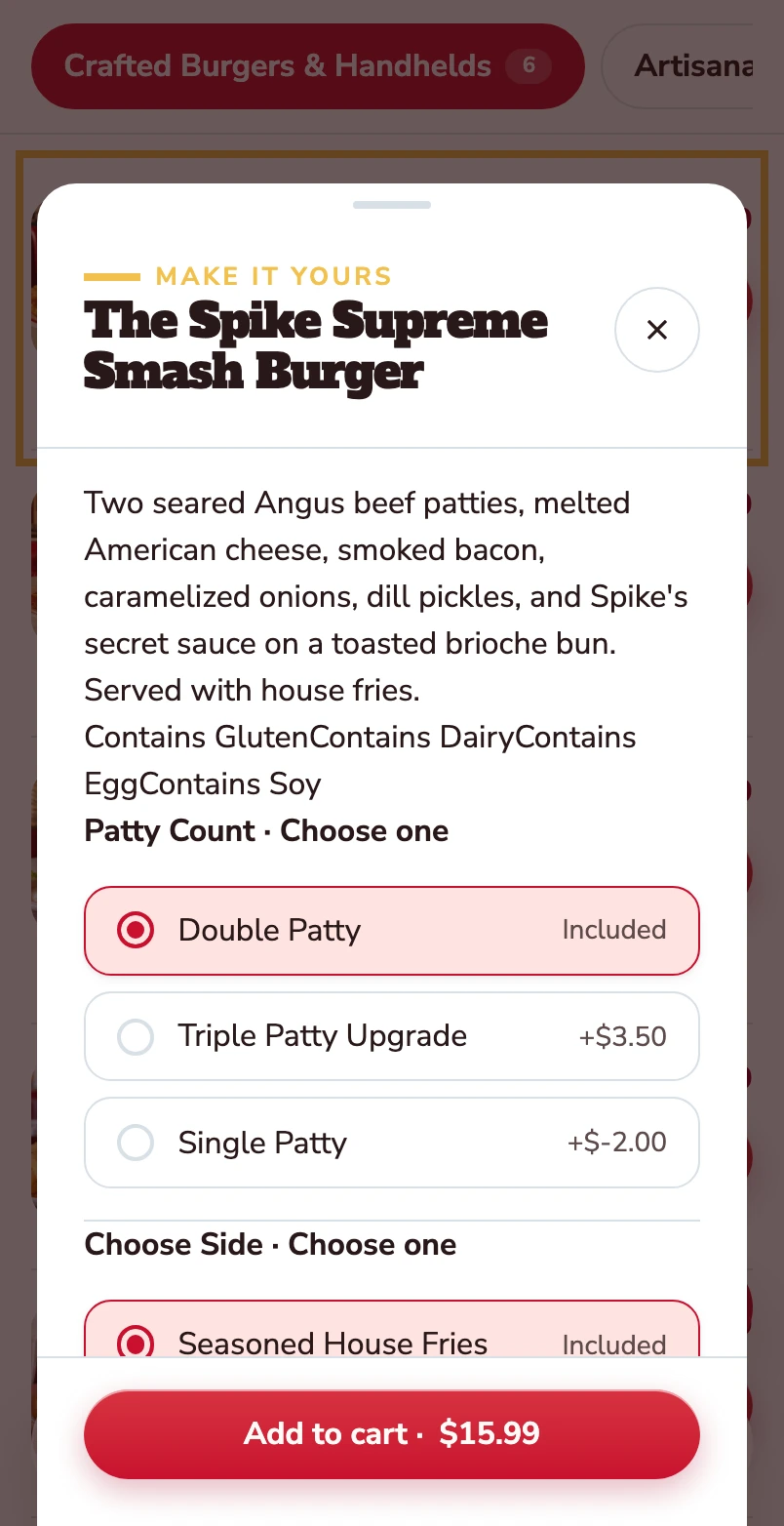
The item opens with its description, allergens and the choices attached to it.
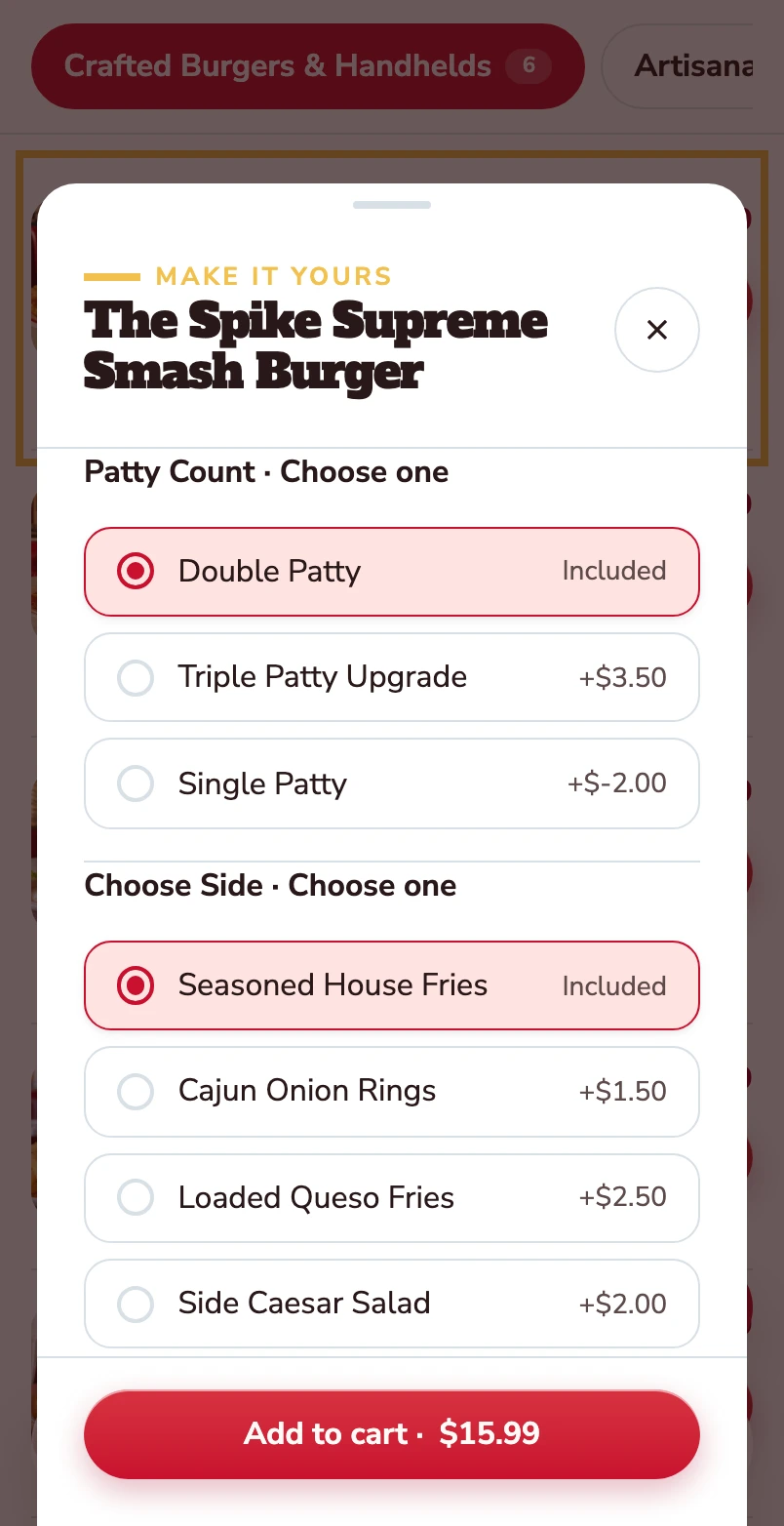
Choose the patty and the side.
Double patty and house fries are included. Other choices show their price difference before the item goes into the basket.
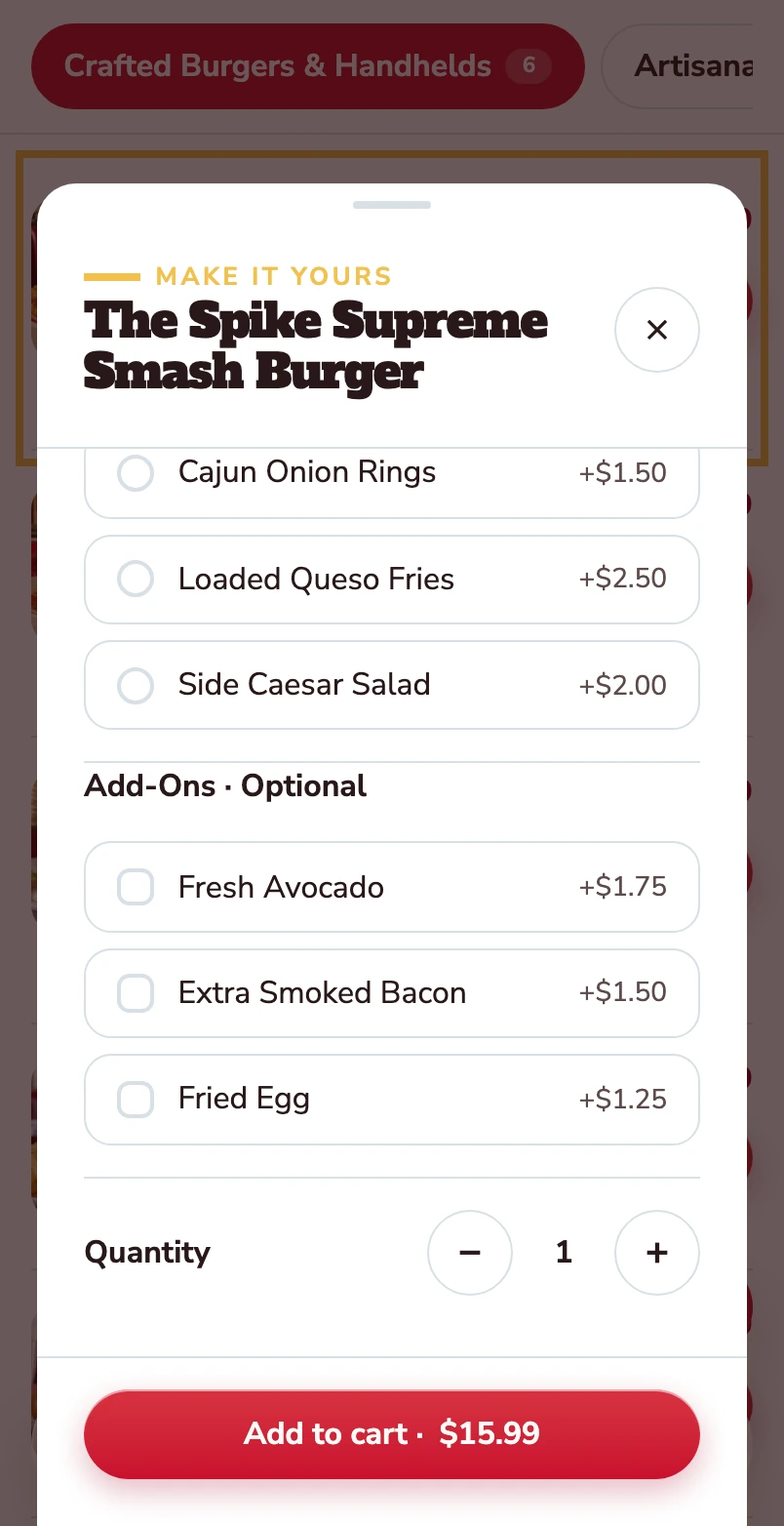
Make it yours.
Avocado, extra bacon and a fried egg are optional. Quantity and the Add to cart total stay together at the bottom.
Added to your basket.
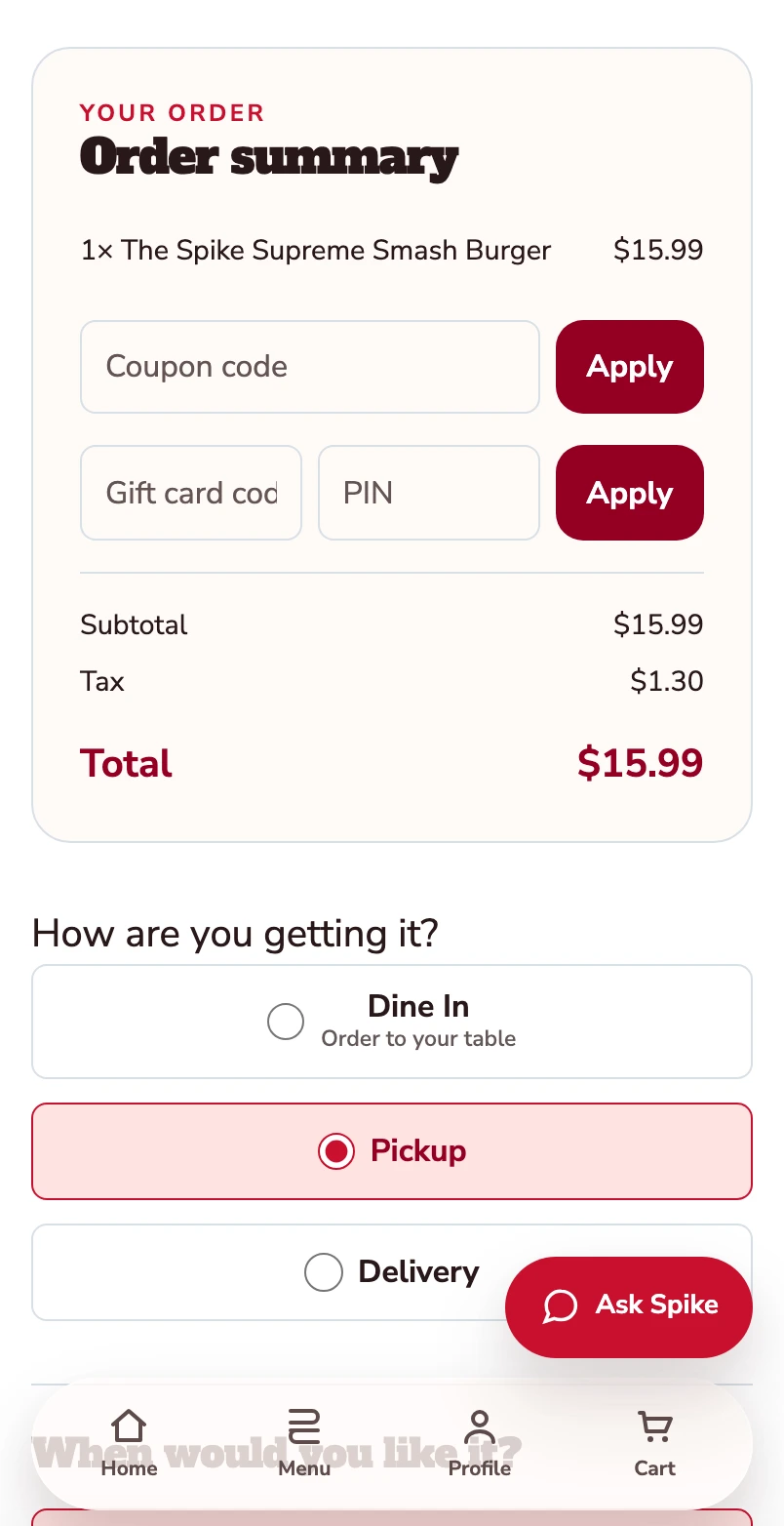
Your burger is now in the basket. The order summary shows one item and a $15.99 total before checkout. Pickup is selected.
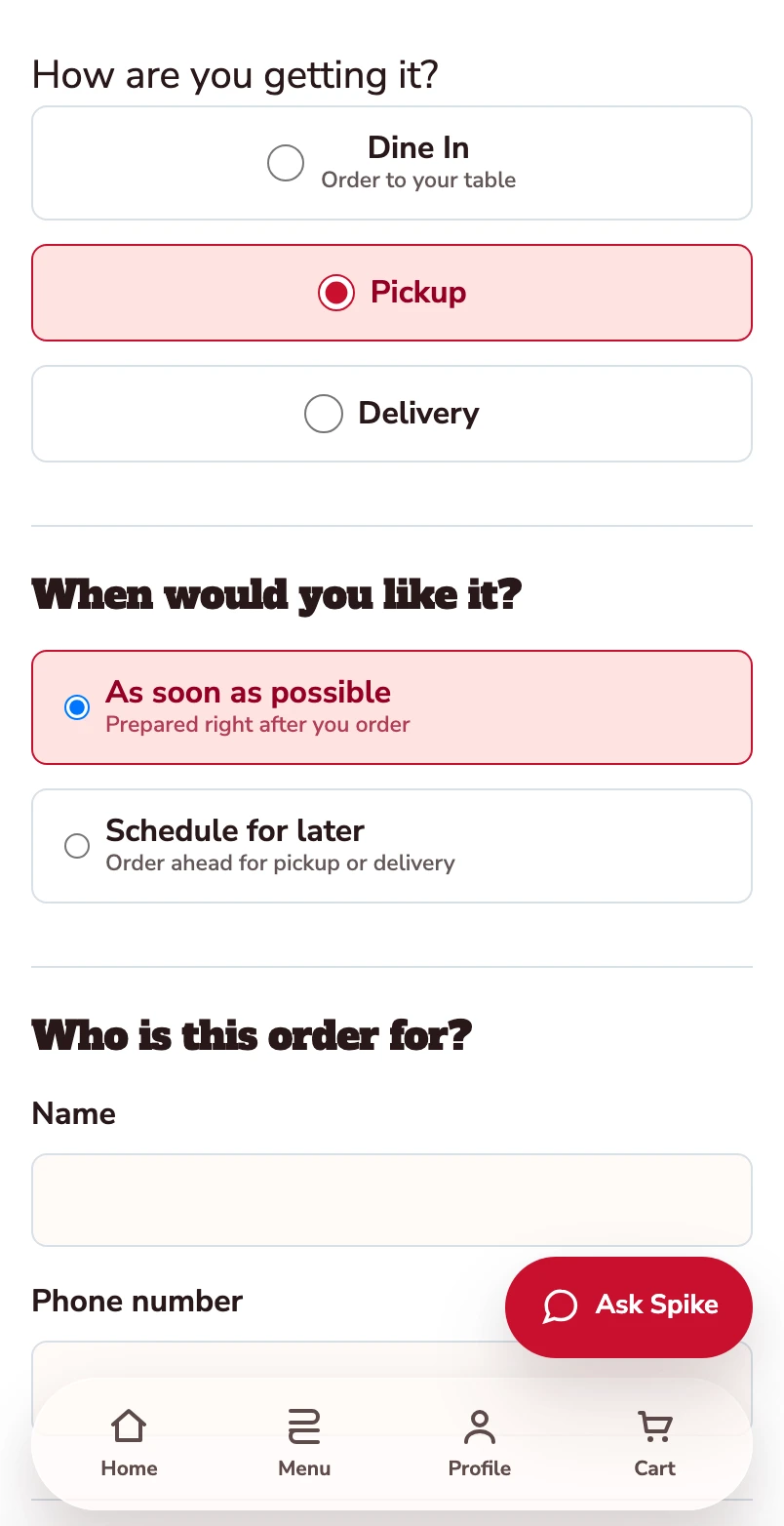
Confirm how you’re ordering.
Pickup is selected. Review the timing and contact details before payment.
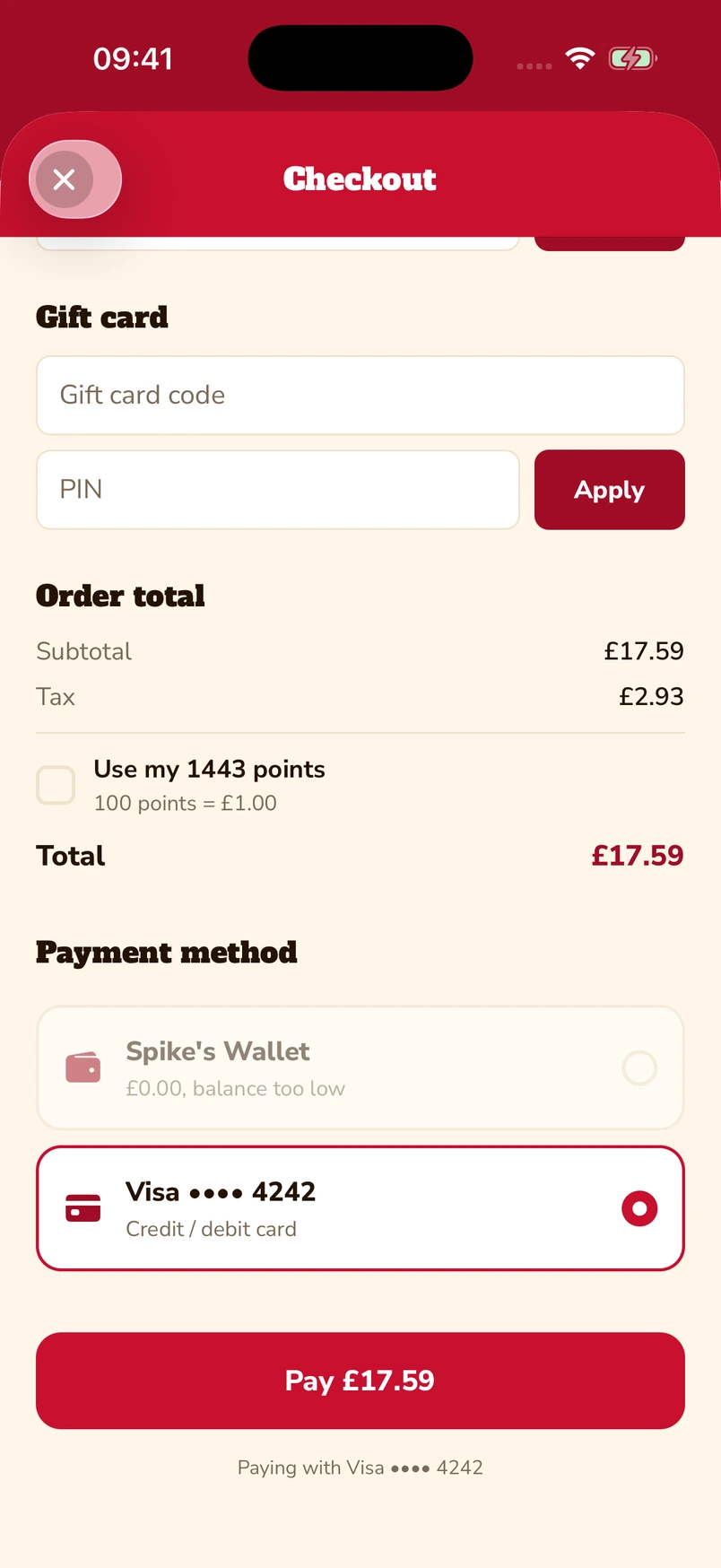
Put gift cards and points towards the bill.
Enter a gift-card code and PIN, or choose to use loyalty points at checkout. The captured app screen shows 1,443 available points alongside a saved Visa card.
Native iOS app · Spike’s Diner demo
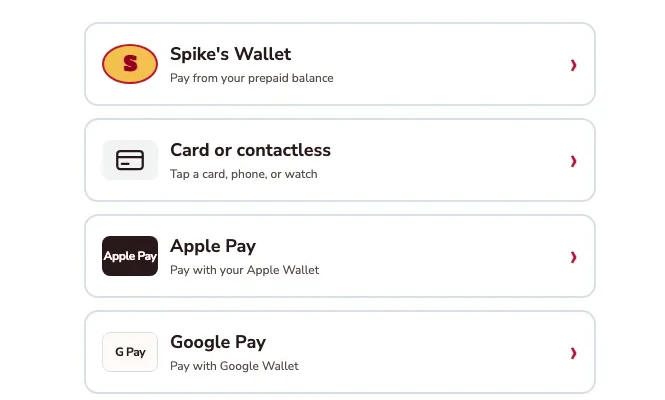
Apple Pay, Google Pay or a card.
The kiosk demo puts Apple Pay and Google Pay alongside card or contactless payment and prepaid wallet. Choose the method that suits you.
Kiosk demo · Payment-options detail · Simulated payment
Keep a balance ready for the next visit.
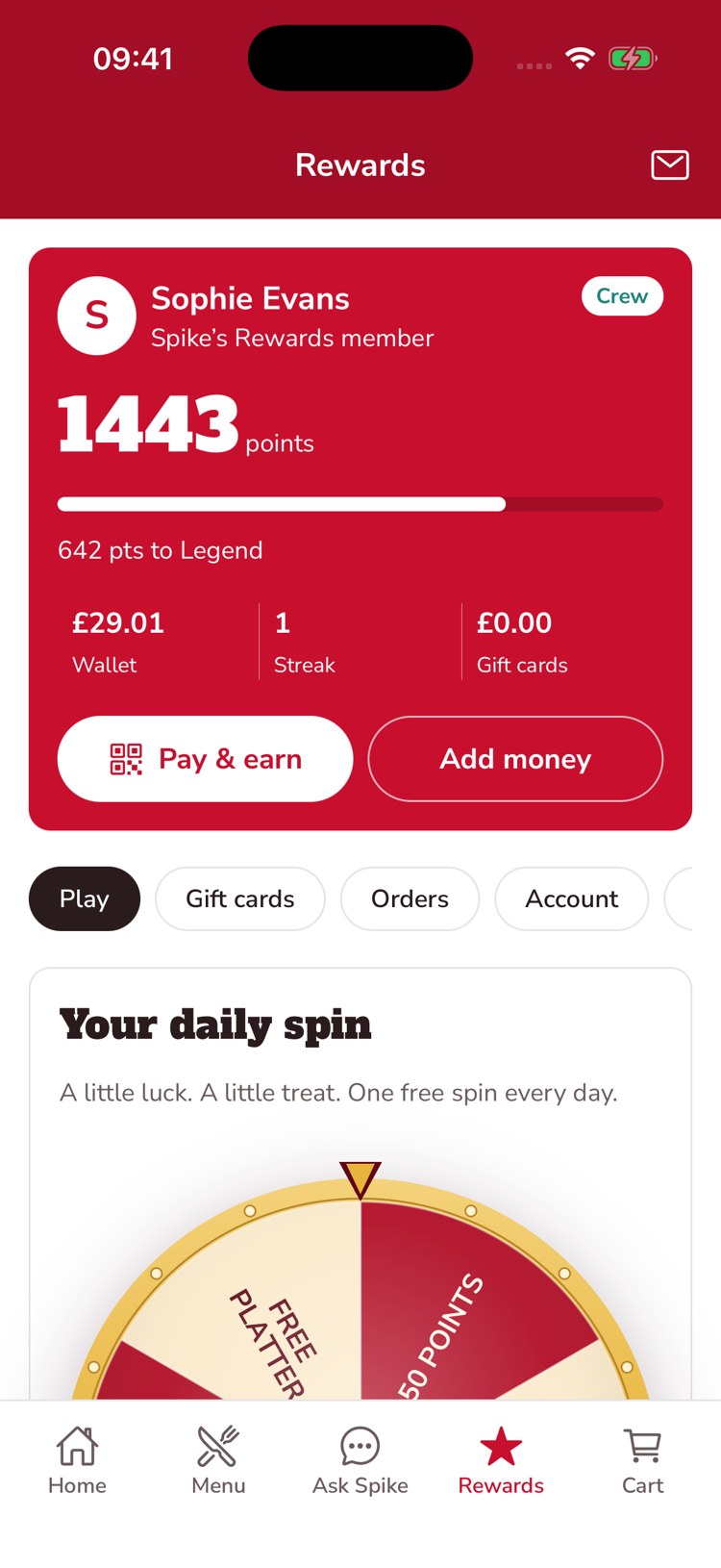
The guest’s account brings prepaid balance, loyalty points and gift-card balance together. This example shows £29.01 in the wallet, 1,443 points and an Add money control.
Native iOS app · Spike’s Diner demo
Mobile web ordering · Native app & kiosk payment examples · Spike’s Diner demo
From the catalogue to the channel
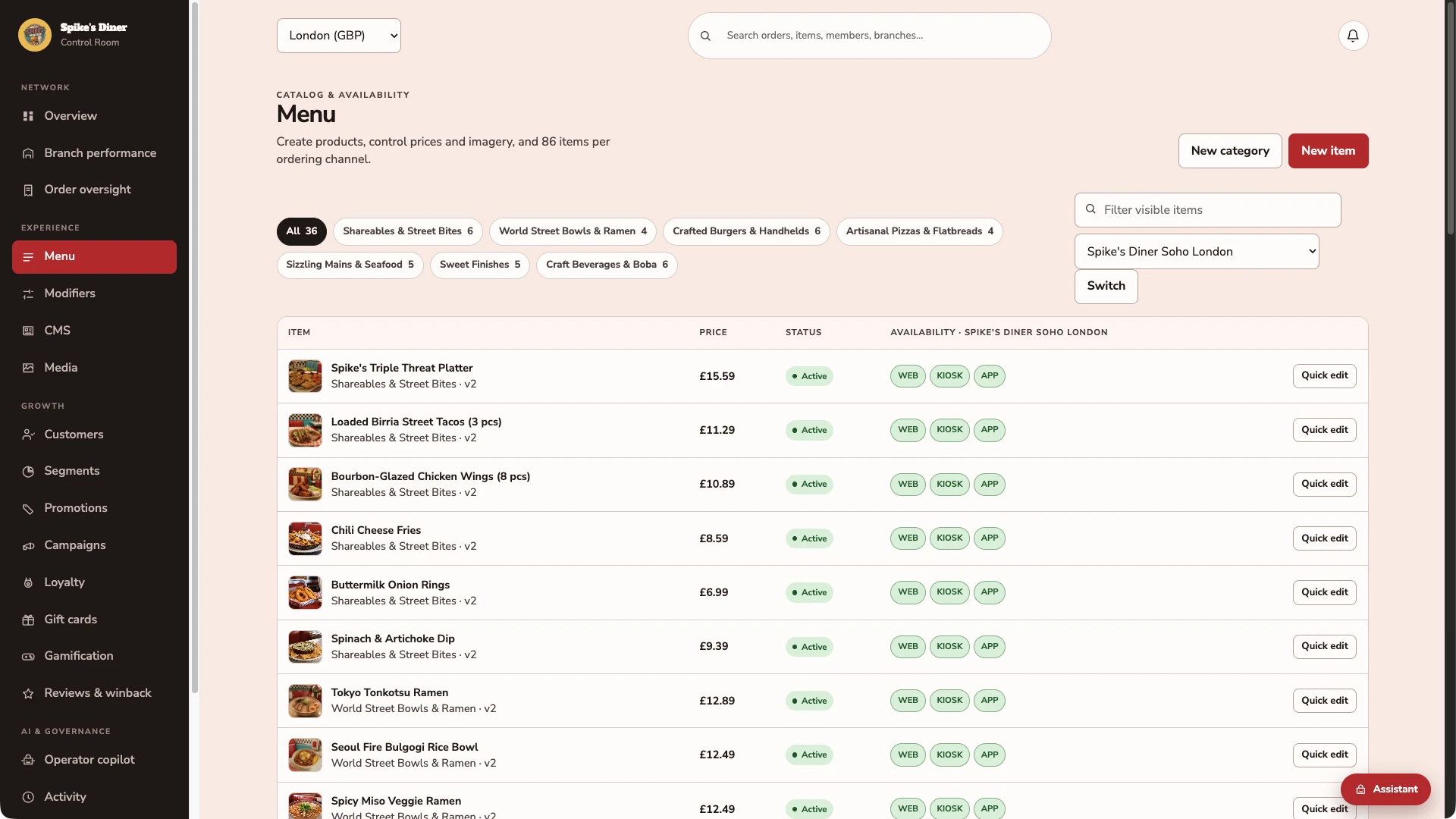
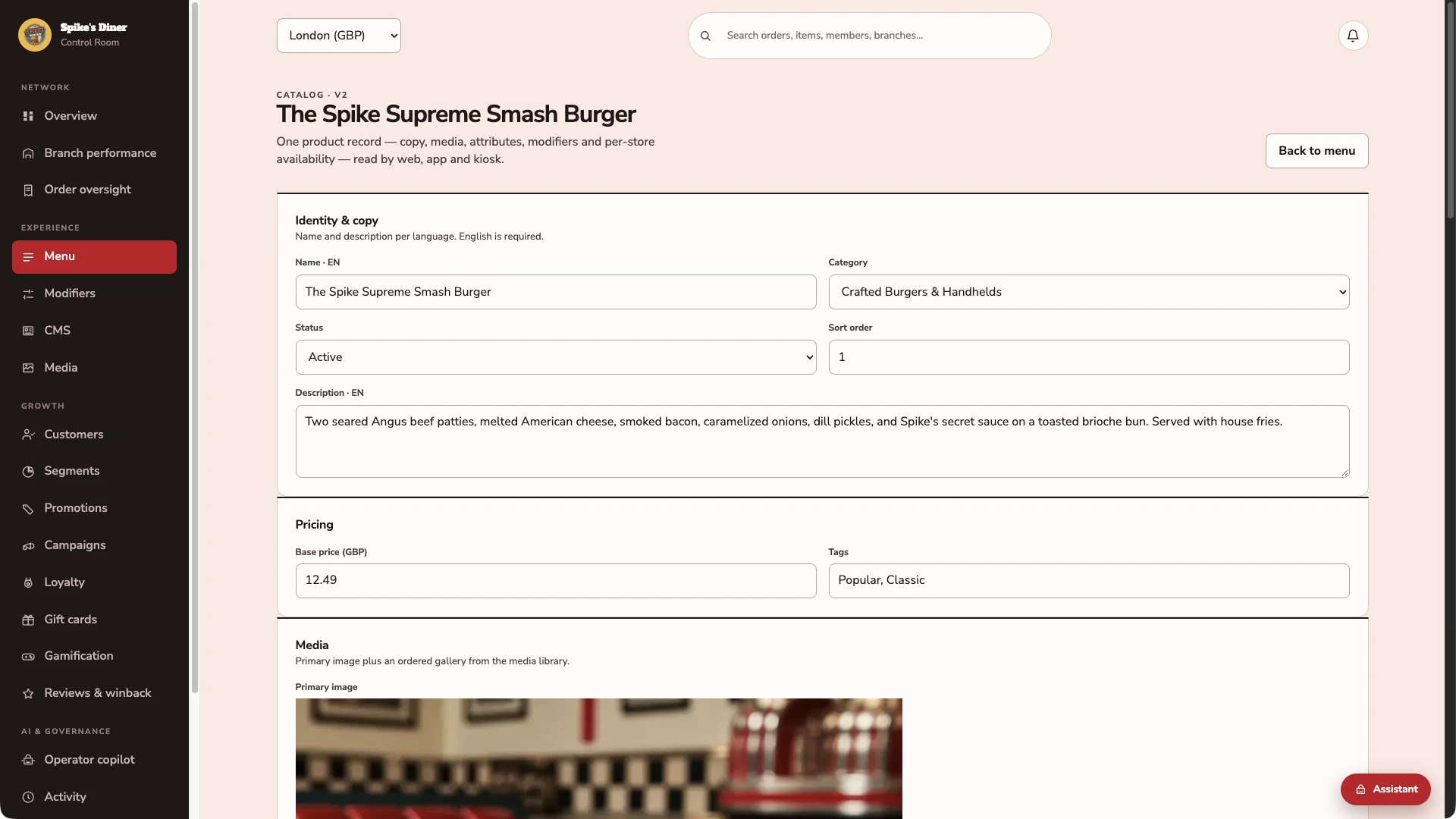
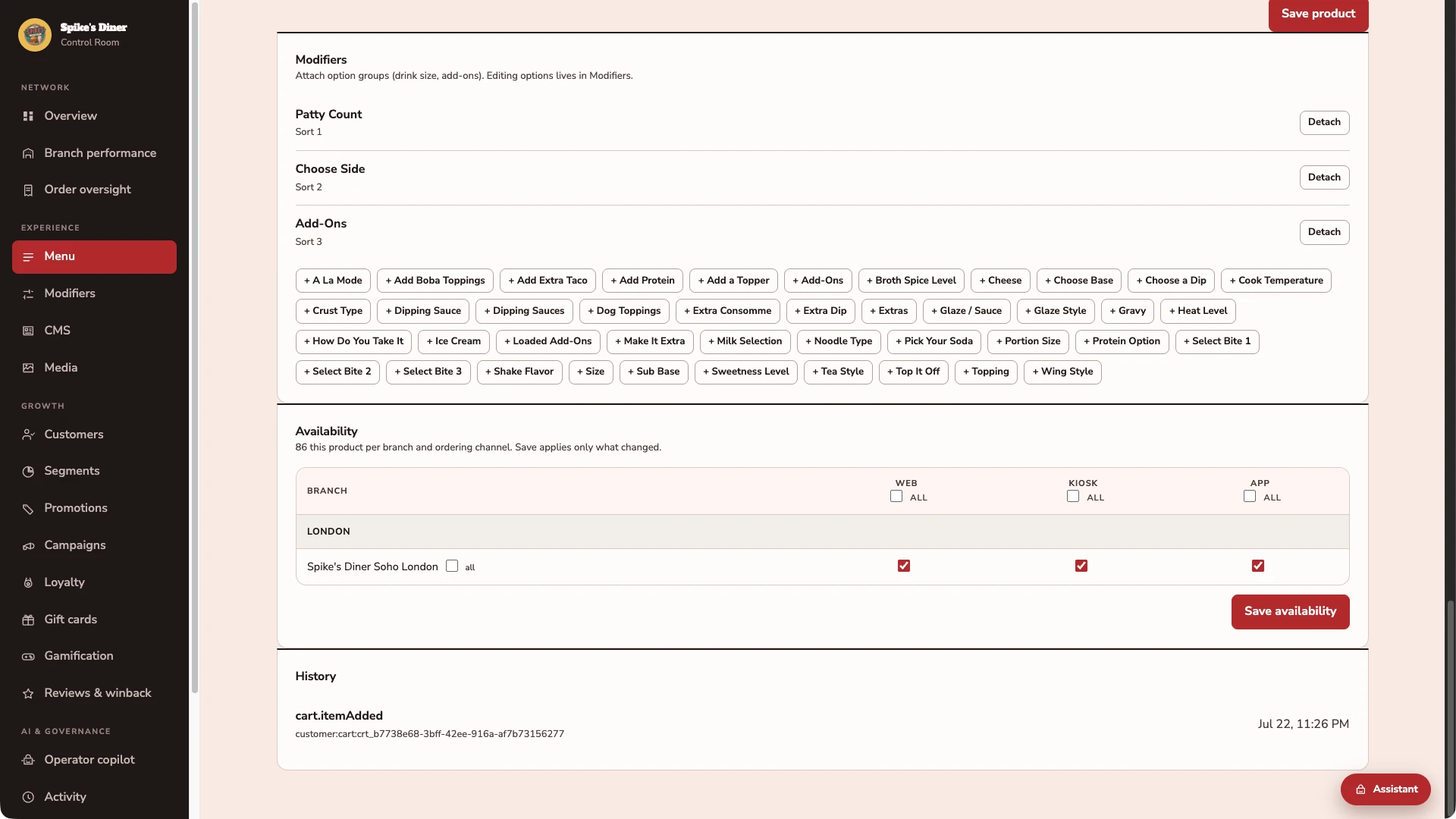
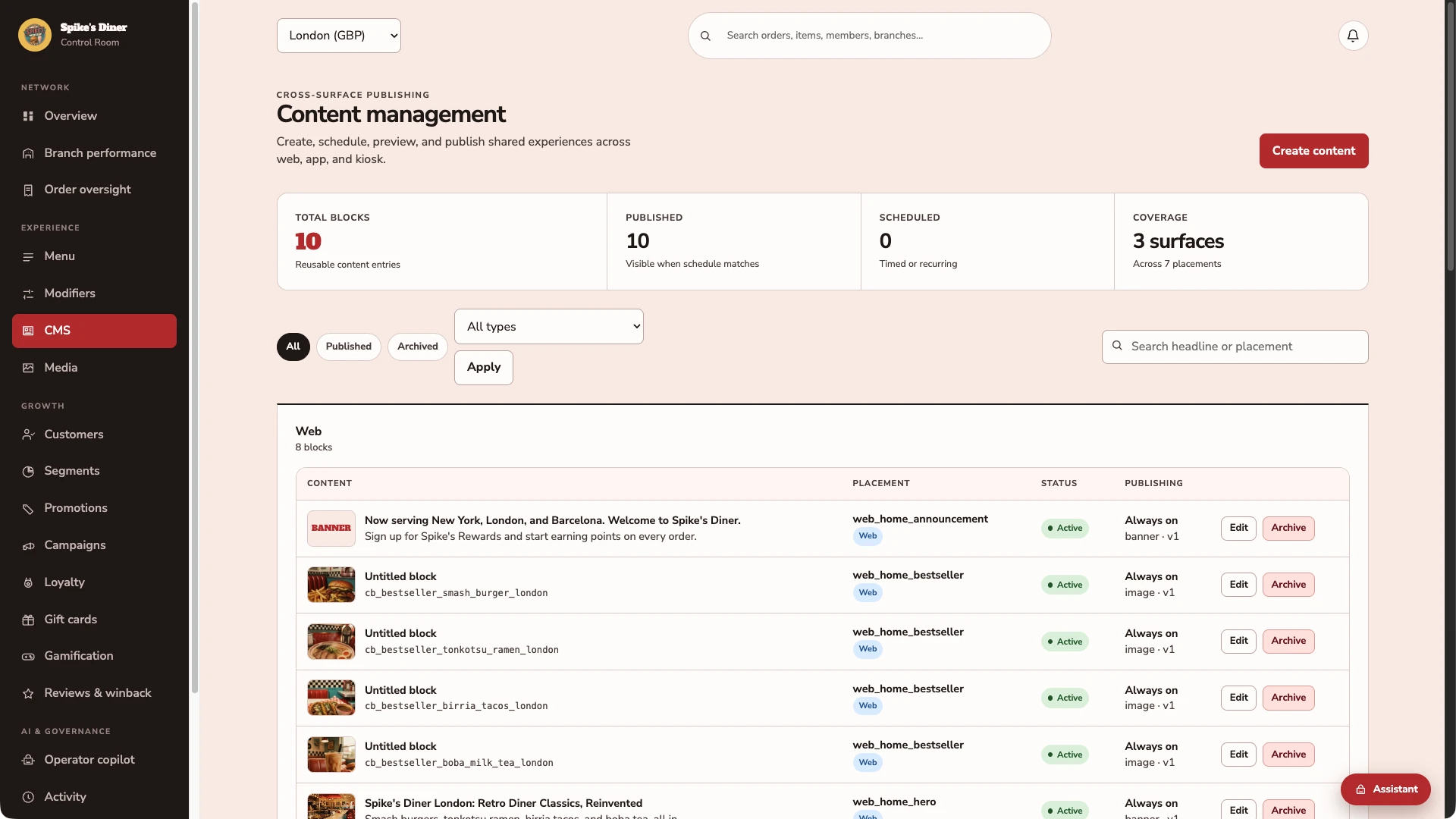
Four actual back-office screens from Spike’s Diner: the menu catalogue, the Smash Burger editor, its modifier groups and availability matrix, and the content blocks used across web, app and kiosk. Existing configuration, inspected without saving changes.
One catalogue. Clear channel availability.
Browse products by category, check prices and see availability for web, kiosk and app at the selected site.
Open the product behind the menu.
The Spike Supreme Smash Burger has its own name, category, description, £12.49 base price, tags and primary image. The team manages these together in the product editor.
Connect the choices. Control where it sells.
The same burger has Patty Count, Choose Side and Add-Ons attached. Its availability matrix shows separate web, kiosk and app switches for Soho London, with a dedicated Save availability control.
Manage the guest-facing content.
See the content blocks used across web, app and kiosk, including their placement and current status.
Real Back office screens · Seeded demo data · Contact details hidden where shown
Select a stage to watch its steps. Pause to inspect a screen.
What your team
gets with it.
- Menus kept organised
- Products, options and approved dietary details maintained centrally.
- Room for each site to operate
- Local hours, availability and day-to-day service controls.
- Who can change what
- Named roles, approvals and an activity history.
Part of your complete setup.
Your website, customer app, waiter app and kiosk integration come together as standard. Retter builds and runs them under your brand, connected through the same menus, orders and guest records.
Questions about
operations management.
Read all FAQs What does reducing vendor inflation mean?
Vendor inflation is the growing number of overlapping software suppliers, disconnected guest records and support handoffs in your customer stack. Retter brings CRM, loyalty, promotions, product information, engagement, personalisation, ordering and apps together through the Retter AI Suite. We map what can be consolidated and connect the POS and payment systems you keep, with the scope agreed around your business.
Does the online menu show allergens and nutrition information?
Yes. Each item on the online menu Retter builds carries its photos, options, price, allergen and nutrition information. The team maintains an item once in the back office and the change shows everywhere guests order: the website, the app, the table QR and the kiosk.
How long does it take to go live?
The target is two weeks for an agreed first scope. In week one Retter loads the menu, brands, sites and tables and the operator approves the guest screens. In week two the staff get the waiter app and the back office and the first site takes a guest order. POS integration and app-store review run on their own agreed timelines.
Do we have to replace our POS?
No. Retter builds around the POS a group already uses. The first site can go live without a POS connection: guests order and pay through the group's own website and app, staff scan a guest's code to add points and reporting starts on day one. Retter then reviews the POS and agrees which menus, orders, payments and loyalty events can be connected. How deep the link goes depends on what your POS vendor opens up. We confirm it in writing before you commit.
Let’s put your restaurant in the picture.
Tell us about your sites and the systems you use. We’ll show you the guest experience, the team’s workspace and what a first rollout would include.
The guest demo uses a fictional restaurant. Payments are simulated.
In your walkthrough
- Place an order as a guest.
- See the account and rewards behind it.
- Agree the scope of your first site.